Contextual help of the web interface – 69
•
•
•
•
•
•
•
•
•
•
•
•
•
Name
Location –location-position-elevation
Temperature
Humidity
Dry contact #1 –Status and name
Dry contact #2 –Status and name
Communication –Connected/Lost with dates
3.6.1.2 Actions
3.6.1.2.1 Download sensors measures
Press theDownload sensors measuresbuttonto download the sensors log file:
If available, possible measures are listed below:
Temperature of <sensor_1> (in K, 1 decimal digit)
Humidity of <sensor_1> (in %, 1 decimal digit)
Temperature of <sensor_2>> (in K, 1 decimal digit)
Humidity of <sensor_2>(in %, 1 decimal digit)
Temperature of <sensor_3>(in K, 1 decimal digit)
Humidity of <sensor_3>(in %RH, 1 decimal digit)
3.6.1.2.2 Discover
At first the table is empty, press theDiscoverbutton to launch the sensor discovery process.
If sensors are discovered, the table is populated accordingly
3.6.1.2.3 Delete
Select a sensor and press theDeletebutton to delete the sensor.
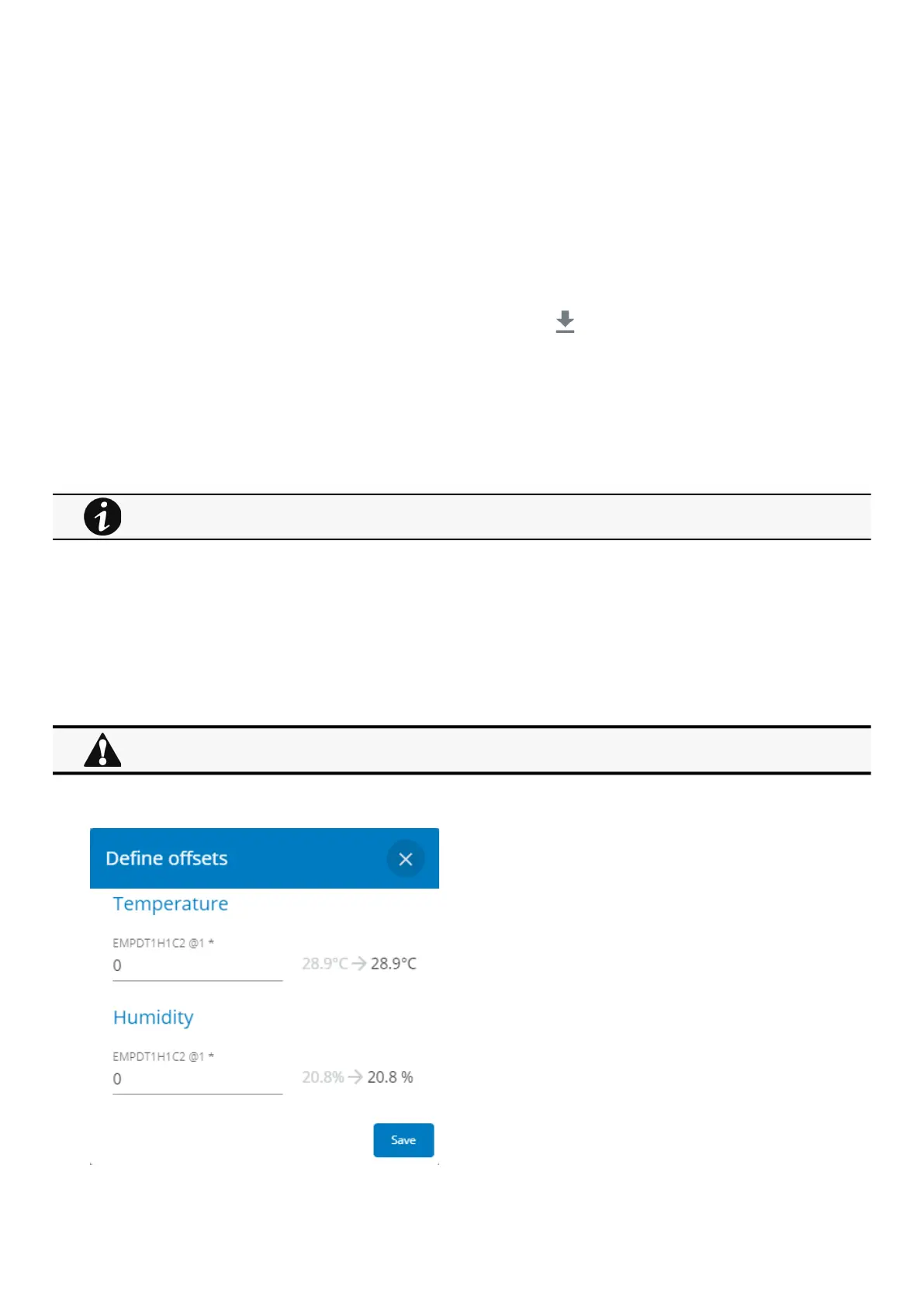
3.6.1.2.4 Define offsets
°C = K - 273.15
°F = K x 9/5 -459.67
When a sensor is deleted, all the commissioning information are deleted.



 To Next Page