Contextual help of the web interface – 75
•
•
•
•
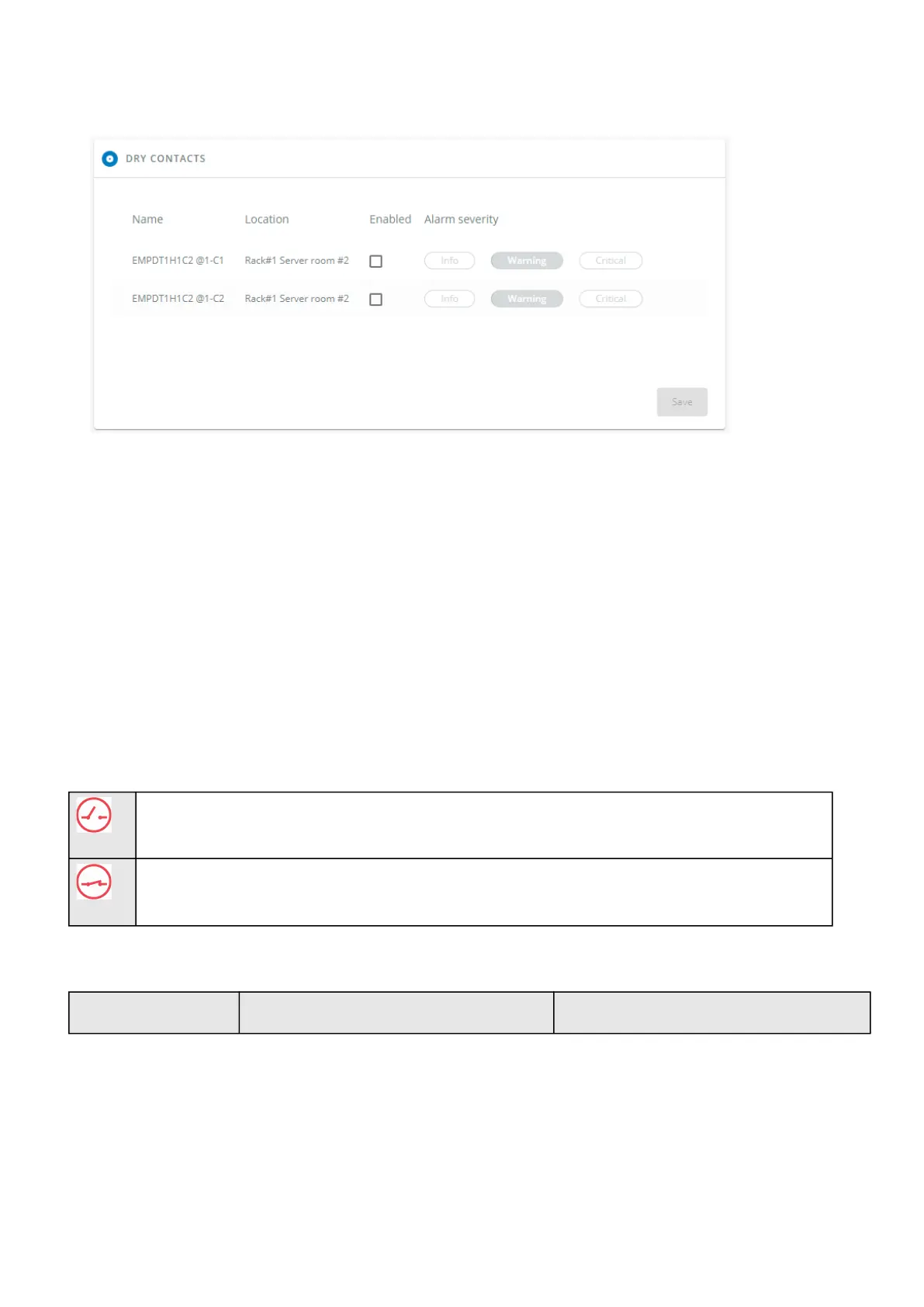
3.6.2.3 Dry contacts
The table shows the following settings for each dry contact:
Name
Location
Enabled–yes/no
Alarm severity – Info/Warning/Critical
3.6.2.3.1 Actions
a Set Enabled
Enable the alarm first and thenchangethe setting in the tableand thenSave.
When disabled, no alarm will be sent.
b Set alarm severity
Enable the alarm first and thenchangethe setting in the tableand thenSave.
When the dry contacts is not in a normal position, an alarm will be sent at the selected level.
The dry contact is open and this is not normal because it is configured as normally close.
The dry contact is close and this is not normal because it is configured as normally open.
3.6.2.4 Default settings and possible parameters - Environment Alarm configuration
Default setting Possible parameters



 To Next Page