AP, Managed AP, Repeater & Client Bridge Modes
104
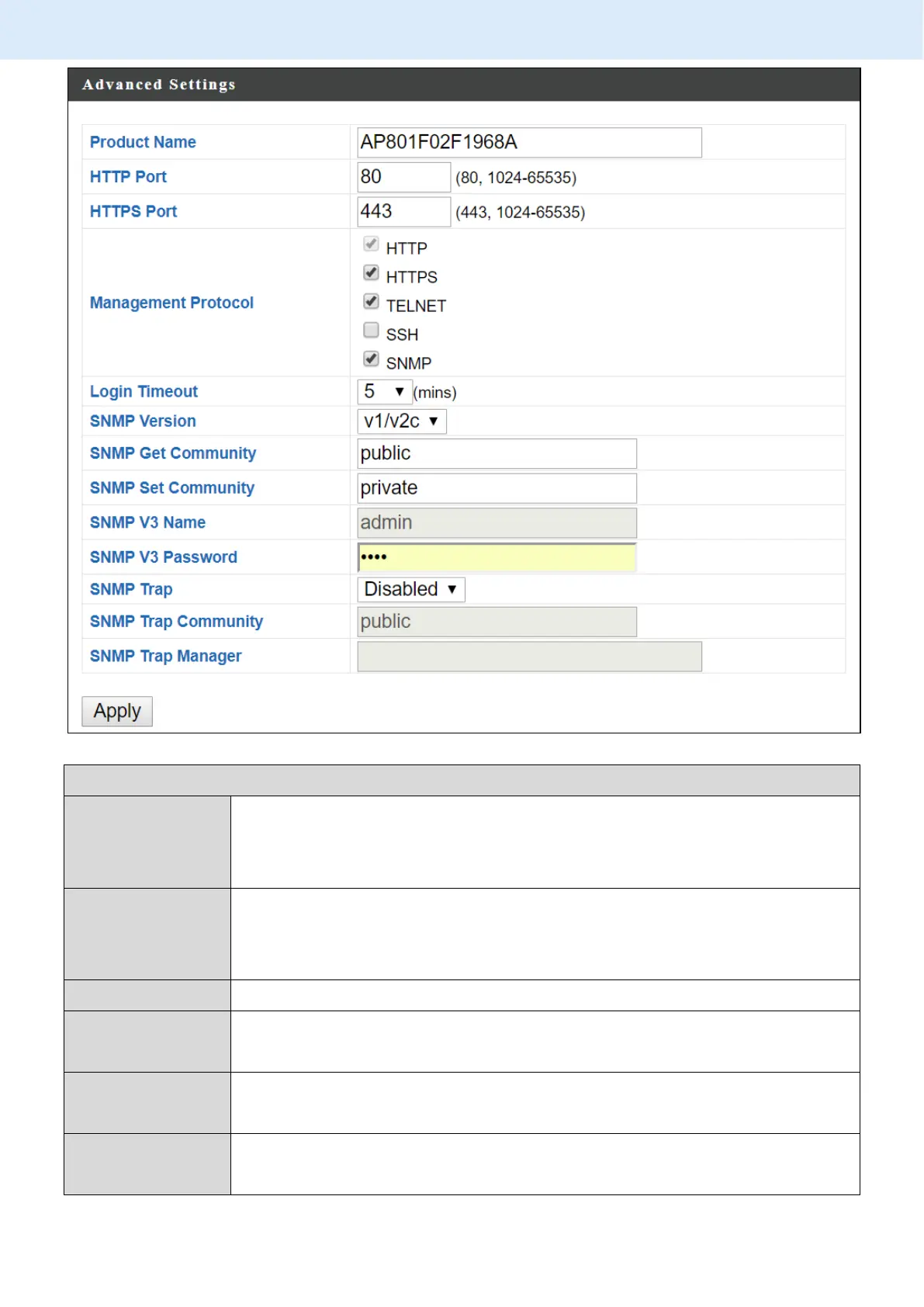
Edit the product name according to your preference
consisting of 1-32 alphanumeric characters. This name is used
for reference purposes.
Check/uncheck the boxes to enable/disable specified
management interfaces (see below). When SNMP is enabled,
complete the SNMP fields below.
Select SNMP version appropriate for your SNMP manager.
Enter an SNMP Get Community name for verification with the
SNMP manager for SNMP-GET requests.
Enter an SNMP Set Community name for verification with the
SNMP manager for SNMP-SET requests.
Enable or disable SNMP Trap to notify SNMP manager of
network errors.



 To Next Page