56 TP-00347-01
Chapter 4: Operation
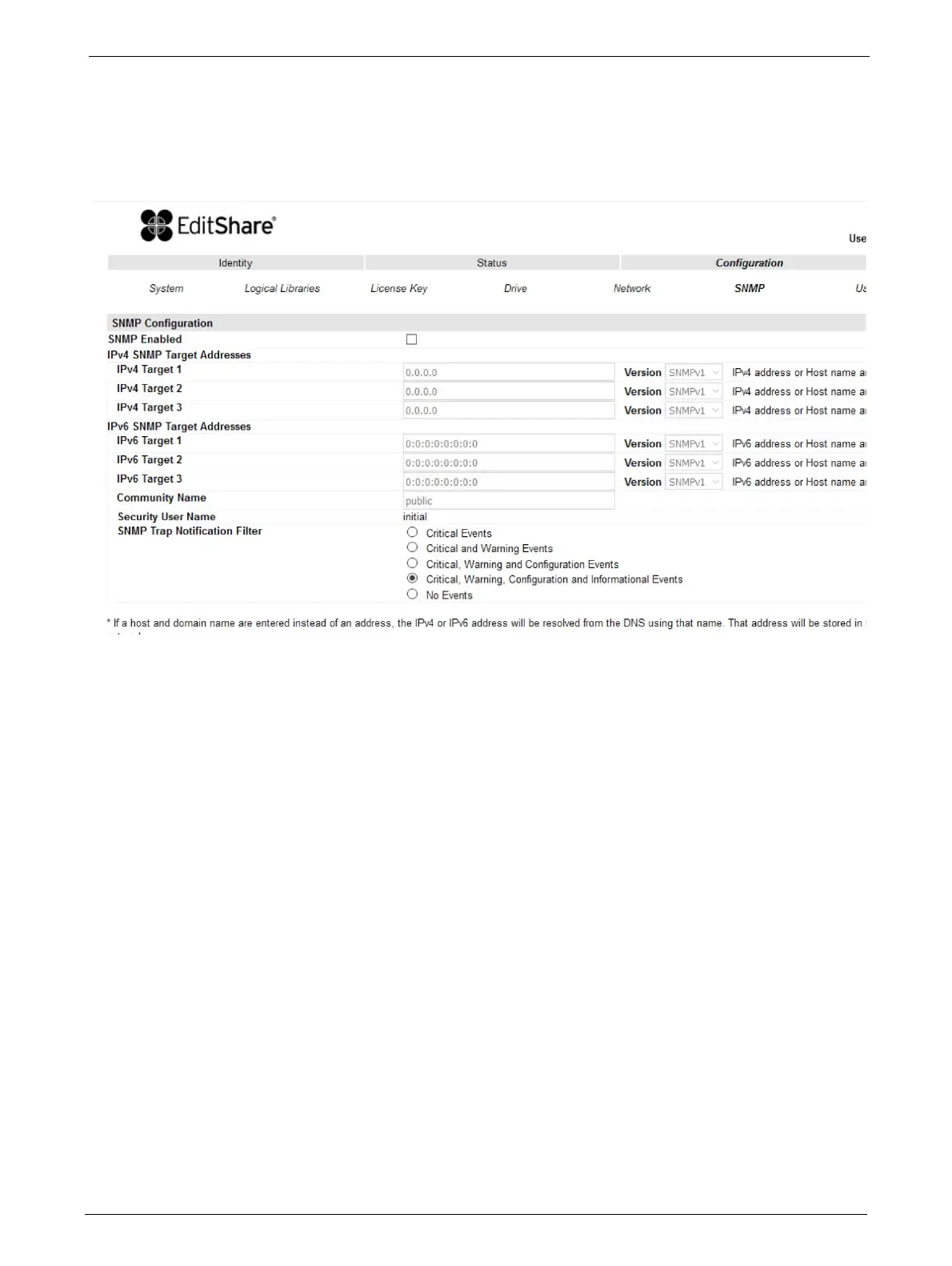
Changing SNMP Settings
If a host and domain name is entered instead of an address, the IPv4 or IPv6 address will be
resolved from the DNS using that name. The IP address will be stored in the library rather than the
name. Therefore, if the address changes then the name or a new address will have to be
entered.
Changes that can be made are:
•SNMP Enabled/Disabled
• IPv4 SNMP Target Addresses
•IPv4 Target 1
•IPv4 Target 2
•IPv4 Target 3
• IPv6 SNMP Target Addresses
•IPv6 Target 1
•IPv6 Target 2
•IPv6 Target 3
• Community name
• Security User Name
• SNMP Trap Notification Filter
• Critical Events
• Critical and Warning Events
• Critical, Warning and Configuration Events
• Critical, Warning Configuration and Informa
t
ion Events
•No Events



 To Next Page