TP-00347-01 57
Overview
Changing User Settings
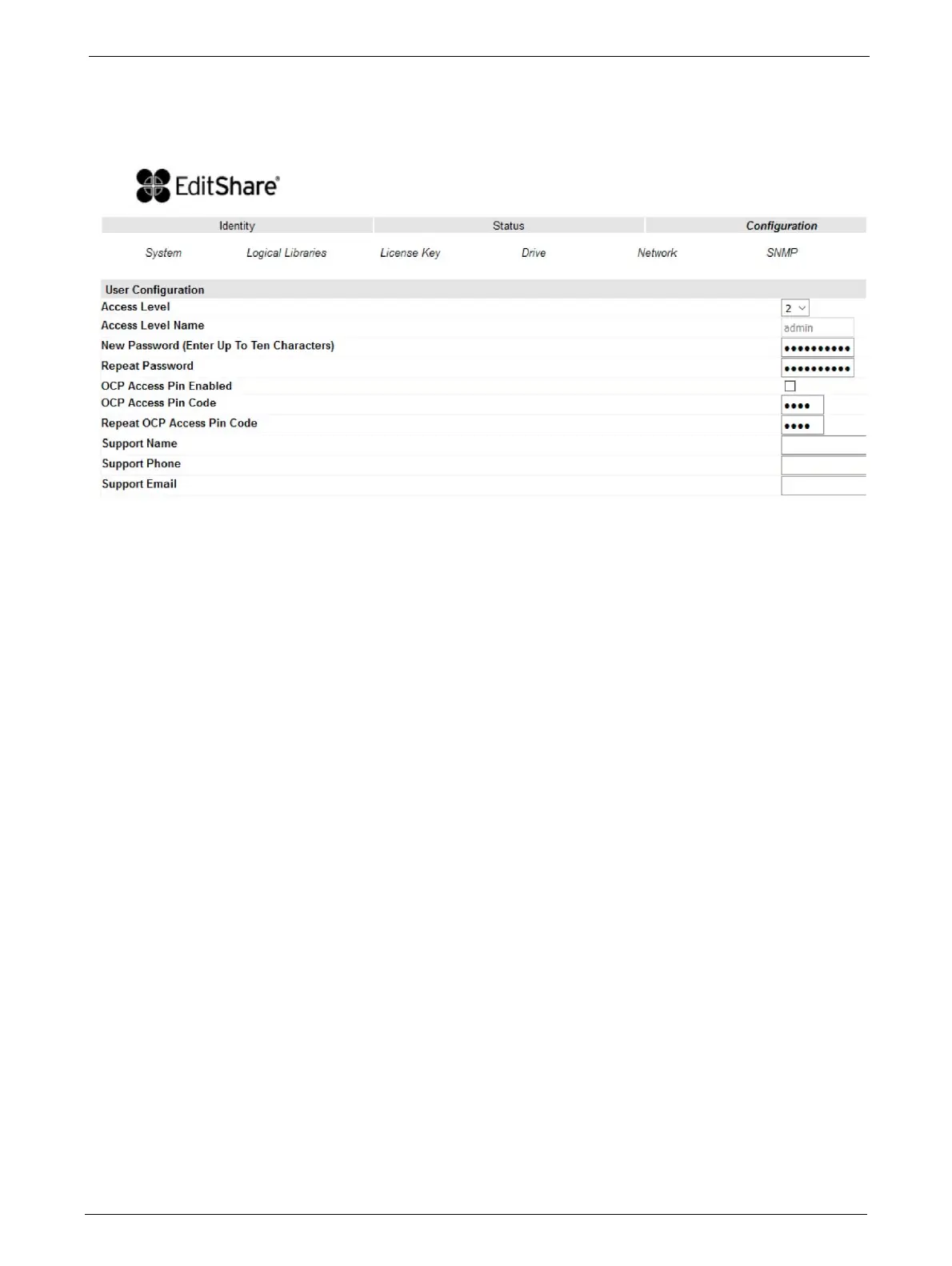
This page allows the user to add and modify user accounts.
Changes that can be made are:
Access Level: Choose from 1 (Standard), 2 (Admin), or 3 (Service).
Access Level Name: The name associated with the chosen access level.
"New Password: The password can be a maximum of ten characters.
Repeat Password: Enter the new password again.
OCP Access PIN Enabled: Select this item, if you would like
th
e Operator Control Panel
display to be password protected.
OCP Access PIN Code: The password for accessing the OCP when the OCP Access PIN
is ena
bled; max 4 characters
Repeat OCP Access PIN Code: Enter the OCP Access PIN Code again.
Support Name: The name of the individual within your company to contact
f
or
RMU or library support; max 30 characters
Support Phone: The phone number of the individual within your company to
contact
for RMU or library support; max 30 characters
Support Email: The email address of the individual within your company to
contact
for RMU or library support; max 30 characters



 To Next Page