Document ID: OMM-00148 Rev. B
40
4.3 EFI Pro 24f Control Window
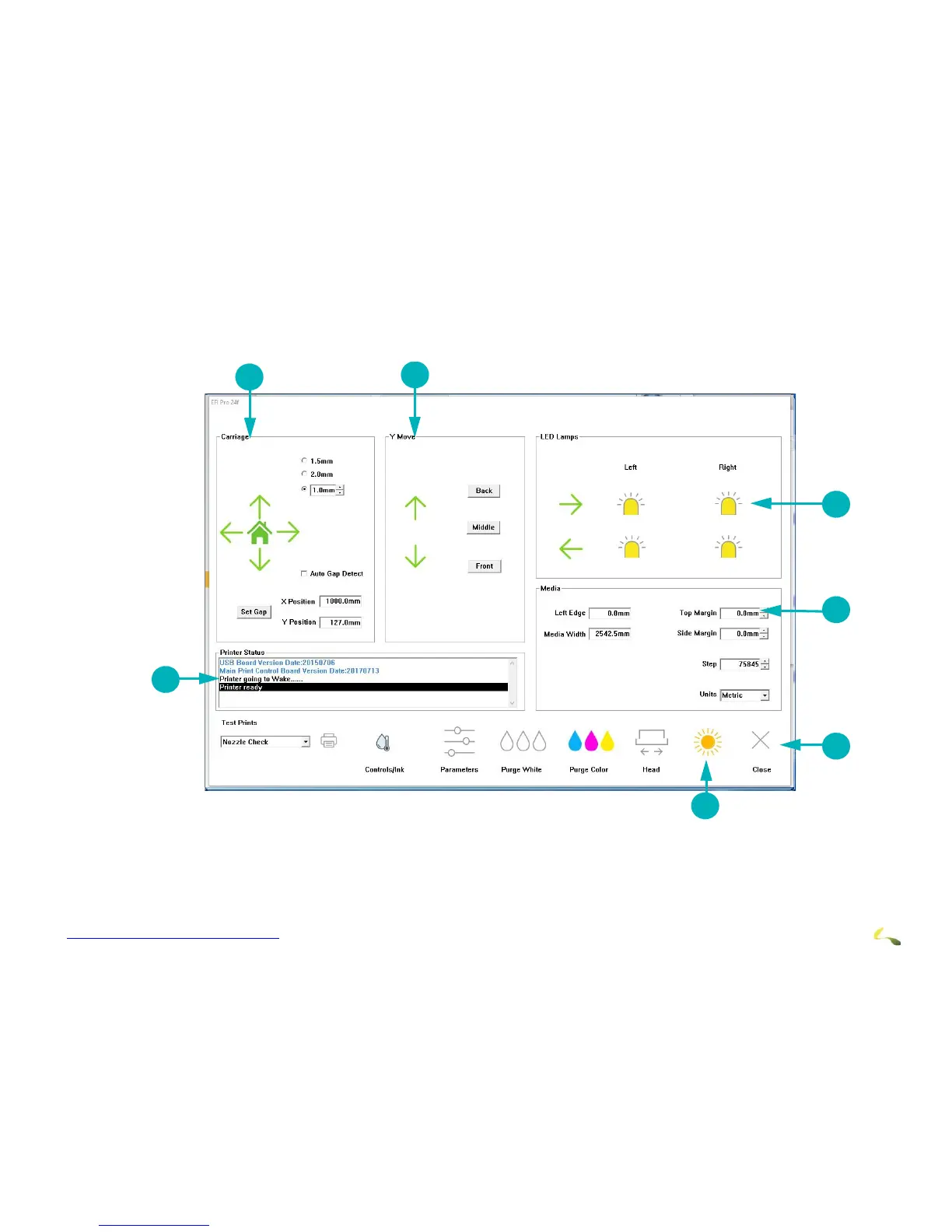
The Print Control Utility launches the EFI Pro 24f Control window by clicking on the Tools button or the Adjust Image
Settings button. The EFI Pro 24f Control window defines printing parameters, print options, and printer status information.
Figure 4-11: EFI Pro 24f Control Window
1Carriage Controls 2 Movement Controls 3 Lamp Controls
4Media Controls 5 Printer Tools Bar 6 “Awake” or “Sleep button
7Print Status messages



 To Next Page