Document ID: OMM-00148 Rev. B
61
6.1.4 Purge and Sweep Print Heads
To ensure the best print quality, EFI recommends that operators purge and clean print heads prior to each print run. At
minimum, a purge and sweep should be run at start-up and every 8 hours of operation. The print heads should be purged and
a head sweep should be performed in one of two ways:
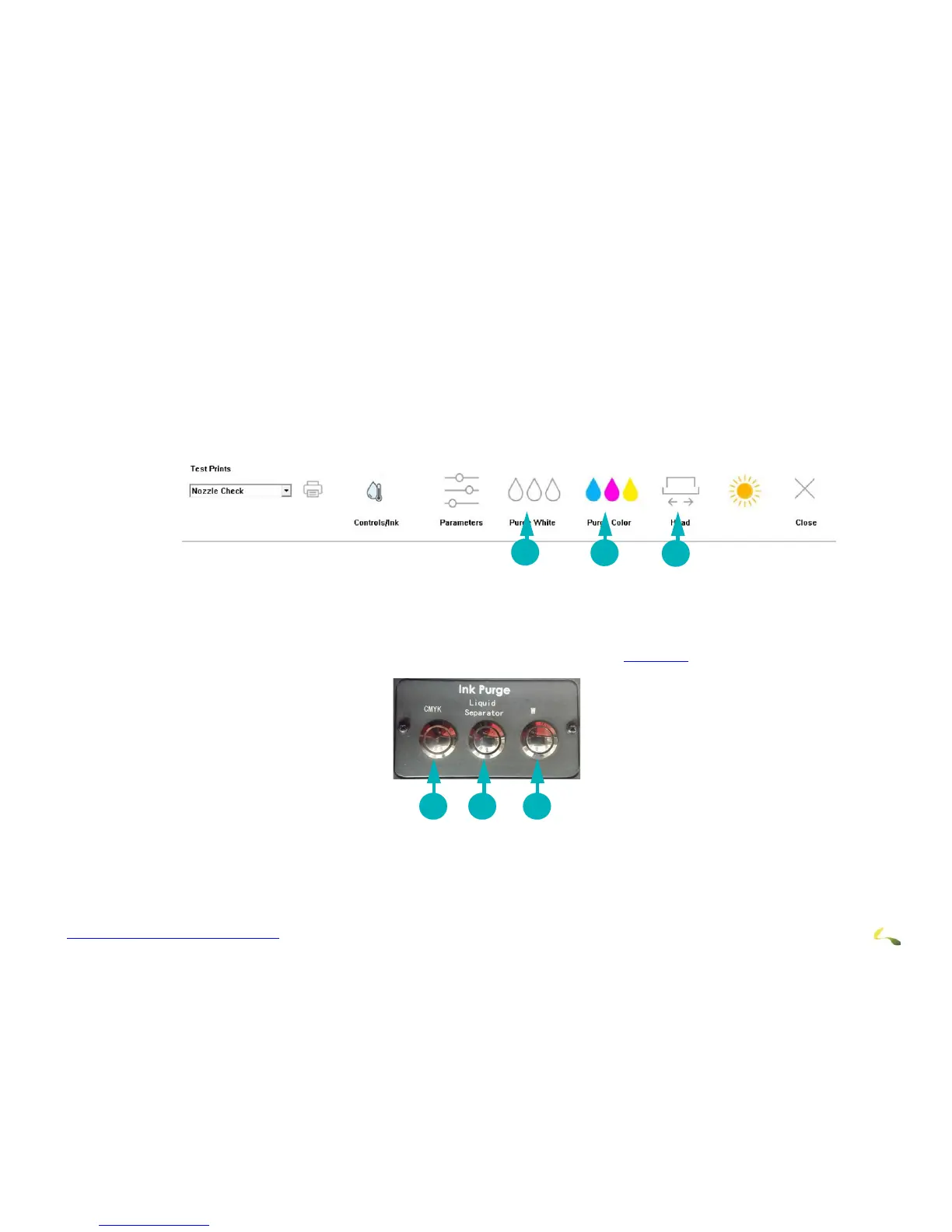
1. From the EFI Pro 24f Control screen, choose the Purge White icon to white print heads. The system automatically follows this up
with a head sweep.
2. b. From the EFI Pro 24f Control screen, choose the Purge Color icon to purge the CMYK print heads. The system automatically fol-
lows this up with a head sweep.
Figure 6-6: Purge and Sweep Icons on EFI Pro 24f Control Screen
3. Use the manual Ink Purge buttons located in t
he carriage HOME compartment (See Figure 6-7). Then follow up with a head sweep
performed from the EFI Pro 24f Control screen.
Figure 6-7: Manual Ink Purge Buttons
1Purges white (or other non-CYMK)
ink and conducts a head sweep
2Purges CYMK ink and conducts a
head sweep
3 Conducts head sweep
1Purges CYMK ink 2Liquid Separator: empties
the cyclonic vacuum system
3Purges white (or other non-CYMK) ink.
(Label changes for non-white ink printers.)



 To Next Page