Document ID: OMM-00148 Rev. B
45
4.3.6 Printer Tools Bar
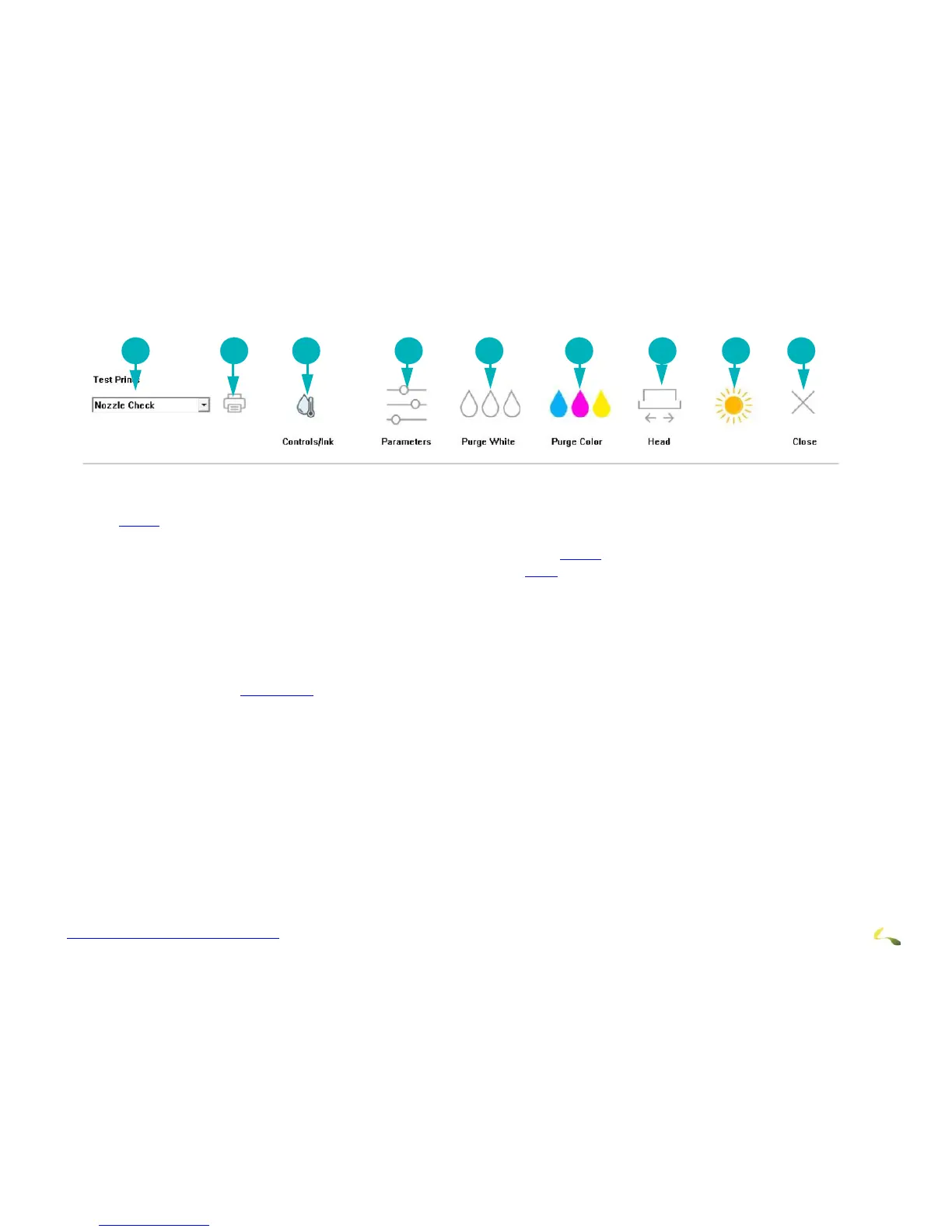
The printer tools bar contains the following tools. Description, function, and location of the tools are described below. .
1. Test Prints - Provides a list of all the test print types. Descriptions of operator-used test print types are provided in Section
4.3.12.
2. Print - Prints the test print selected in the Test Prints list.
3. Controls/Ink - Opens the EFI PLC Control window described in Section 4.3.10
4. Parameters - Opens the Parameters window described in Section 4.3.9.
5. Purge White - Purges the white print heads and conducts a head sweep.
6. Purge Color - Purges the CYMK color print heads and conducts a head sweep.
7. Head Sweep - Sends the carriage Home to perform a head sweep of all print heads.
8. Awake/Sleep - Indicates the printer’s current sleep/wake mode.
9. Close - Shuts down the Control window
Note: After clicking the Media Belt Continuous Movement button, stop the belt movement by clicking either the STOP
button from Figure 4-13
or clicking the Media Belt Continuous Movement button again.



 To Next Page