Document ID: OMM-00148 Rev. B
68
6.4 Skip Blank Space During Prints
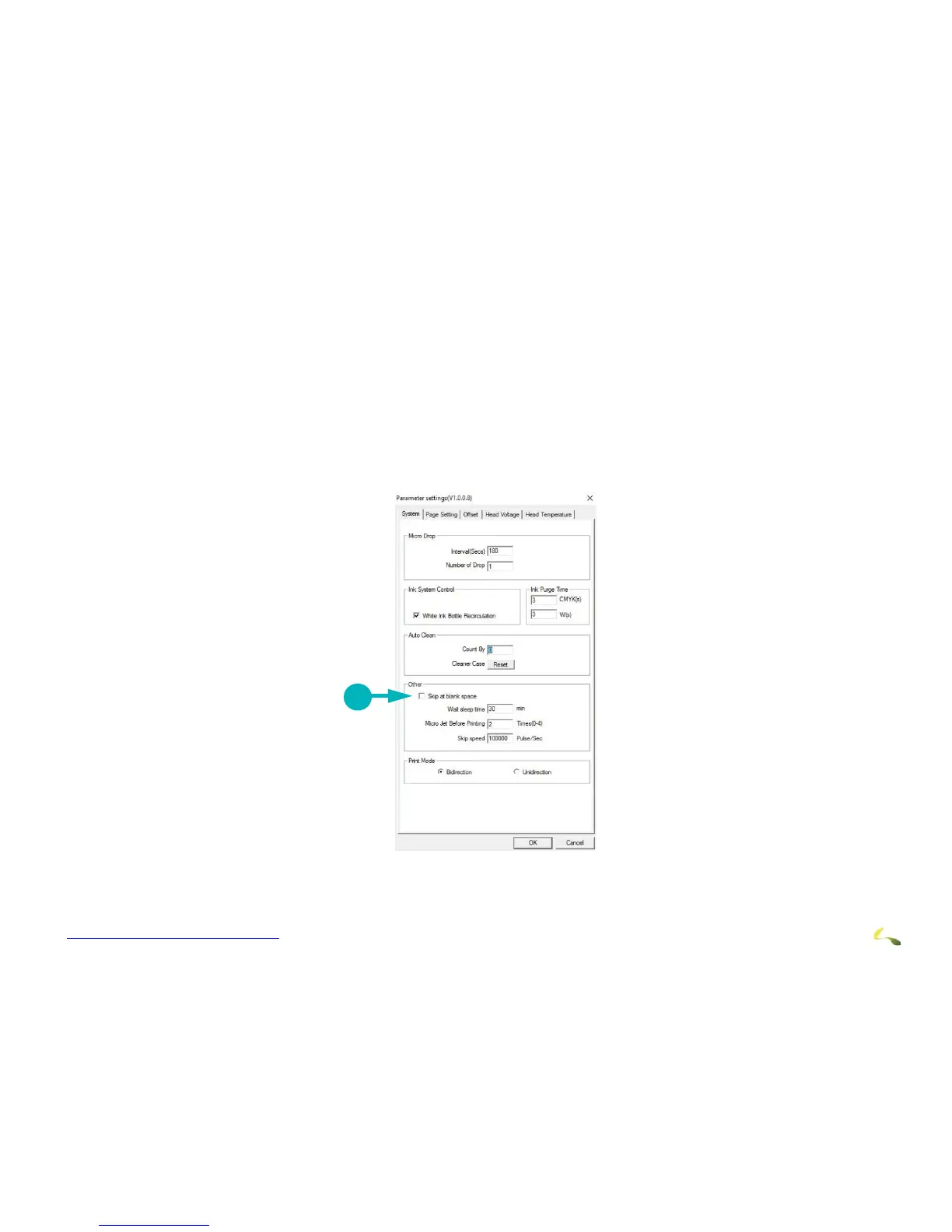
The Skip Blank Space feature enables the EFI Pro 24f printer to advance media quickly through blank spaces in an image or in a
group of nested or step-and-repeat images. With Skip Blank Space enabled, the printer quickly advances the media through blank
spaces, in order to provide faster printing.
In order for the Skip Blank Space feature to work, the printed files must:
• Include true blank Space sometimes referred as “white space,” as opposed to a white fill blank field
• Include blank space that runs all the way across the image(s)
To Enable Skip Blank Space
1. On the EFI Pro 24f Control Screen, use the Parameters icon to open the Set Parameter window, displaying the Systems Tab.
2. Ensure that the Skip at Blank Space check
box is checked.



 To Next Page