Document ID: OMM-00148 Rev. B
48
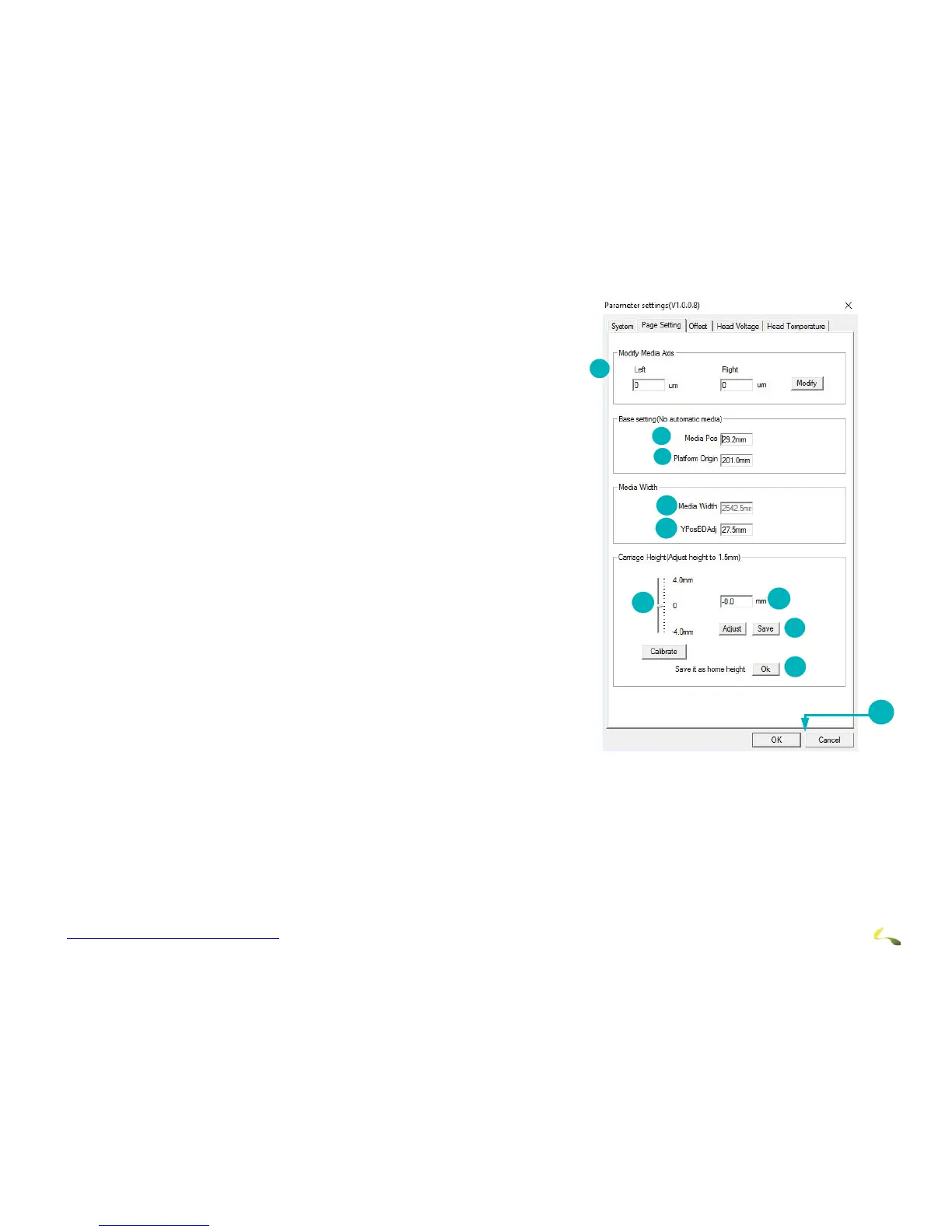
Page Settings Tab
The Page Settings tab is generally used only during
printer set up. Operators are likely to use only the
Carriage Height Calibration Tool (item 2). The full tab
contains the following items:
1. Modifies Media Axis.
2. Identifies Media Position.
3. Identifies Platform Origin.
4. Identifies Media Width.
5. Identifies Y Position Board Adjustment
6. Carriage Height Slide Bar Adjustment
7. Sets Value in mm.
8. Adjust and Save buttons
9. Save it as home height. Click OK to save the home height as the
printing height.
10. Choose OK to save or Cancel to exit.



 To Next Page