Document ID: OMM-00148 Rev. B
32
4.2.1 Print Control Utility Overview
Open and run the Print Control Utility as described in this section.
1. Click on the Print Control Utility (PCU) icon located on the desktop.
The PCU window opens.
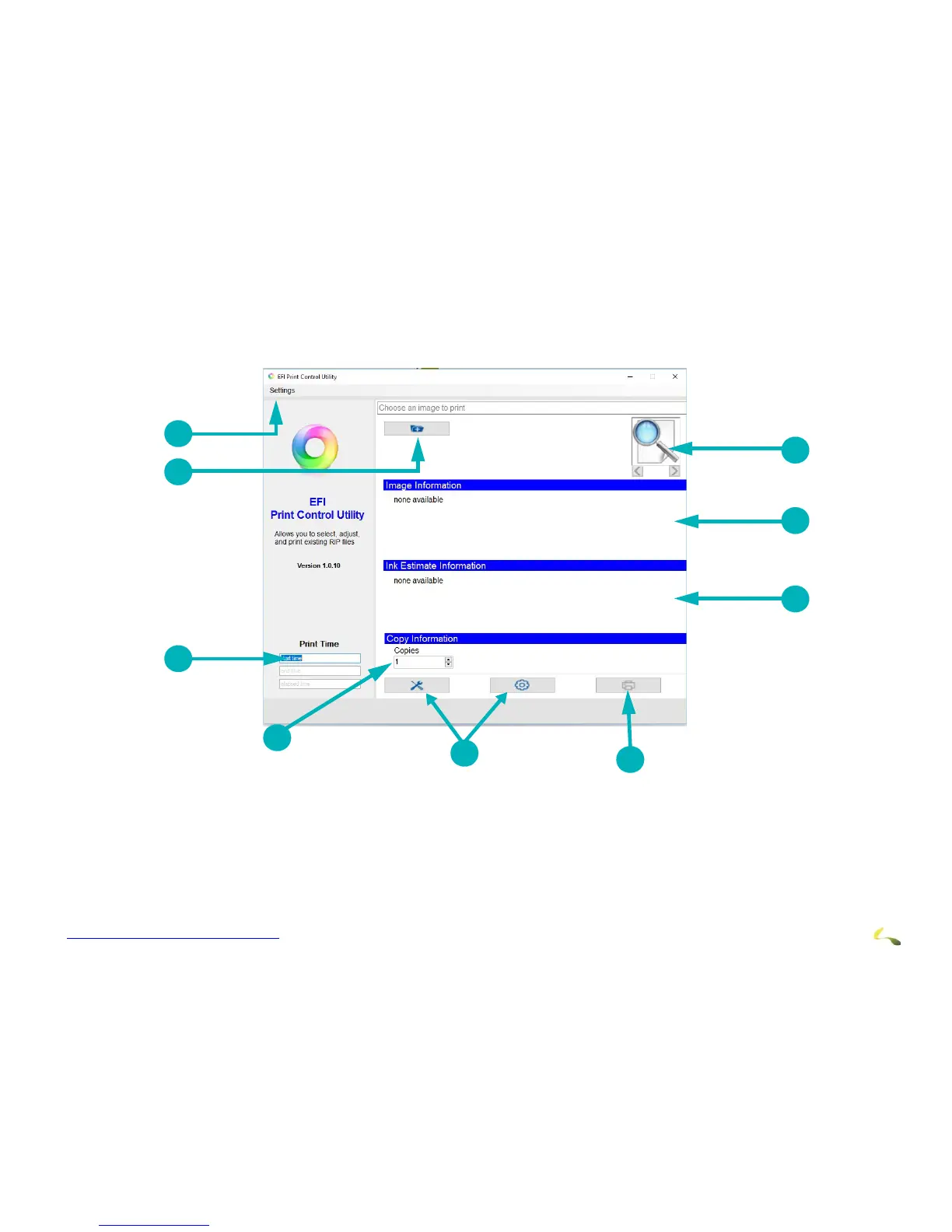
Figure 4-3: EFI Print Control Utility Overview
1Settings Menu 2Select File to Print 3 Print Time calculates time from when Print
button is clicked to homing of carriage after
printing
4Number of Copies 5Opens Control window 6 Print Button prints selected file.
7Display Ink Usage Estimates 8Displays Image Information 9 Image Preview Thumbnail



 To Next Page