G
G
4
4
5
5
0
0
0
0
&
&
G
G
3
3
5
5
0
0
0
0
P
P
o
o
r
r
t
t
a
a
b
b
l
l
e
e
P
P
o
o
w
w
e
e
r
r
Q
Q
u
u
a
a
l
l
i
i
t
t
y
y
A
A
n
n
a
a
l
l
y
y
z
z
e
e
r
r
U
U
S
S
E
E
R
R
&
&
I
I
N
N
S
S
T
T
A
A
L
L
L
L
A
A
T
T
I
I
O
O
N
N
G
G
U
U
I
I
D
D
E
E
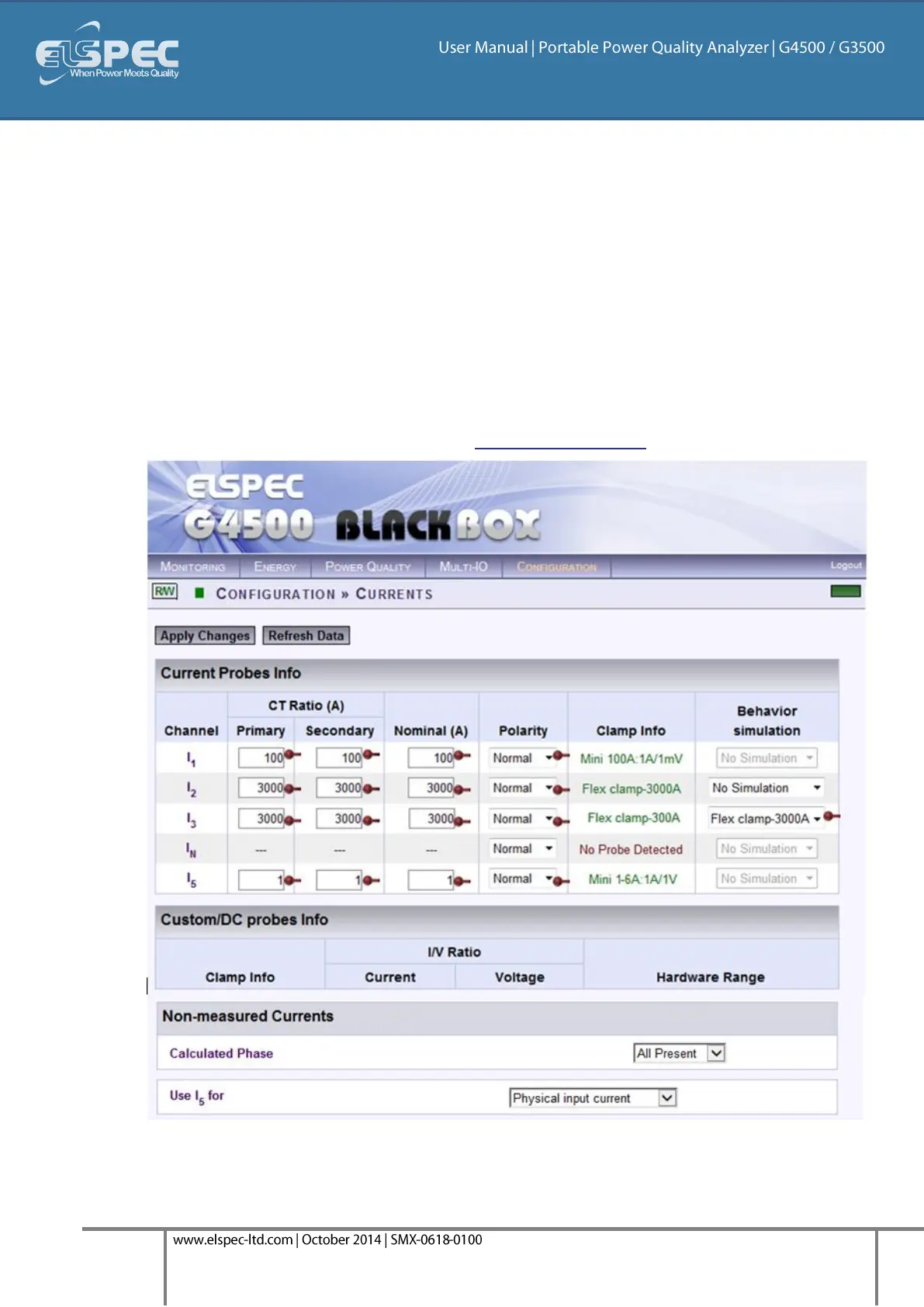
As mentioned all the connected clamps will be automatically recognized. Adjust the Currents
Probe Info in the applicable sections:
Primary & Secondary Transformation Ratios for all the Current channels (As per Clamp's
individual Specifications);
Nominal Ampere Values for all the Current Channels (Nominal is set for the current
measurements that will define PQZIP threshold / tolerance value & it is also used for event
settings);
Either Reverse the Polarity / maintain it at Normal from the drop-down selection (Polarity
toggling is used to correct incorrect wiring)
The Behavior Simulation may be reversed 300/3000A Flexible Clamp. Ensure that you adjust
the CT Ratio accordingly;
The Hardware Range is only applicable for the DC & Custom Clamps. This is adjust according to
the Clamp's individual Specifications - See Optional Accessories:



 To Next Page