122
Chapter 7
Arrange Window
Emagic
Logic fun
sequence will be moved ahead, a positive value will cause the
sequence to play later.
You can use the Delay parameter to correct the timing of sounds
that have a slow attack, such as string sounds. A negative delay
will move the sequence forward, so that the peak of the sound
occurs at the correct position.
It is recommended you avoid larger values for delay. Remember that the sequences
can also be directly moved in smaller increments (ex. sixteenth).
7.5 Quantization
Quantization is the automatic correction of rhythmic positions,
using a grid. Quantizing realigns the normal variations in real-
time recordings into perfectly aligned note positions. Quantiz-
ing is especially important when playing several tracks
together, because otherwise, the variations can conflict with
one another, and make the feel of the song unsteady, or ragged.
Quantizing pushes every note to the next closest grid value.
EXAMPLE: You are playing a passage, with which the eighth
notes are the smallest note values. If you choose the setting “
1
⁄
8
-
Note “ as the quantize value, all of the notes will be moved to
precise eighth note positions.
Even with quantization, a certain level of precision while
recording is necessary. The maximum rhythmic error for a note
cannot be greater than half the quantize value chosen. Other-
wise, the note will be moved to the wrong position. This
means, for example, that with a quantization of
1
⁄
16
, the variance
must be smaller than
1
⁄
32
.
Setting the Quantization Value
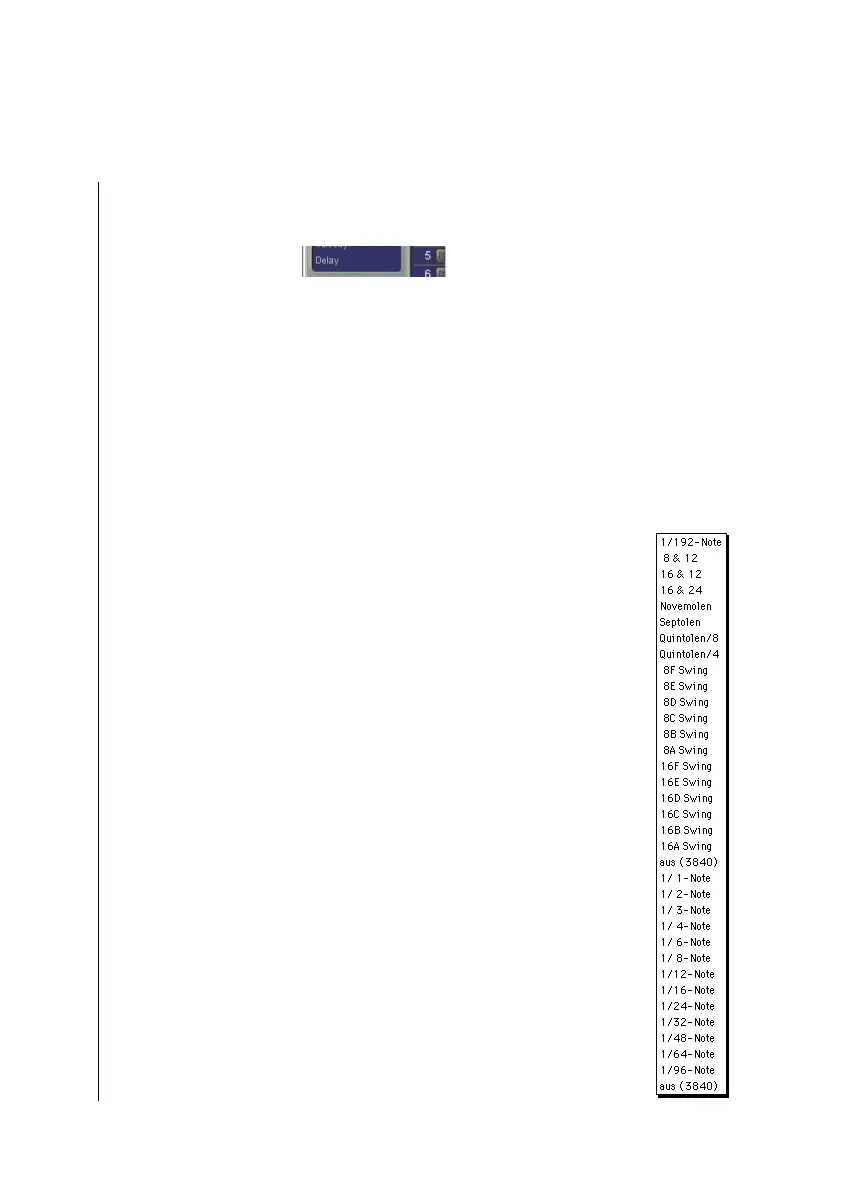
To select the quantization factor you want, click-hold the
sequence parameter Qua. A flip menu will open, with the vari-



 To Next Page