154
Chapter 10
Mixer and Effects
Emagic
Logic fun
Track 1 then becomes a stereo object.
One click on the stereo symbol, to the left of the REC button
changes the stereo object back into an independent mono
object.
10.4 Bouncing
The output object has a bounce switch (“BNCE”). This allows
you to create an audio file based on the all the audio tracks,
including volume, pan, and effects. Bouncing takes place in
real-time, so that the signals from any plug-ins, or MIDI
devices routed into an input used can be recorded in the
bounced file:
•
Press the bounce switch on the output object
•
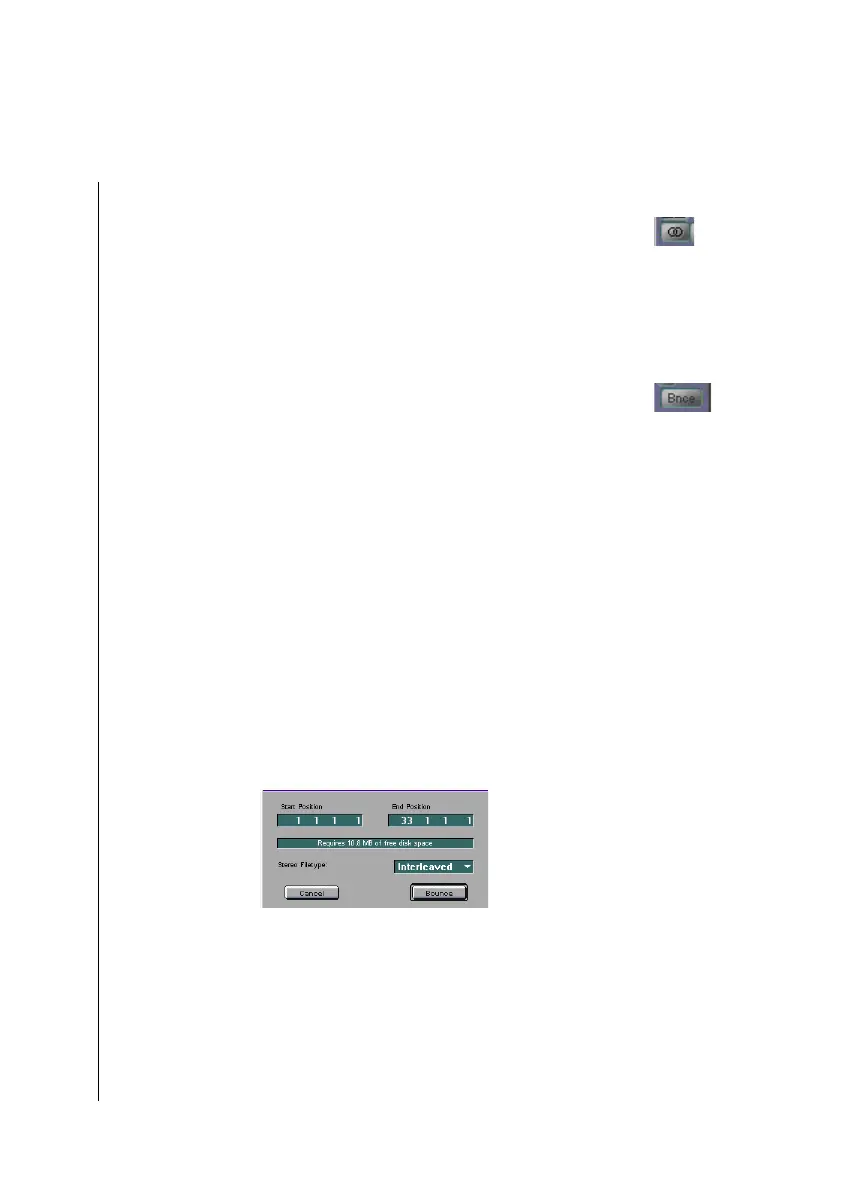
Set the parameters in the Bounce dialog window (see
below).
•
Press the bounce switch in the Bounce dialog window.
A file selector appears where you enter a destination folder and
name for the bounced file.
Options in the Bounce Dialog Window
Start and End Position
This is where you define the passage which you want to be
written into the bounce file. The preset is the whole song, from
the beginning of the first audio region to the end of the last.
However, if the cycle function is switched on, the preset will be
the locator positions. In any case you can adjust the start and
end positions manually. For example, if you want to take



 To Next Page