Display
205
User Guide
Version 4.1
r
14.3 Display
Overview
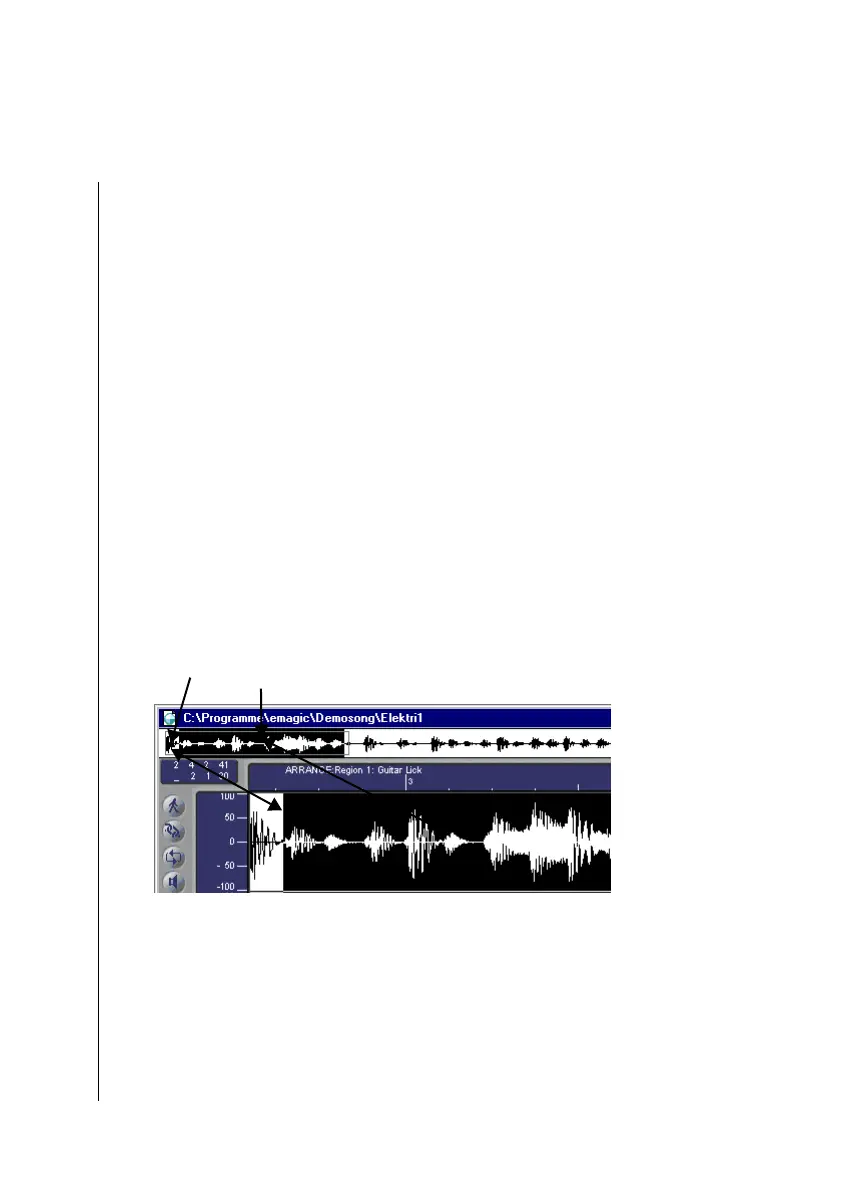
The “Overview Display” appears between the title list and the
measure ruler in the Sample Edit window. This will always
show the complete length of the actual audio file, not affected
by the zoom setting (Telescope symbol). It is important to note
that a proportion of the time axle will not be provided here: in
the Overview Display, a 0.3 second-long kickdrum takes up the
same area as a song passage that lasts 15 minutes.
During playback, the actual position is shown by a line that
moves in real time—in the Overview as well as in the Wave-
form Display.
The actual selection will also be depicted in the Overview.
The selection currently shown in the Waveform display will be
boxed in with a dotted line.
Overview display: the dotted lines box in
1
the current section
in the Waveform display window. The selection
2
is also
shown.
Overview Functions
A short click on the Overview display will display this area in
the Waveform display.
12



 To Next Page