145
User Guide
Version 4.1
r
Chapter 10
Mixer and Effects
10.1 An Adaptive Track Mixer
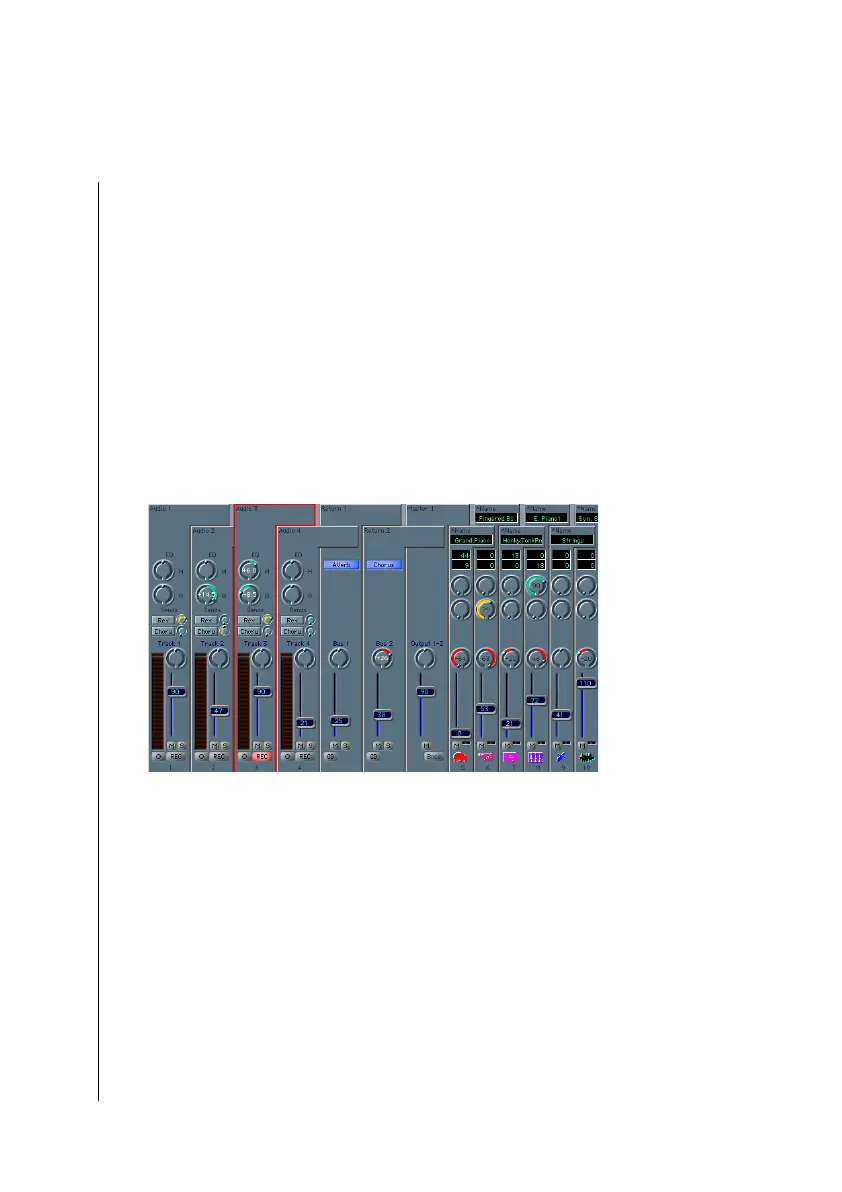
Logic fun creates a mixer based on all tracks which are assigned
to the track list of the Arrange window. It contains as many
channels as there are tracks. These are laid out in the same
order as in the Arrange window. To open the adaptive mixer
select Windows > Open Mixer.
On the left is the parameter display which tells you (among
other things) which effects are assigned to the aux sends.
Selected tracks are outlined in red. The operation and para-
meters of the audio tracks and the MIDI tracks are nearly the
same. The number at the bottom of the channel is the track
number. The graphic layout of the program names and bank
select commands is labeled clearly. You can adjust the size of
the display vertically and horizontally.
The MIDI channel strips of the Mixer behave as a remote
control for the mixing functions of your MIDI sound module.
The audio channel strips control the mixing functions of Logic
fun.
X



 To Next Page