94
Chapter 6
Transport Functions
Emagic
Logic fun
especially in the beginning. This way, you will be able to learn
the ropes more quickly, and avoid errors.
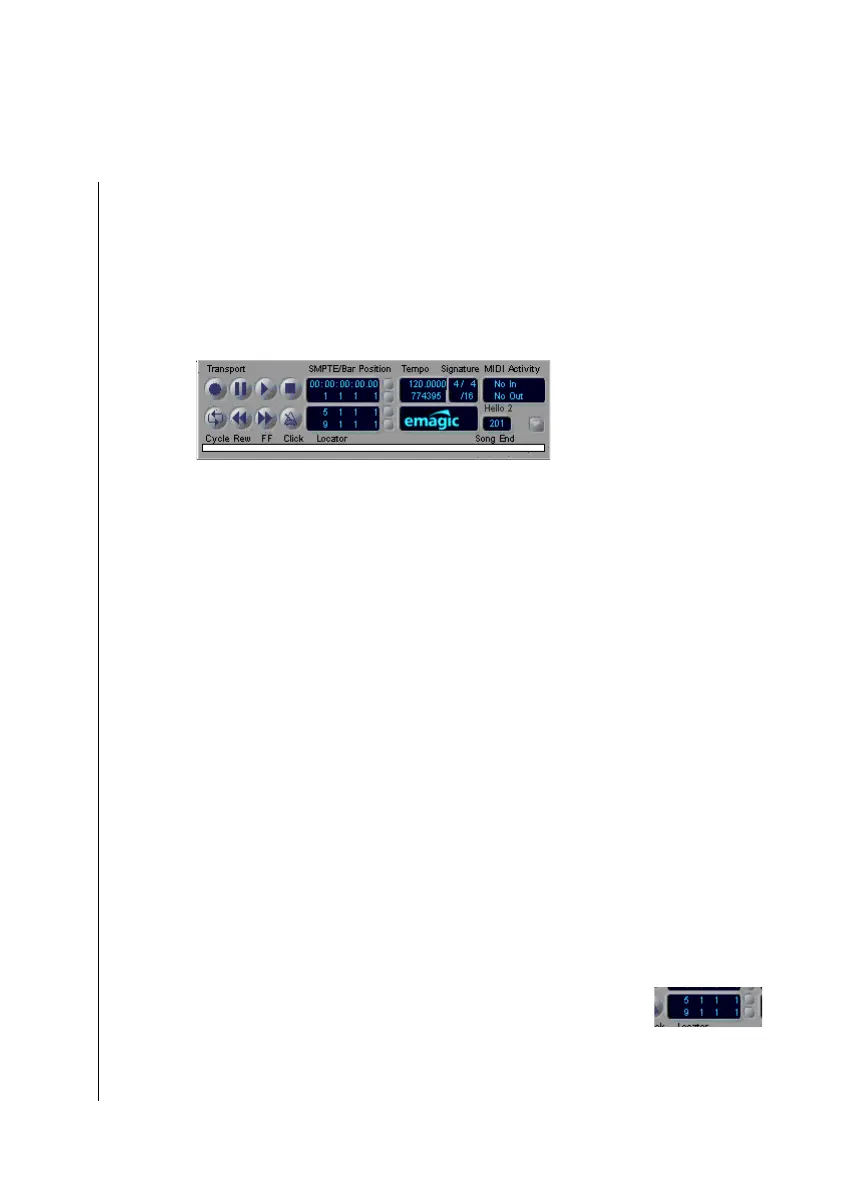
Position Slider
You use this option to activate the “position-slider” on the
bottom edge of the transport window.
The position slider represents the entire length of the song.
With this you can jump to any position in the song almost
immediately, albeit not very accurately. Click on the slider and
hold down the mouse button. When you move the mouse hori-
zontally, the slider will move accordingly. The gray bar tells you
where you are in the song, relative to the entire song length.
The position indicators and the song position line (see below)
are also influenced by this.
Smaller/Larger
The Transport window can be displayed in different sizes,
which you select using smaller/larger. When you start Logic
fun, the Transport field will be opened at its smallest display
size. The parameter Size also allows a direct selection.
Parameter Fields and Indicators
Position Indicators
The position indicators in the Transport window show you the
current song position in two different formats.
The lower portion displays Measure Position, in measures, beats,
diplay format units and clock ticks. How it is divided depends



 To Next Page