MIDI Files
217
User Guide
Version 4.1
r
The button to the left of the scroll bar is a Play/Pause switch:
•
Click on the button to start the movie. The button changes
into a “Pause” symbol. Click the button again to stop the
movie.
•
The buttons to the right of the Scroll bar move the picture
forward or backward by one frame. Hold the mouse button,
to fast forward or rewind.
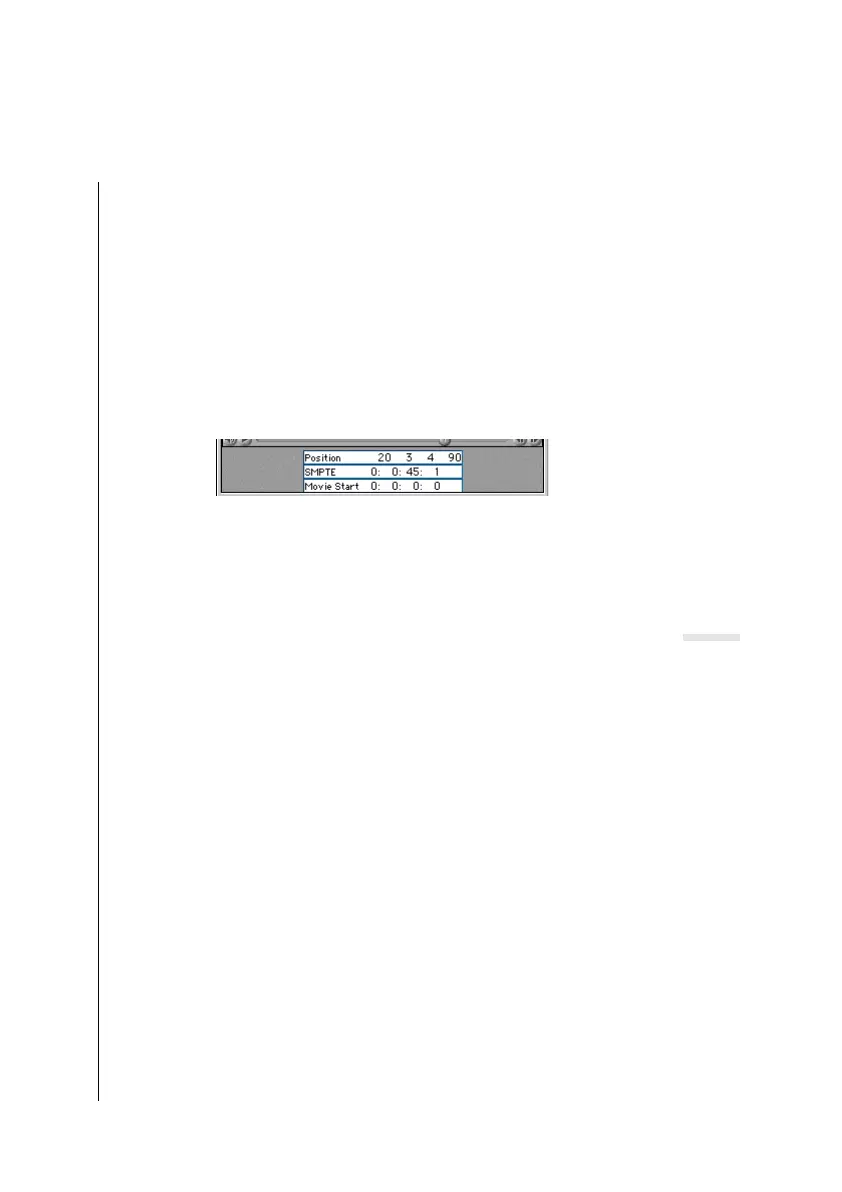
Transport Functions of the Position Pointer
•
Position displays the song position by measures.
•
SMPTE shows the position in SMPTE format
(hours:minutes:seconds;frames;bits),
Logic fun can not be synchronized via SMPTE or MTC, it only
shows the Song Position in the SMPTE time format.
•
Start Movie shows the point at which the movie will start,
relative to the song. You can, for example, start the movie
after an introduction, beginning with Song Position 8.1.1.1.
You may directly enter position in any of the three displays:
1. Click-hold on a display value, and change it value by scroll-
ing the mouse.
2. Double click on a display value, and enter the value in the
text input box. Separate values for different fields of the dis-
play with spaces.
15.2 MIDI Files
Logic fun can save songs or parts thereof, in standard MIDI file
format (SMF). Songs in this format can be loaded and played by
Important!



 To Next Page