46
Chapter 4
MIDI Tutorial
Emagic
Logic fun
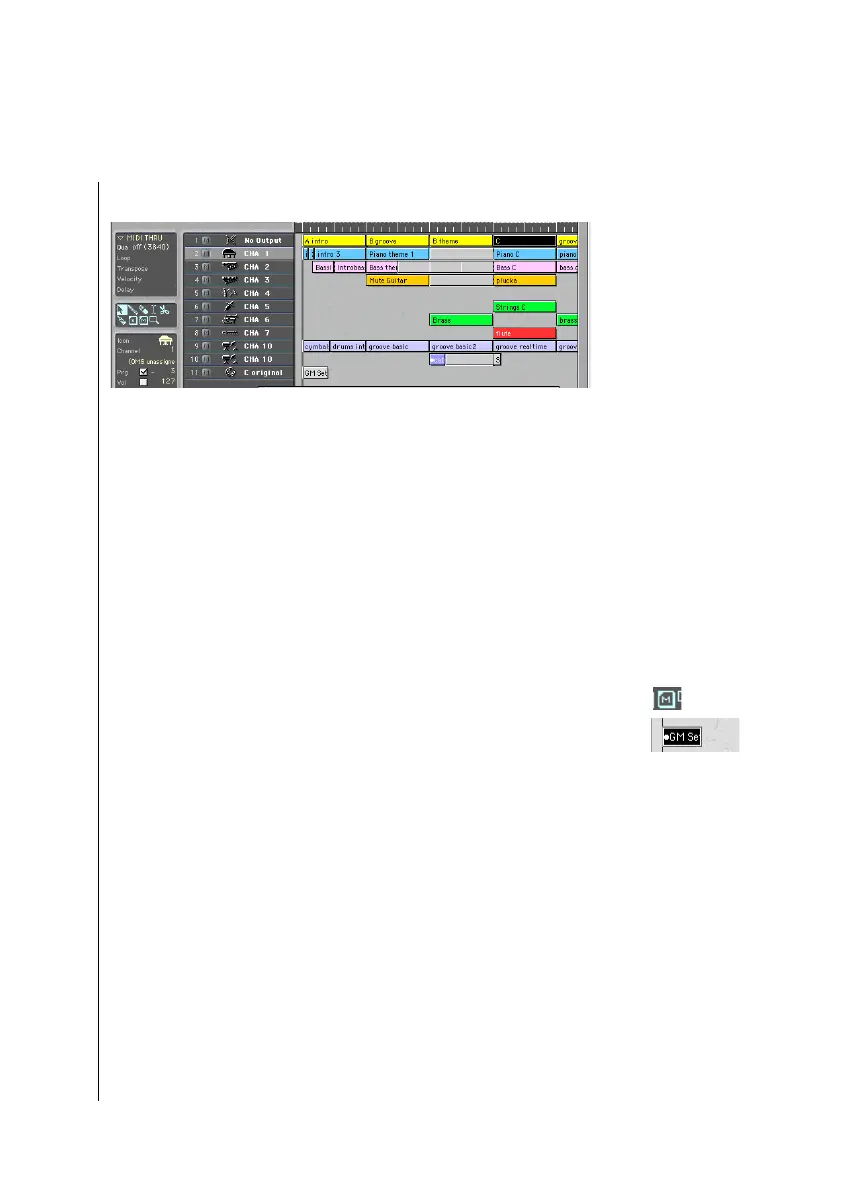
You should now be looking at the following screen:
Arrangement window with tutorial song
General MIDI Tone Generator
The program change, volume, and pan settings for this song are
optimized for GM tone generators, and are transmitted to your
device via MIDI. This happens automatically, if you play the
song from the beginning. These settings are found in a separate
sequence at the beginning of the song. Since delays can occur
with some synthesizers when they receive program change
data, you should then mute this sequence.
To mute the program changes, select the mute tool from the
toolbox, and use it to click on the sequence named “GM Set-
Up”. The sequence is now shown reversed, and a small circle is
now in front of the name.
Non GM, Multi-Timbral Tone Generators
If you do not have a, you need to consider the following points:
One prerequisite is, for example, that the sounds listed in the
table are available. If necessary, find similar sounds in your own
device.In addition, the drum kit’s note assignemt needs to
match that of the GM drum map(previously Roland drum
map), otherwise, the percussion passages will be reproduced
with the wrong drum sounds. Adjust the appropriate reception
channels in your multi-timbral synthesizer, and assign the
listed sounds specified in the table. If you need to rearrange



 To Next Page