EasyManua.ls Logo

Emerson DCX S - User Manual

Emerson DCX S
154 pages
Print Icon
To Next Page IconTo Next Page
Loading...
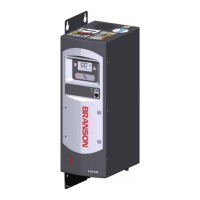
DCX S
Power Supply
Original Instructions
100-412-183 - REV. 13
Operating Manual
Branson Ultrasonics Corporation
41 Eagle Road
Danbury, CT 06813-1961 USA
(203) 796-0400
http://www.bransonultrasonics.com

Table of Contents

Questions and Answers

  • R
    rdavisAug 17, 2025
    How to troubleshoot remote control issues with my Emerson DCX S Power Supply?
    • S
      smithjessicaAug 17, 2025
      If you are unable to remote control the unit, check the User I/O cable and repair or replace it as needed. Also, test, inspect, repair, or replace the customer’s switching device.
  • A
    Amanda FarleyAug 20, 2025
    How to fix an Emerson DCX S when the main circuit breaker trips when plugging it in?
    • M
      Matthew RichardsAug 20, 2025
      If the main circuit breaker trips when plugging in your Emerson Power Supply, inspect the line connection cables. If they are faulty, replace them.
  • F
    fharrisAug 22, 2025
    What to do if I get a shock from my Emerson Power Supply?
    • C
      Carrie JacksonAug 22, 2025
      If you experience a slight electrical shock when touching a component of the weld system, ensure the ground cable is properly connected. Also, inspect the line cables; if they are damaged, repair or replace them.
  • D
    Dr. Jennifer Wade MDAug 25, 2025
    Why does the main circuit breaker trip during the weld cycle on my Emerson Power Supply?
    • R
      Robert FullerAug 26, 2025
      If the main circuit breaker trips during the weld cycle, check the current rating of the main circuit breaker and replace it if it has failed.
  • M
    Michael JamesAug 27, 2025
    How to troubleshoot no ultrasonic power to the horn on my Emerson Power Supply?
    • L
      levysheriAug 27, 2025
      If no ultrasonic power is being passed to the horn, the power supply might be overheating. Check the fan and vents. Replace the fan if it's not working correctly, and remove any dust or debris.
  • A
    Anna WilliamsAug 30, 2025
    What to do if the main circuit breaker fails during power up of my Emerson DCX S?
    • P
      Patricia CraneAug 30, 2025
      If the main circuit breaker fails during power up, check the main circuit breaker's current rating. If it's incompatible, replace it.
  • J
    Jocelyn SmithSep 1, 2025
    Why is there no ultrasonic power when pressing the Test key on my Emerson DCX S Power Supply?
    • W
      William RobinsonSep 1, 2025
      If no ultrasonic power is generated when the Test key is pressed and there is no Alarm indicator, the stack may have failed or be missing; replace it. Also, the RF cable might be unplugged or failed; plug it in or replace it.
  • T
    torrescherylSep 3, 2025
    Why are the horn, booster, and converter excessively warm on my Emerson DCX S?
    • E
      Eric TuckerSep 4, 2025
      If the horn, booster, and converter are excessively warm and there are occasional overloads, check the converter-booster-horn stack mating surfaces for fretting corrosion. Ensure proper cooling is provided and replace the fan if required.
  • C
    Courtney MortonSep 6, 2025
    How to fix the inability to adjust amplitude on my Emerson Power Supply?
    • E
      Erin SanchezSep 6, 2025
      If you're unable to adjust the amplitude using the front panel keypad, the register setting may be configured to “External Amplitude Control”. Reset it if required.
  • M
    Mr. Juan RogersSep 9, 2025
    What to do if there's no bar graph indication with ultrasonic power on my Emerson Power Supply?
    • C
      Christopher GloverSep 9, 2025
      If ultrasonic power is delivered to the horn but there is no indication on the bar graph, check the connector cables and replace any defective cables.

Summary

Chapter 1: Safety and Support

Safety Requirements and Warnings

Explains safety symbols, icons, and warnings for safe operation and handling.

General Precautions

Details essential safety precautions before servicing and operating the equipment.

How to Contact Branson

Provides contact information for service and support centers.

Chapter 2: Introduction

Models Covered

Lists all models of the DCX S Power Supply covered in the manual.

Features

Describes the key features and capabilities of the DCX S Power Supply system.

Chapter 5: Installation and Setup

Installation Requirements

Covers location, mounting, environmental, and electrical requirements for proper installation.

Installation Steps

Provides step-by-step instructions for mounting and connecting the power supply.

Chapter 7: Operation

Setting the Amplitude

Details methods for setting the ultrasonic amplitude via front panel or external control.

Configuring the Power Supply Registers

Guides users on how to access and modify power supply registers for customization.

Chapter 8: Maintenance

Preventive Maintenance

Details preventive maintenance tasks to ensure long-term operation and equipment longevity.

Troubleshooting

Provides guidance on diagnosing and resolving common operational problems with the power supply.

Emerson DCX S Specifications

General IconGeneral
BrandEmerson
ModelDCX S
CategoryPower Supply
LanguageEnglish

Related product manuals