93
7.1 PC Connection through Local Area Network
Here is an example that shows how to find the basic network information from the local
area network (hub).
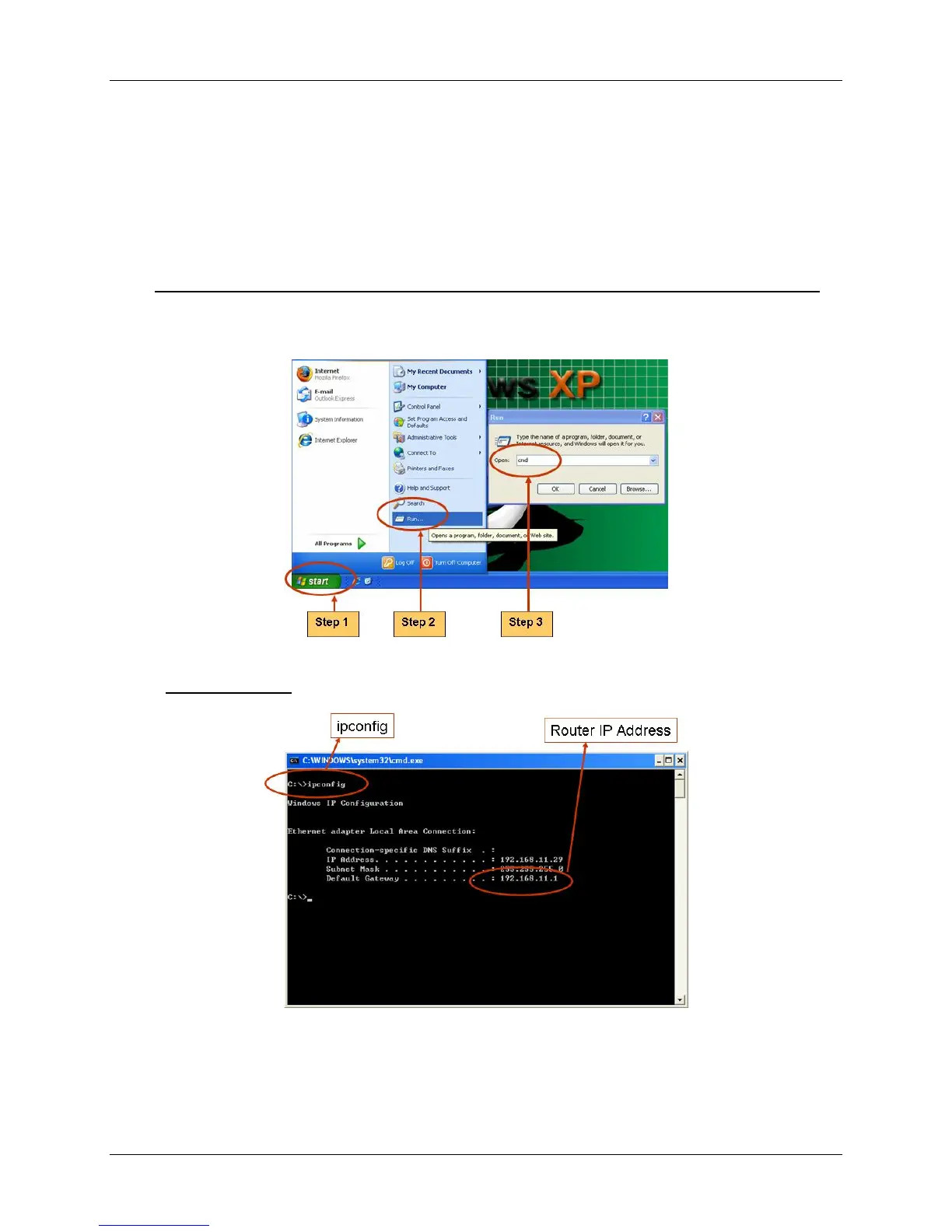
Search Router IP Address
Please click “Start” and then “Run” option under Windows.
Please enter “CMD” and then “OK”
Please enter “ipconfig” on DOS prompt, and then record the Address Number of
Default Gateway as shown: It is the Router‟s IP Address.



 To Next Page