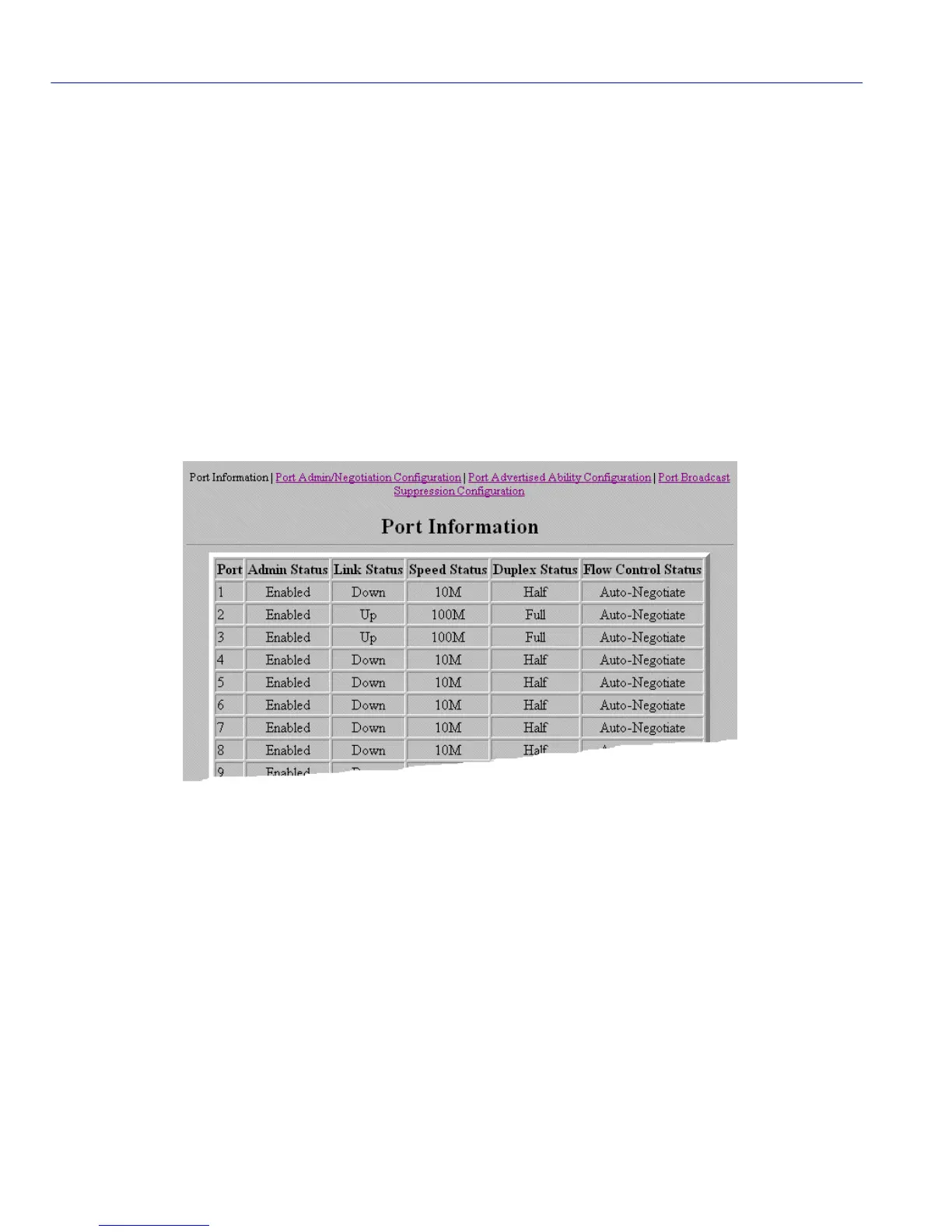
Port Information Screen
3-48 WebView Local Management Tasks
3.27 PORT INFORMATION SCREEN
When to Use
To view port administrative link, speed, duplex, and flow control status. To access the Port
Admin/Negotiation Configuration, Port Advertised Ability Configuration, and Port Broadcast
Suppression Configuration screens.
How to Access
Click on Port on the WebView navigation frame. The Port Information screen, Figure 3-26,
displays.
Screen Example
Figure 3-26 Port Information Screen










 To Next Page