EasyManua.ls Logo

Enterasys Matrix-V V2H124-24 - User Manual

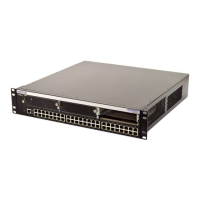
Enterasys Matrix-V V2H124-24
498 pages
Print Icon
To Next Page IconTo Next Page
Loading...
P/N 9033925-06
Matrix V-Series
V2H124-24, V2H124-24FX, and
V2H124-24P
Fast Ethernet Switch
Configuration Guide

Table of Contents

Other manuals for Enterasys Matrix-V V2H124-24

Questions and Answers

  • D
    donaldtylerJul 29, 2025
    What to do if the Enterasys Switch unit powers off after running for a while?
    • R
      robert66Jul 29, 2025
      If your Enterasys Switch powers off unexpectedly, first check for loose power connections, power losses or surges at the power outlet. Also, make sure that the fans on the unit are unobstructed and running before it shuts down. If the issue persists, the internal power supply might be defective.
  • J
    Jack CoxAug 2, 2025
    What to do if Link LED is Off on Enterasys Switch?
    • A
      alanlaneAug 2, 2025
      If the Link LED on your Enterasys Switch is off, make sure that both the switch and the connected device are powered on. Ensure the cable is securely plugged into both devices. If the switch is in a rack, inspect the connections to the punch-down block and patch panel. Verify you're using the correct cable type, and it's not exceeding length limits. Check the adapter and cable connections for defects, and replace them if needed.
  • A
    Amber WhitakerAug 7, 2025
    What to do if the power indicator does not turn on when the power cord is plugged in Enterasys Switch?
    • J
      Joshua DavisAug 7, 2025
      If the power indicator on your Enterasys Switch doesn't light up when plugged in, there might be an issue with the power outlet, the power cord itself, or the internal power supply.
  • R
    Robert BooneAug 11, 2025
    Why is the PWR LED Amber on my Enterasys Switch?
    • J
      Jeffrey TuckerAug 11, 2025
      If the PWR LED on your Enterasys Switch is amber, it indicates that the internal power supply has failed. Contact your local dealer for assistance.
  • M
    Miss Katherine BryanAug 15, 2025
    How to troubleshoot when PWR LED is Off on Enterasys Matrix-V V2H124-24 Switch?
    • J
      jonesmaryAug 15, 2025
      If the PWR LED on your Enterasys Switch is off, the internal power supply may be disconnected. Check the connections between the switch, the power cord, and the wall outlet.
  • H
    Holly RobinsonAug 25, 2025
    Why can't I connect to my Enterasys Switch using Secure Shell?
    • P
      pstewartAug 25, 2025
      If you cannot connect to the Enterasys Switch using SSH, it might be because you've exceeded the maximum number of concurrent Telnet/SSH sessions. Try connecting again later. Also, ensure the SSH server's control parameters are correctly configured on the switch, and that your SSH client software is properly configured on your management station. Make sure you've generated a public key on the switch and exported it to the SSH client. Verify that you've set up an account on the switch for each SSH user, including their username, authentication level, and password. Finally, confirm that you've imported the client's public key to the switch if you're using public key authentication.
  • M
    Mary ColeNov 18, 2025
    Why can't I connect to my Enterasys Switch using Telnet, web browser, or SNMP?
    • J
      jesse42Nov 18, 2025
      If you're unable to connect to the Enterasys Switch using Telnet, a web browser, or SNMP software, ensure the switch is powered on and that the network cabling between your management station and the switch is properly connected. Verify that you have a valid network connection to the switch and the port you're using hasn't been disabled. Confirm that the VLAN interface through which the management station is connected has a valid IP address, subnet mask, and default gateway configured. Also, ensure your management station's IP address is in the same subnet as the switch's IP interface. If connecting via a tagged VLAN group's IP address, ensure your management station and intermediate switches are configured with the appropriate tag. If you still cannot connect using Telnet, you may have ex...

Summary

Chapter 2: Initial Configuration

Chapter 3: Configuring the Switch

Using the Web Interface

Provides access to switch configuration and statistics via an embedded HTTP Web agent using a standard Web browser.

Setting the IP Address

Explains how to establish IP address information for management access via Manual or Dynamic (DHCP/BOOTP) configuration.

Configuring SNMP

Details SNMP agent configuration, community strings, trap managers, and SNMPv3 security features for network management.

User Authentication

Covers restricting management access via user accounts and authentication settings, including local, RADIUS, TACACS+, and 802.1x port authentication.

VLAN Configuration

Explains creating VLAN groups, assigning ports, configuring VLAN interfaces, and managing VLAN features like GVRP and tagging.

Class of Service Configuration

Allows specification of data packet precedence using priority queues, weighted round-robin, and mapping IP/DSCP priorities to CoS values.

IP Interface Commands

Covers setting IP addresses, default gateways, and managing DHCP/BOOTP client requests for network management access.

DNS Commands

Explains configuring Domain Naming System services, including static host mapping, default domain names, and name server settings.

Chapter 4: Command Line Interface

Using the Command Line Interface

Describes how to access the CLI via console or Telnet, enter commands using keywords and arguments, and utilize command completion and help.

Authentication Commands

Covers switch authentication methods for users logging into the system and port-based authentication using IEEE 802.1x.

Spanning Tree Commands

Includes commands to configure Spanning Tree Algorithm globally and for selected interfaces, covering modes, priorities, and path costs.

VLAN Commands

Explains commands for creating VLAN groups, configuring VLAN interfaces, and managing VLAN features like tagging and GVRP.

Priority Commands

Allows specification of data packet precedence using priority queues, weighted round-robin, and mapping IP/DSCP priorities to CoS values.

Multicast Filtering Commands

Details using IGMP snooping and query to intelligently forward multicast traffic, configure static router ports, and display multicast service members.

Appendix A: Troubleshooting

Enterasys Matrix-V V2H124-24 Specifications

General IconGeneral
ModelV2H124-24
Ports24
Uplink Ports4
Power SupplyInternal
Rack MountableYes
PoENo
ManageableYes
Jumbo Frame SupportYes
Humidity10% to 90% non-condensing
TypeSwitch
LayerLayer 2
MAC Address Table Size8K
Dimensions4.4 cm x 44 cm x 38.1 cm
Operating Temperature0 to 40°C
Storage Temperature-20 to 70°C

Related product manuals