287
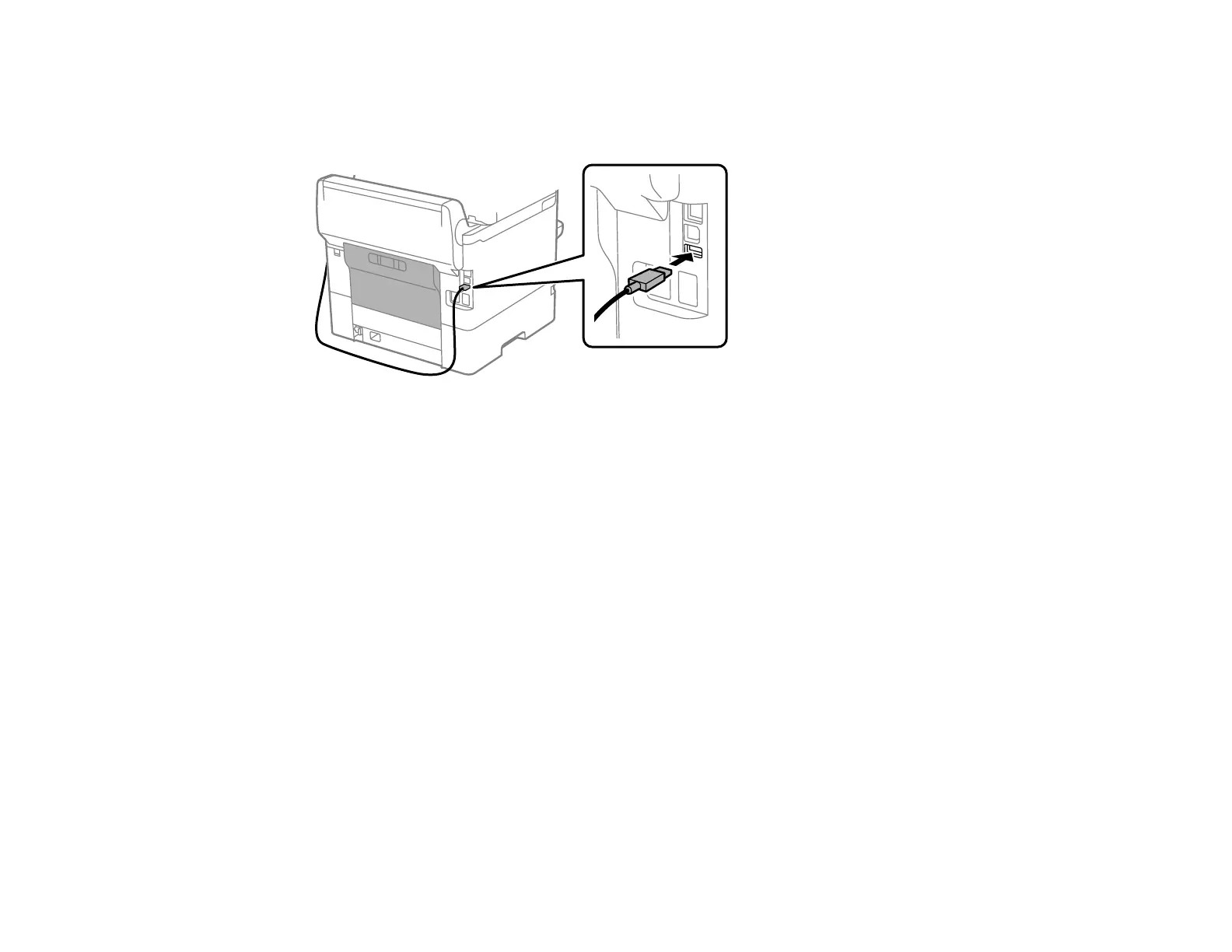
2. Connect the card reader’s USB cable to the service port on the product.
Caution: Make sure the cable does not block the rear cover.
3. Access Web Config and log in using the administrator name and password.
Note: You can also check the card reader status on the product control panel by selecting Settings
> Authentication Device Status.
4. Select Device Management > Card Reader.
5. Set the card reader parameters as necessary.
6. Select Check to verify the connection status of the authentication device.
Note: To confirm that the authentication device can recognize an authentication card, hold the card
over the reader while you select Check.
7. Click Next.
8. Click OK to confirm the settings.
Parent topic: Configuring Security Settings
Restricting Features Available for Users
Follow the instructions in these sections to restrict users from using certain product features and create
an administrator password to lock the restrictions using the Web Config software.
User Feature Restriction



 To Next Page