39
Entering Characters on the LCD Screen
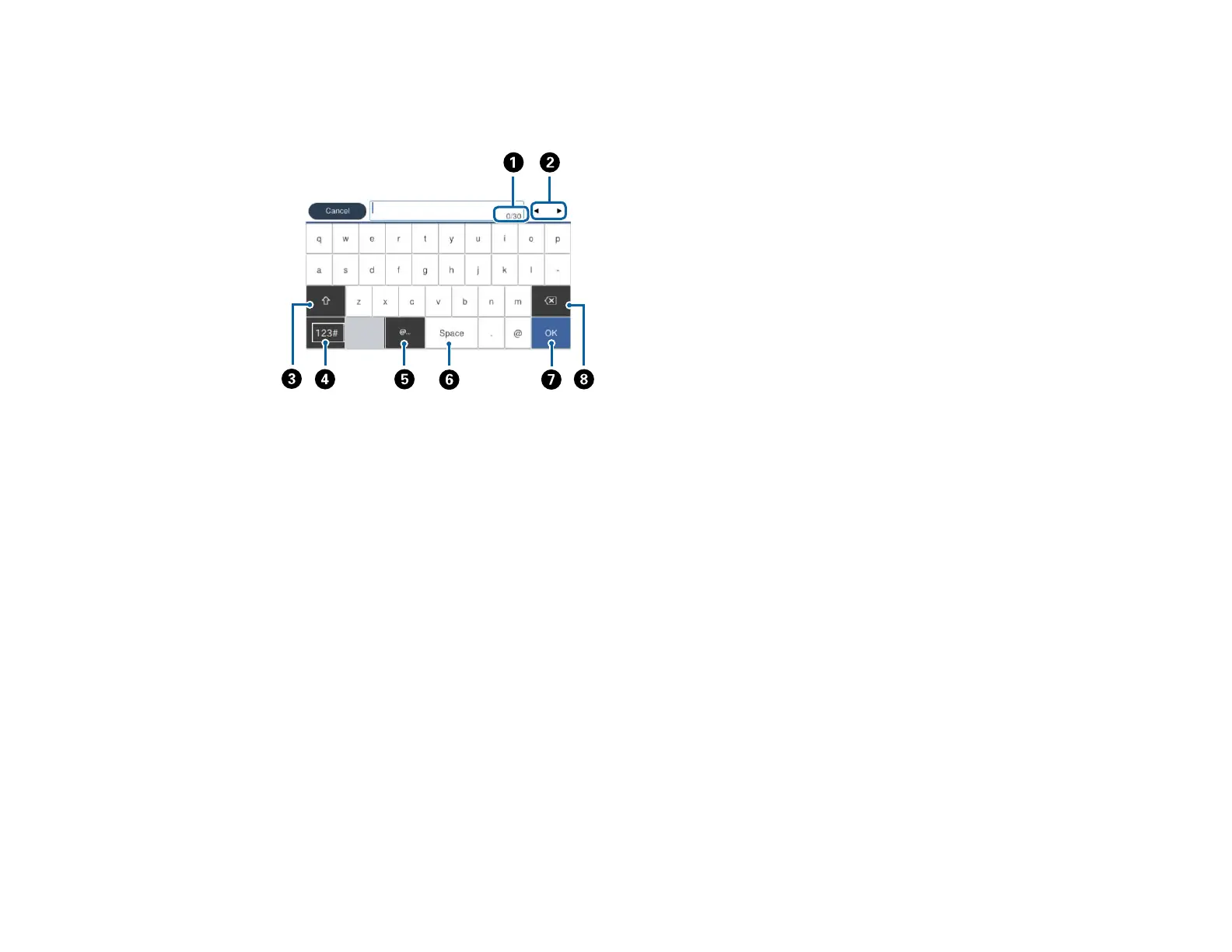
Follow these guidelines to enter characters for passwords and other settings.
1 Displays the character count
2 Moves the cursor left or right
3 Switches between uppercase and lowercase characters, numbers and symbols
4 Switches between characters and numbers or symbols
5 Displays a list of common domain names to choose from
6 Enters a space
7 Select when you are finished
8 Deletes the previous character
Parent topic: Using the Control Panel
Using Presets
You can save frequently used copy, fax, and scan settings as presets. This lets you easily reuse them
whenever necessary.
Note: Presets can be locked by an administrator. If you cannot access or change presets, contact your
administrator for assistance.



 To Next Page