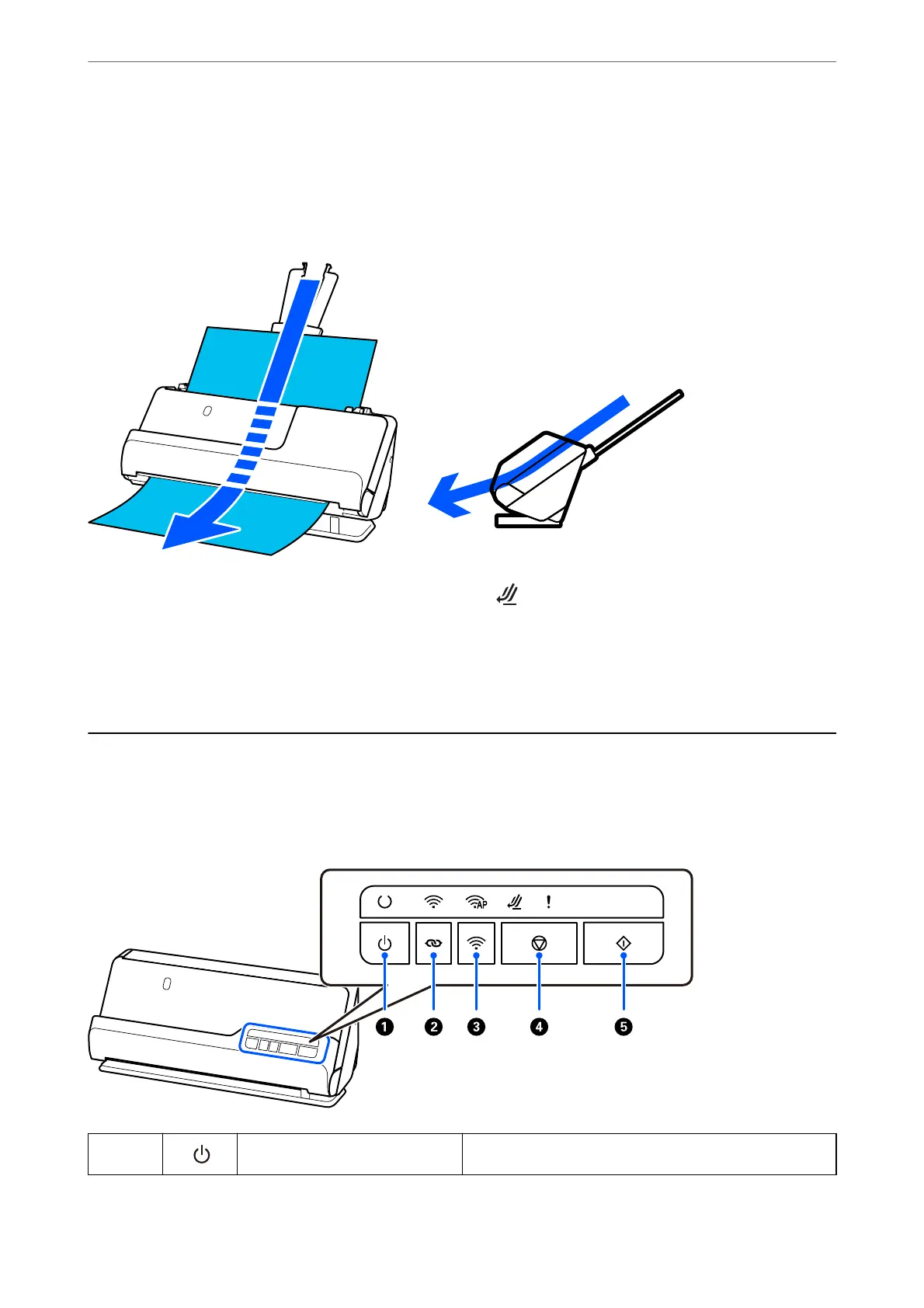
Straight path position
When scanning thick originals such as passports, pull the scanner position selector to tilt the scanner backward to
the straight path position. When scanning in the straight path position, originals loaded in the input tray are
ejected to the output slot at the front of the scanner.
When the scanner is changed to the straight path position, the light on the control panel turns on.
Related Information
& “Combinations of Originals and Scanner Position” on page 46
Buttons and Lights on the Control Panel
Buttons
A
Power button Turns the scanner on or o.
Scanner Basics
>
Buttons and Lights on the Control Panel
>
Buttons
25



 To Next Page