Rev. C System Planning 2-11
TM-H6000III Technical Reference Guide
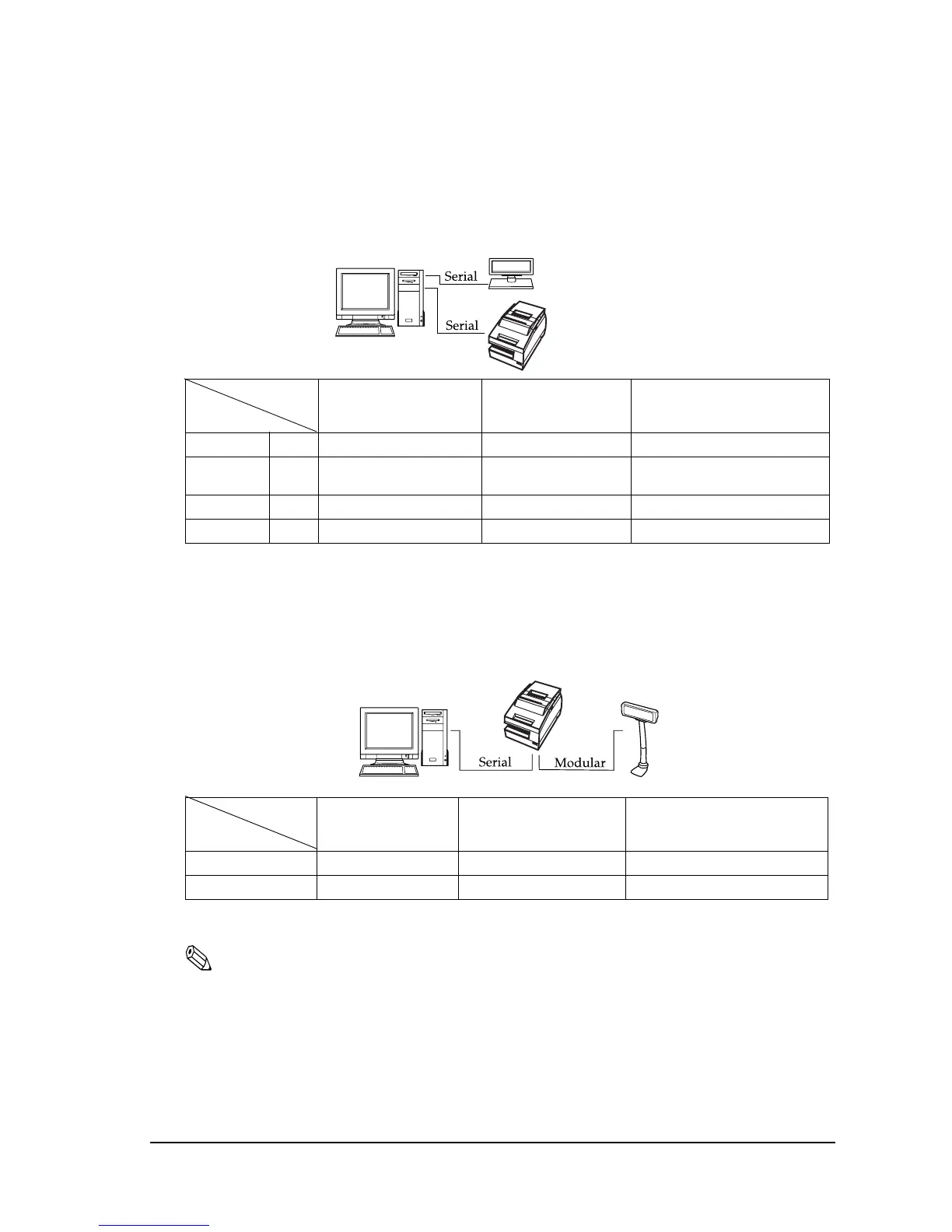
2.3.1 Stand alone
Both TM printer and customer display (DM-D) are connected to the host PC via serial port.
2.3.2 Y-connection
TM printer is connected to the host PC via serial port and the customer display (DM-D) is
connected to TM printer via modular connector.
(*) When RTS/CTS control is used between the TM and DM.
Note:
You need to use the UB-S09 interface when you use a modular connector.
On a DM-D (DM-D500 etc...) device that has a DIP switch to select the Y-type connection, confirm that
the DIP switch has been set to “Y-type connection: Enable.” For details of the DIP switch, see the User’s
Manual packed with your customer display.
Application
TM side control
control setting
XON/XOFF
(except OPOS)
DTR/DSR
(DOS, OPOS, Visual C)
RTS/CTS
(DOS, Windows driver, Visual C,
Visual Basic, MSComm)
XON/XOFF 1 Type A or B — —
2 DM-D500: A,B
Other DM-D: not available
——
DTR/DSR 1 — Type A or B Type B
2— Type A or B Type B
Application
TM side control
control setting
XON/XOFF
(except OPOS)
DTR/DSR
(DOS, OPOS, Visual C)
RTS/CTS
(DOS, Windows driver, Visual C,
Visual Basic, MSComm)
XON/XOFF Not available — —
DTR/DSR — Type B (*) Type B
2
1


 To Next Page
 Loading...