EW50 Industrial LTE Cellular Gateway
164
IPSec Setting
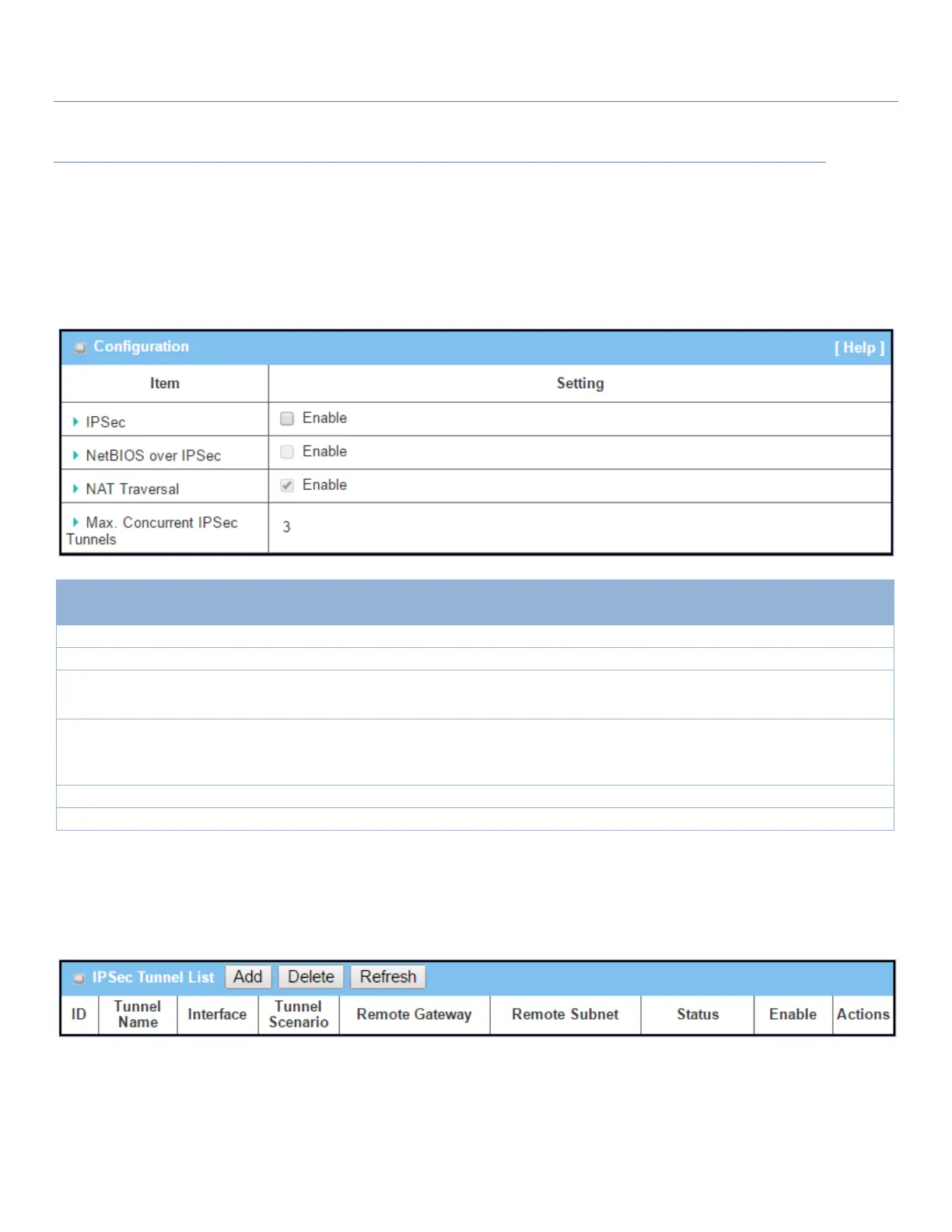
Go to Security > VPN > IPSec tab.
The IPSec Setting allows user to create and configure IPSec tunnels.
Enable IPSec
Click the Enable box to enable IPsec function.
Click the Enable box to enable NetBIOS over IPsec function.
Click the Enable box to enable NAT Traversal function.
Max. Concurrent
IPSec Tunnels
Depends on Product
specification.
The specified value will limit the maximum number of simultaneous IPsec
tunnel connections. The default valuea may differ depending on the device
model.
Click Save to save the settings
Click Undo to cancel the settings
Create/Edit IPSec tunnel
Ensure that the IPsec enable box is checked to enable before further configuring the IPsec tunnel settings.
When Add/Edit button is applied, a series of configuration screens will appear. They are Tunnel Configuration,
Local & Remote Configuration, Authentication, IKE Phase, IKE Proposal Definition, IPsec Phase, and IPsec
Proposal Definition. Configure the tunnel details for both local and remote VPN devices.



 To Next Page