EW50 Industrial LTE Cellular Gateway
165
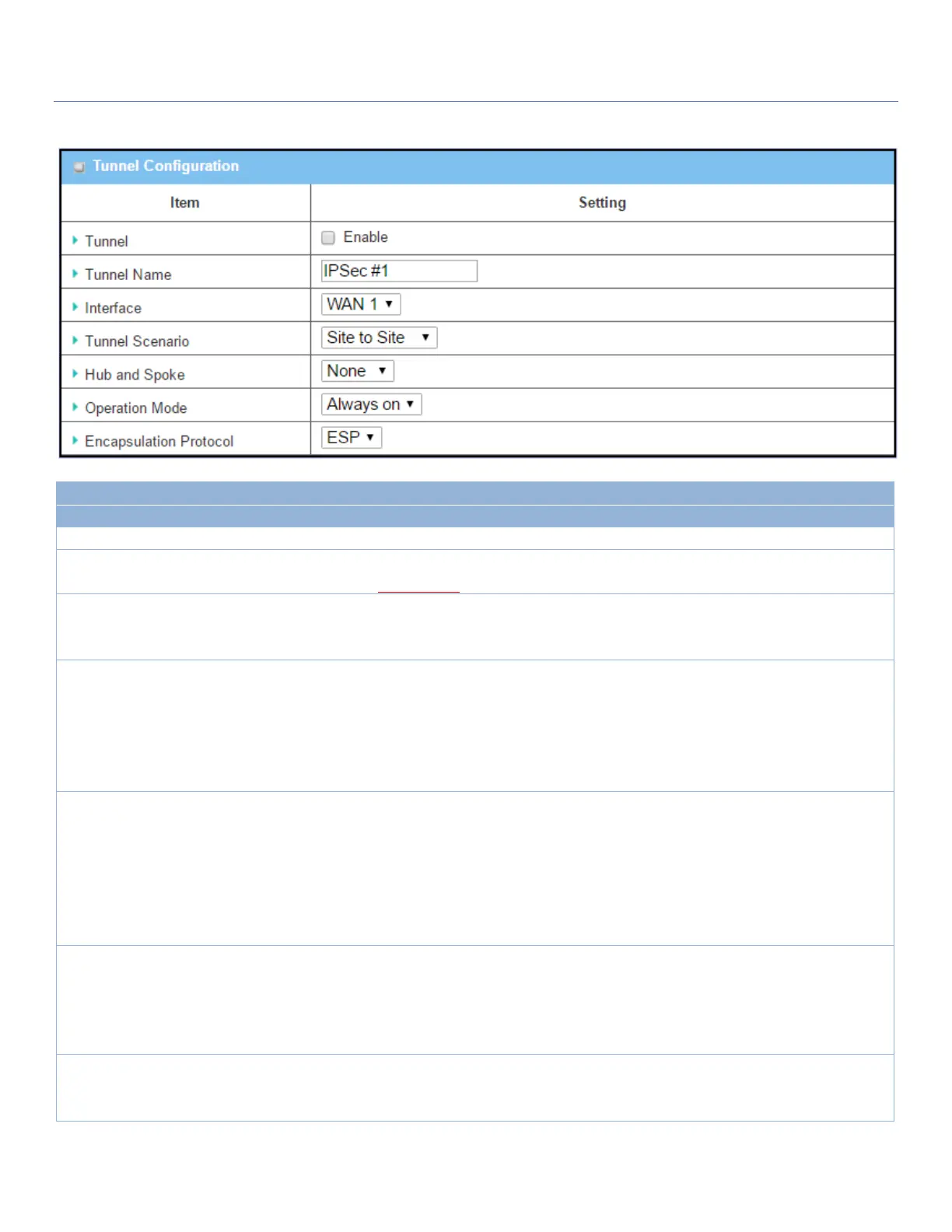
Tunnel Configuration Window
Check the Enable box to activate the IPsec tunnel
1. Required setting
2. String format, text
Enter a tunnel name.
Value Range: 1 ~ 19 characters.
1. Required setting
2. WAN 1 is selected
by default
Select the interface on which IPsec tunnel is to be established. It can be any
available WAN and LAN interface.
1. Required setting
2. Site to site is
selected by default
Select an IPsec tunneling scenario from the dropdown box for your application.
Select Site-to-Site, Site-to-Host, Host-to-Site, or Host-to-Host. If LAN interface
is selected, only Host-to-Host scenario is available.
With Site-to-Site or Site-to-Host or Host-to-Site, IPsec operates in tunnel mode.
The difference is the number of subnets. With Host-to-Host, IPsec operates in
transport mode.
1. Optional setting
2. None is set by
default
Select from the dropdown box to set up your gateway for Hub-and-Spoke IPsec
VPN Deployments.
Select None if your deployments will not support Hub or Spoke encryption.
Select Hub for a Hub role in the IPsec design.
Select Spoke for a Spoke role in the IPsec design.
Note: Hub and Spoke are available only for Site-to-Site VPN tunneling specified
in Tunnel Scenario. They are not available for Dynamic VPN tunneling.
1. Required setting
2. Always on is
selected by default
Define the operation mode for the IPsec Tunnel. It can be Always On, or
Failover.
If this tunnel is set as a failover tunnel, you need to further select a primary
tunnel from which to failover to.
Note: Failover mode is not available for gateways with a single WAN.
1. Required setting
2. ESP is selected by
default
Select the Encapsulation Protocol from the dropdown box for this IPsec tunnel.
Available encapsulations are ESP and AH.



 To Next Page