EW50 Industrial LTE Cellular Gateway
166
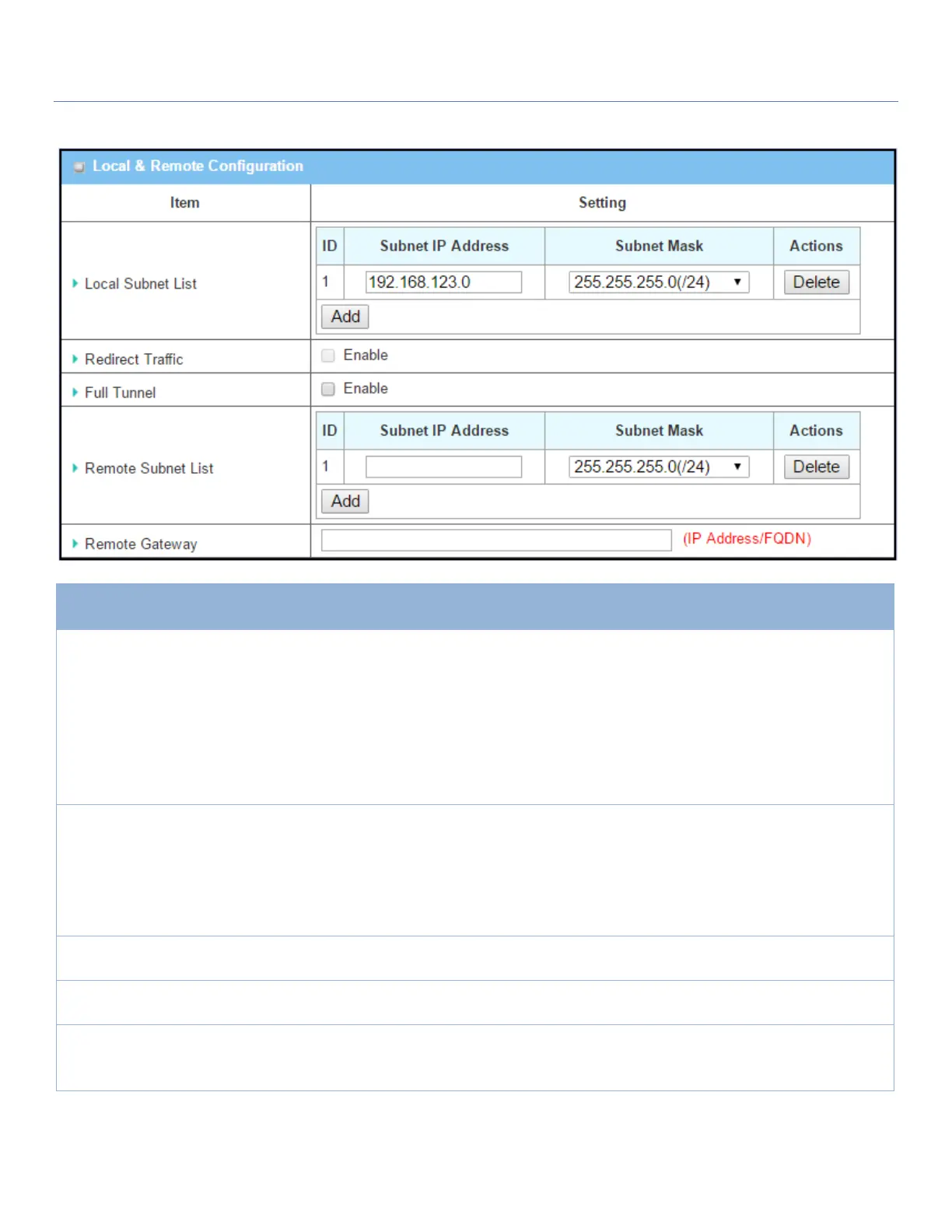
Local & Remote Configuration Window
Specify the Local Subnet IP address and Subnet Mask.
Click the Add or Delete button to add or delete a Local Subnet.
Note_1: When Dynamic VPN option in Tunnel Scenario is selected, there will be
only one subnet available.
Note_2: When Host-to-Site or Host-to-Host option in Tunnel Scenario is
selected, Local Subnet will not be available.
Note_3: When Hub and Spoke option in Hub and Spoke is selected, there will be
only one subnet available.
Click Enable box to activate the Redirect Traffic function.
Note: Redirect Traffic is available only for Host-to-Site specified in Tunnel
Scenario. By default, it is disabled to prevent unexpected and dangerous access
to the peer subnet. If you enable this function, all the network devices behind
the VPN host (actually, it is an NAT gateway) can access the peer subnet with
the host IP.
Click Enable box to enable Full Tunnel.
Note: Full tunnel is available only for Site-to-Site specified in Tunnel Scenario.
Specify the Remote Subnet IP address and Subnet Mask.
Click the Add or Delete button to add or delete Remote Subnet setting.
1. Required setting.
2. Format can be a
ipv4 address or FQDN
Specify the Remote Gateway.



 To Next Page