EW50 Industrial LTE Cellular Gateway
173
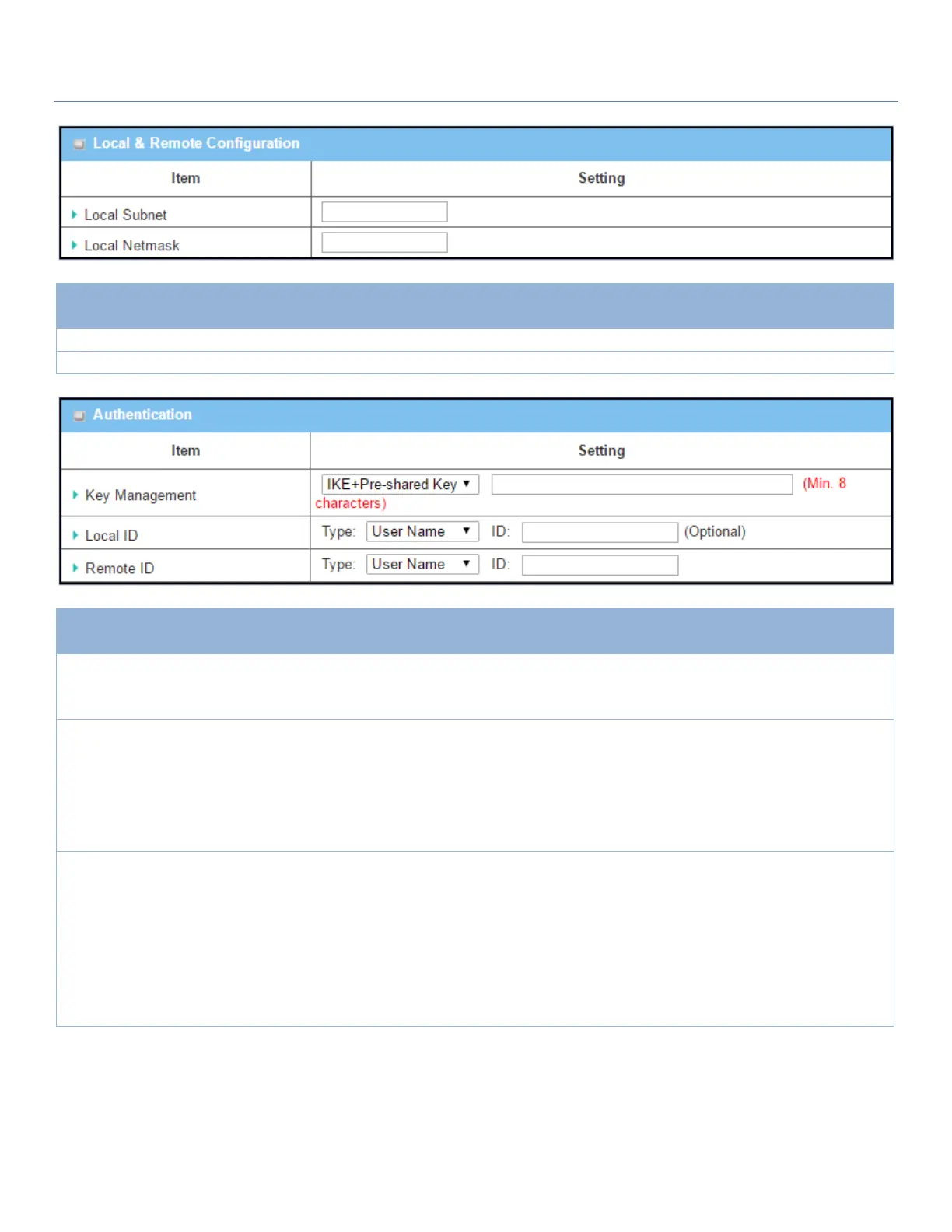
Local & Remote Configuration Window
Specify the Local Subnet IP address.
Specify the Local Subnet Mask.
Authentication Configuration Window
1. Required setting
2. Pre-shared Key 8 to
32 characters.
Select Key Management from the dropdown box for this IPsec tunnel.
IKE+Pre-shared Key: Set a key (8 ~ 32 characters).
Specify the Local ID for this IPsec tunnel to authenticate.
Select User Name for Local ID and enter the username. The username may
include but can’t be all numbers.
Select FQDN for Local ID and enter the FQDN.
Select User@FQDN for Local ID and enter the User@FQDN.
Select Key ID for Local ID and enter the Key ID (letter or number).
Specify the Remote ID for this IPsec tunnel to authenticate.
Select User Name for Remote ID and enter the username. The username may
include but can’t be all numbers.
Select FQDN for Local ID and enter the FQDN.
Select User@FQDN for Remote ID and enter the User@FQDN.
Select Key ID for Remote ID and enter the Key ID (letter or number).
Note: Remote ID will be not available when Dynamic VPN option in Tunnel
Scenario is selected.
For the remaining IKE Phase, IKE Proposal Definition, IPsec Phase, and IPsec Proposal Definition settings, they
are the same as that of creating an IPsec Tunnel described in previous section. Please refer to the related
descriptions.



 To Next Page