EW50 Industrial LTE Cellular Gateway
212
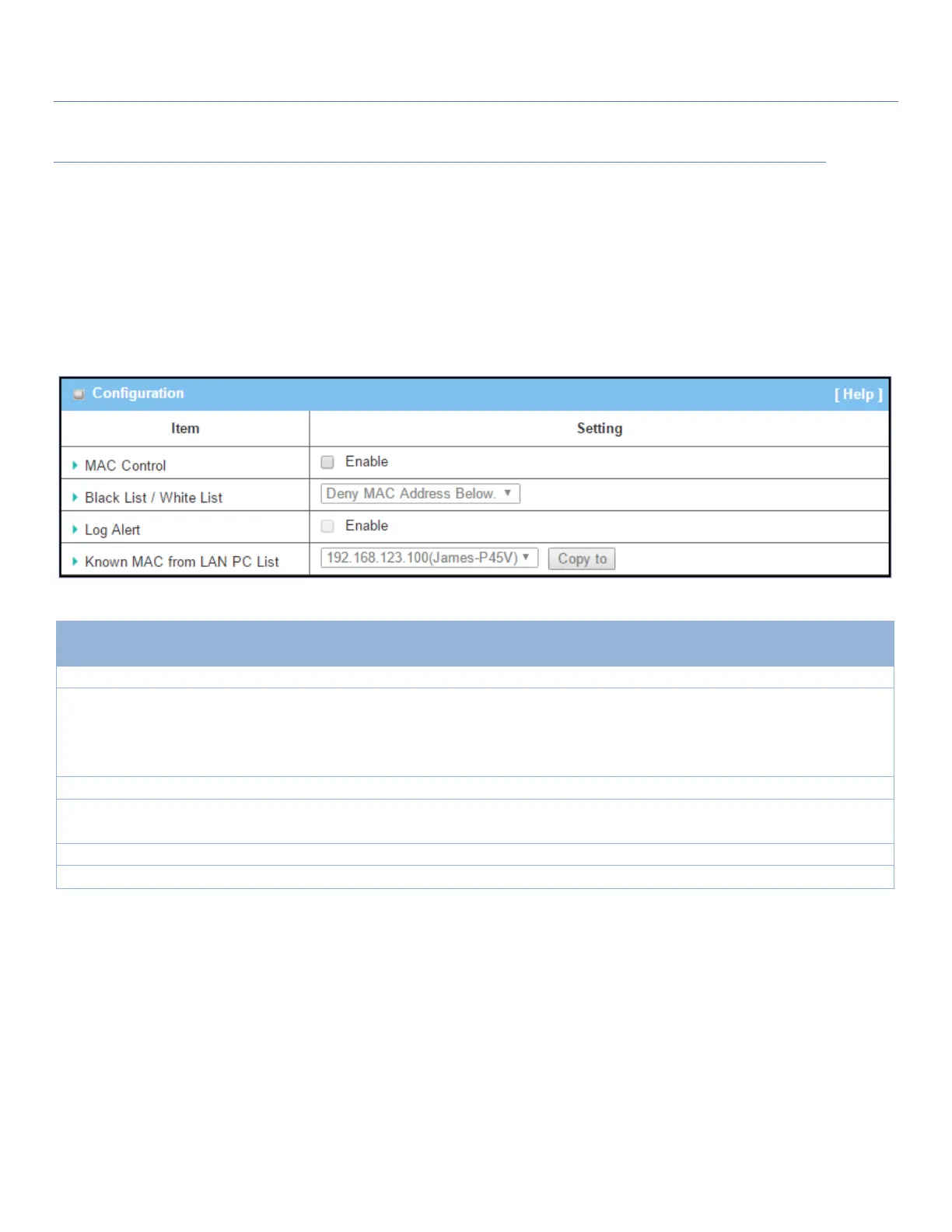
MAC Control Setting
Go to Security > Firewall > MAC Control Tab.
The MAC control setting allows user to create and customize MAC address policies to allow or reject packets
with specific source MAC address.
Enable MAC Control
Check the Enable box to activate the MAC filter function
Deny MAC Address Below
is set by default
When Deny MAC Address Below is selected, as the name suggest, packets
specified in the rules will be blocked – blacklisted. In contrast, with Allow MAC
Address Below, you can specifically white list the packets to pass, and the rest
will be blocked.
Check the Enable box to activate to activate Event Log.
Known MAC
from LAN PC List
Select a MAC Address from LAN Client List. Click the Copy to copy the selected
MAC Address to the filter rule.
Click Save to save the settings
Click Undo to cancel the settings



 To Next Page