EW50 Industrial LTE Cellular Gateway
264
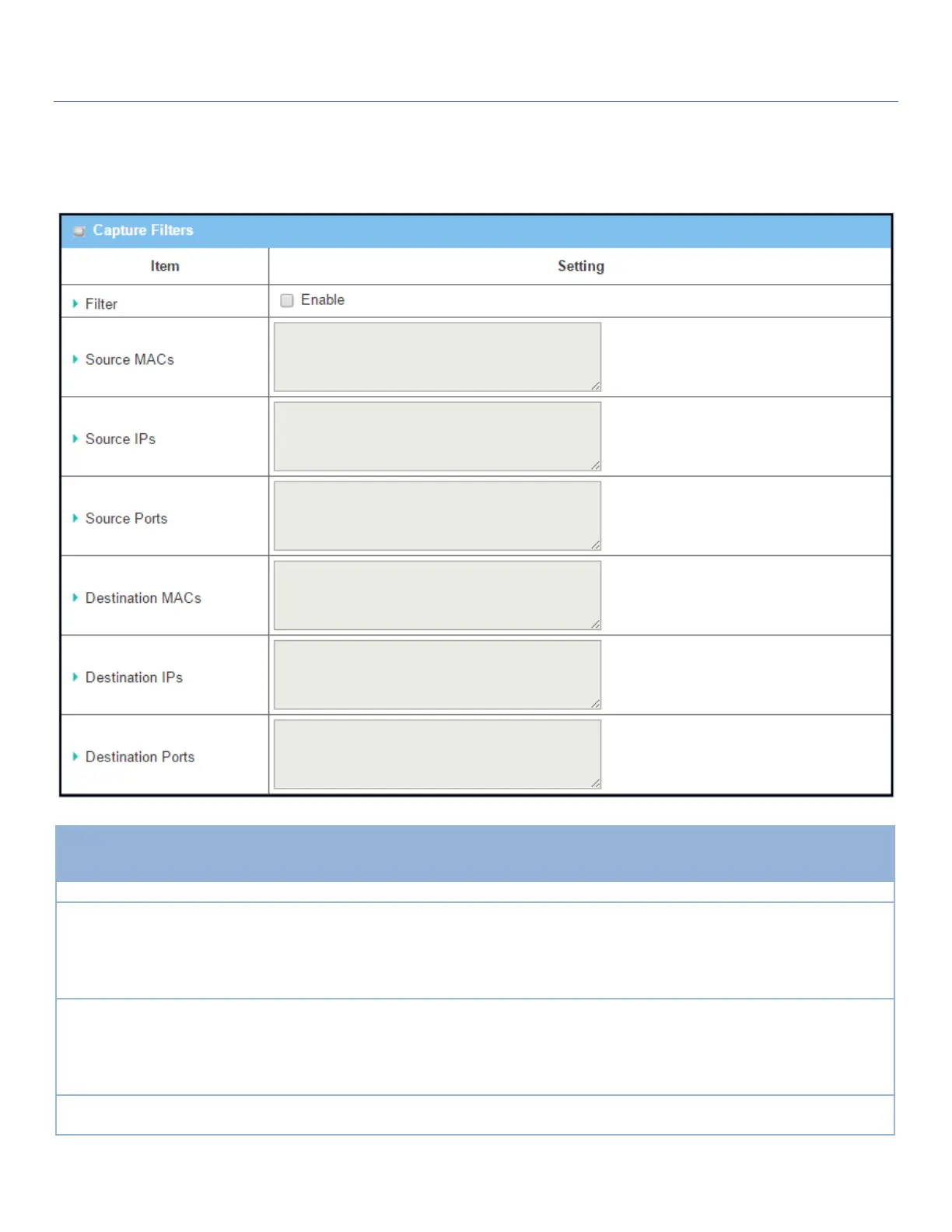
Once you have enabled the Packet Analyzer function on specific Interface(s), you can further specify some
filter rules to capture the packets which match the rules.
Check Enable box to activate the Capture Filter function.
Define the filter rule with Source MACs, the source MAC address of packets.
Packets which match the rule will be captured.
Up to 10 MACs are supported, but they must be separated with “;”,
e.g. AA:BB:CC:DD:EE:FF; 11:22:33:44:55:66
The packets will be captured when matching any one MAC in the rule.
Define the filter rule with Source IPs, the source IP address of packets.
Packets which match the rule will be captured.
Up to 10 IPs are supported, but they must be separated with “;”,
e.g. 192.168.1.1; 192.168.1.2
The packets will be captured when any IP is matched.
Define the filter rule with Source Ports, which means the source port of packets.
The packets will be captured when any port is matched.



 To Next Page