Functional characteristics
MIG/MAG welding
38 Item No.: 099-004833-EWM01
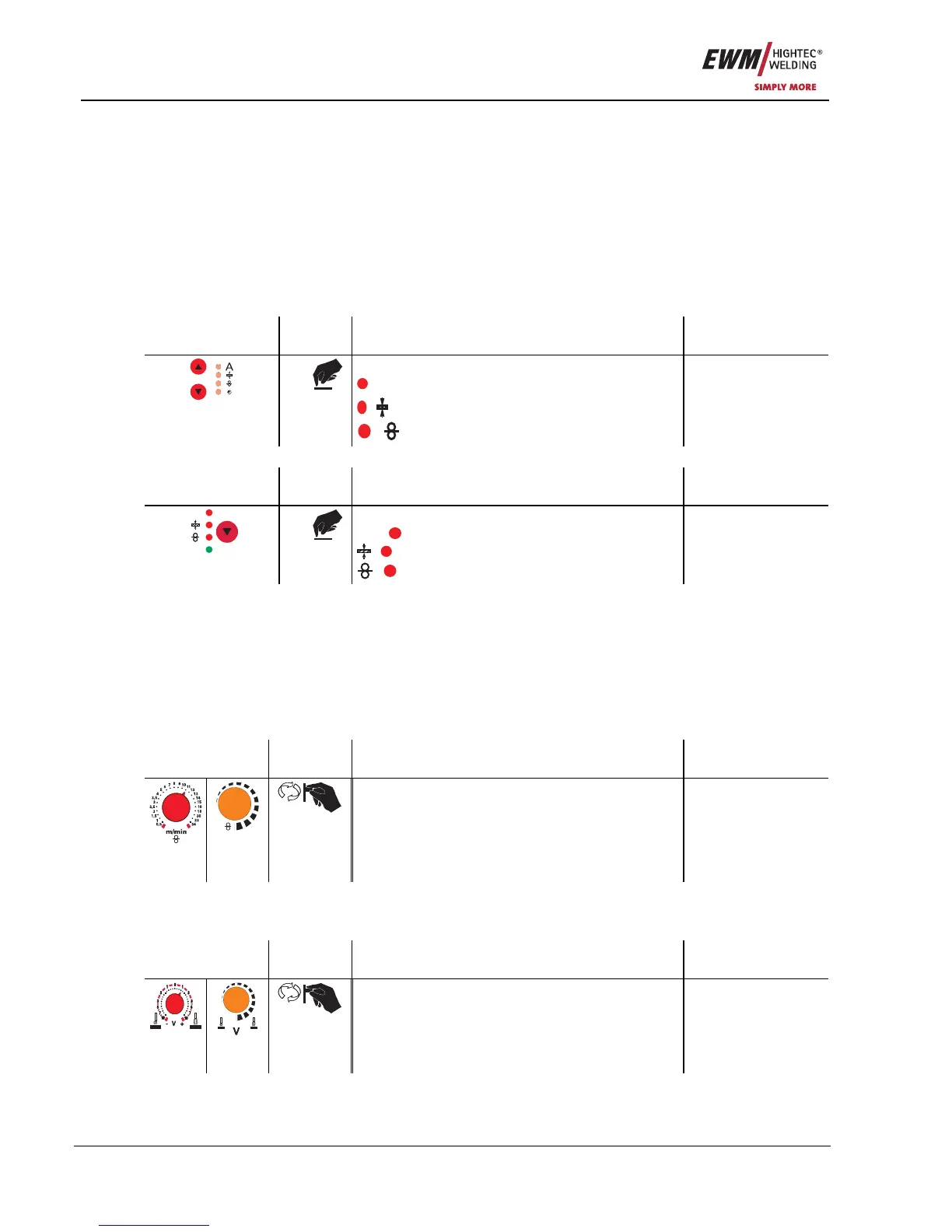
5.2.3 MIG/MAG operating point
The operating point (welding output) is specified using the principle of MIG/MAG one-dial operation, i.e.
the user need only specify the operating point by setting the required wire speed, for example, and the
digital system will calculate the optimum values for welding current and voltage (operating point).
The operating point setting can also be specified using the accessory components such as the remote
control, welding torch, etc.
5.2.3.1 Selecting the display unit
The op
eratin
g point (welding performance) can be displayed as the welding current, material thickness or
wire speed.
Am Schweißgerät mit Steuerung M3.1x
Operating
element
Action Result Display
X x
Switching the LCD display between:
A
Welding current,
Material thickness,
Wire speed
No change
On the wire feed unit using control M3.70
Operating
element
Action Result Display
HOLD
AMP
X x
Switching the LCD display between:
AMP
Welding current
Material thickness,
Wire speed
No change
Example application
You are welding aluminium (material= AlMg, gas= Ar 100%, wire diameter= 1.2 mm and 5 mm material
thickness), you don’t have any specifications and do not know the required settings, e.g. for the wire
speed.
Switch to the material thickness display. Set the operating point to 5 mm.
This corresponds to a wire speed of 8.4 m/min, for example.
5.2.3.2 Operating point setting using material thickne
ss,
welding current, wire speed
In the situations given below, only the wire speed is given to represent the operating point.
Operating
Element
Action Result Display
m/min
Operating point is set using the wire speed
previously set
Parameter selected
is displayed
M3.00
M3.30
M.3.70
5.2.3.3 Arc length correction setting
The “Arc length correction” setting option is provided for adjusting the arc length for any specific welding
task.
Operating
Element
Action Result Display
Arc length correction setting Parameter selected
is displayed
M3.00
M3.30
M.3.70










 To Next Page