Functional characteristics
Advanced functions on the welding machine control
86 Item No.: 099-004833-EWM01
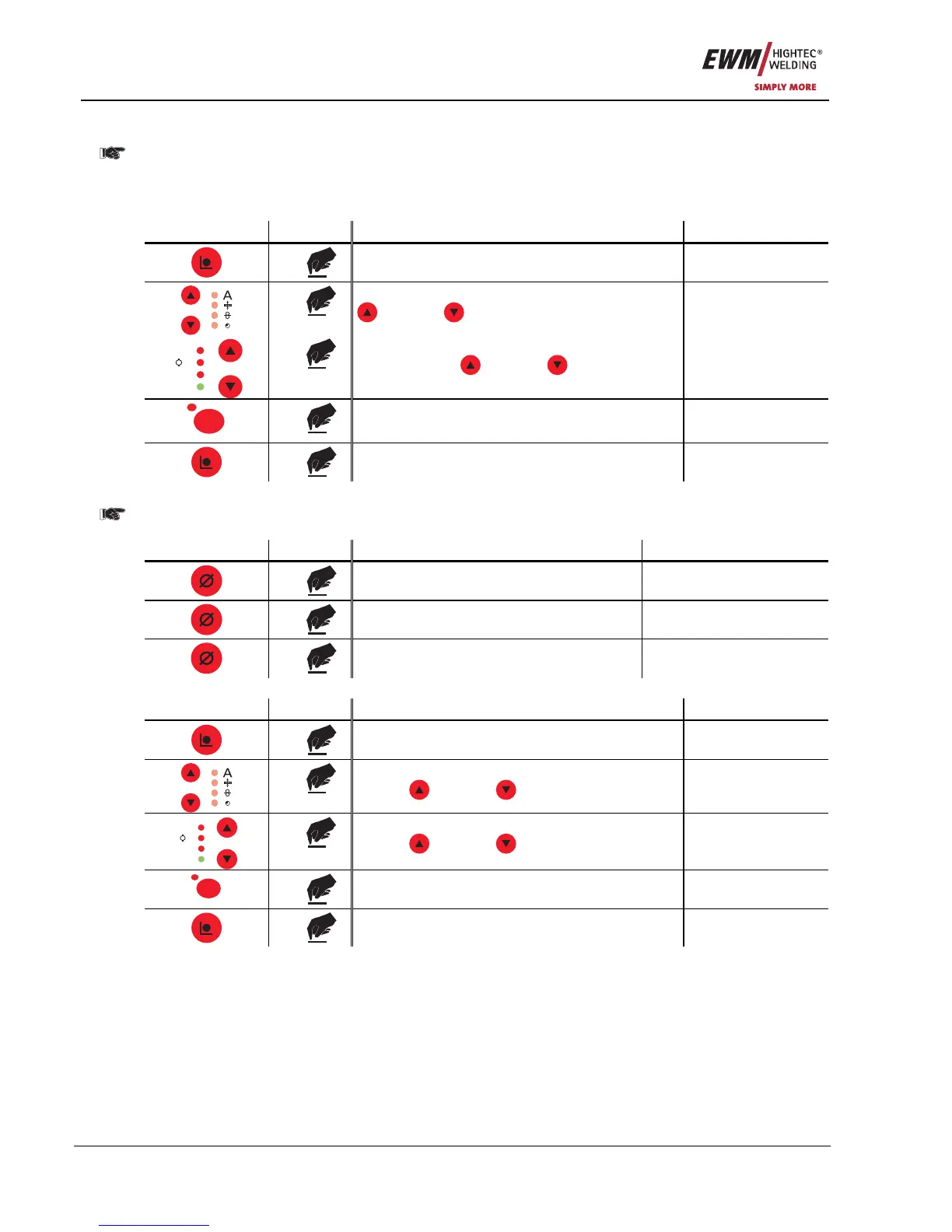
5.9.2.1 Creating a new JOB in the memory or copying a JOB
It is normally possible to adjust all 256 JOBs individually. However, it is useful to issue a separate
job number to special welding tasks.
Define welding task which most closely matches the required application.
Copy pre-defined welding task (JOB1-128) into the free memory range (JOB129-256):
Control element Action Result Display
3 x
Select Job Manager mode Job Manager
x x
Select the copy job function using the key buttons
"Up" and "Down" (left)
Copy to: xxx
V
Job Nr
Hold
A
M
x x
Select the job target number (JOB129-256) using
the key buttons
"Up" and "Down" (right)
Copy to: xxx
Superpuls
S
1 x
JOB has been copied Copy to: xxx
1 x
Machine returns to Display mode
5.9.2.2 Loading special jobs (SP1 to SP3)
These jobs are the first 3 free JOBs which can be called up directly on the M3.1x control using the
buttons SP1 to SP3 (SP1=JOB129, SP2=JOB130, SP3=JOB131).
Control element Action Result Display
3 s
Select Special Jobs
x x
Select Special Job SP1,SP2 or SP3
3 s
Machine returns to Display mode
s = seconds
5.9.2.3 Loading an existing JOB from the free memory
Control element Action Result Display
3 x
Select Job Manager mode Job Manager
x x
Select Job Loading function using the key
buttons
"Up" and "Down" (left)
Load Job: xxx
V
Job Nr
Hold
A
M
x x
Select the JOB to be loaded using the key
buttons
"Up" and "Down" (right)
Load Job: xxx
Superpuls
S
1 x
JOB has been loaded Load Job: xxx
3 x
Machine returns to Display mode










 To Next Page