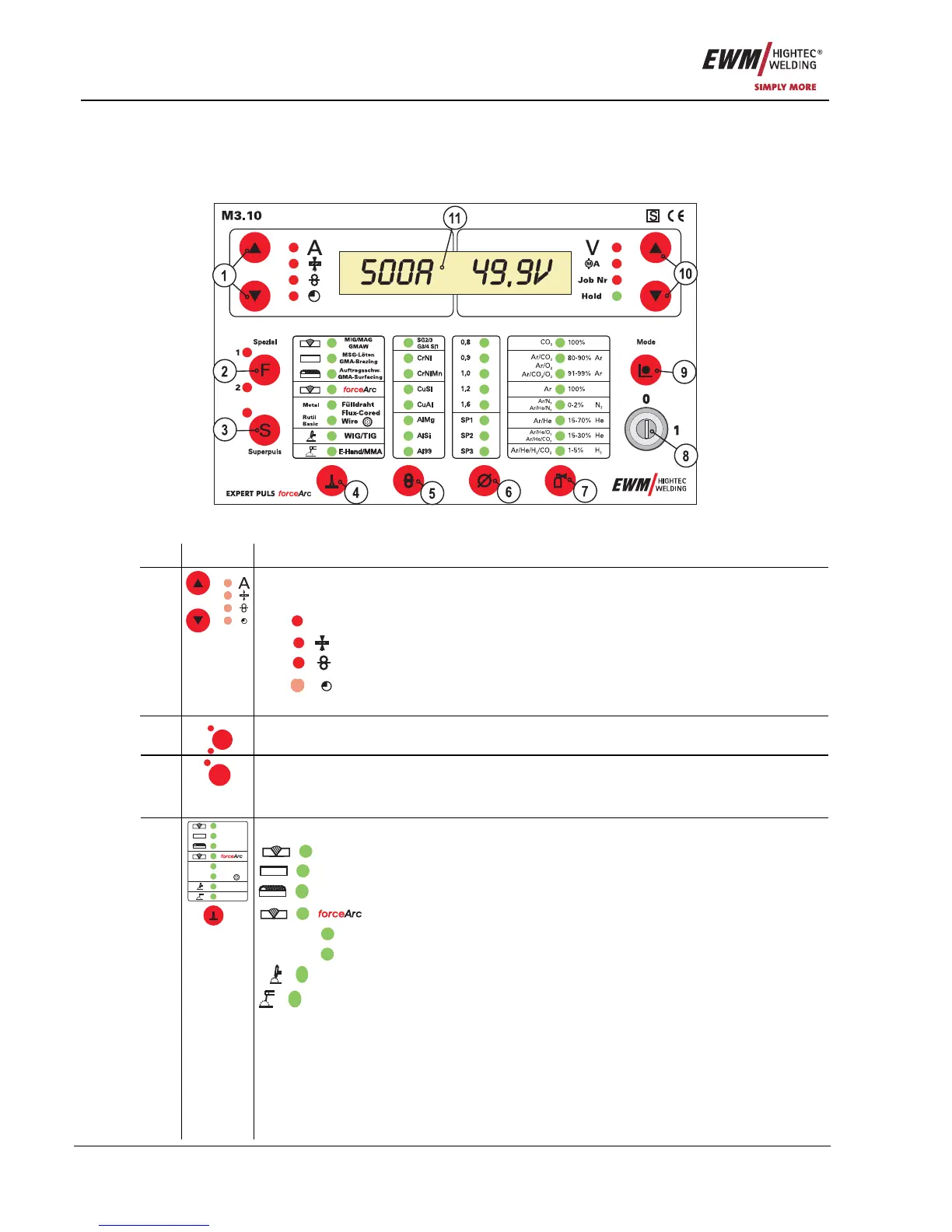
Functional characteristics
Machine control – Operating elements
26 Item No.: 099-004833-EWM01
5 Functional characteristics
5.1 Machine control – Operating elements
5.1.1 Welding machine control
Figure 5-1
Item Symbol Description 0
"Up" and "Down" buttons, left
Switching of the digital display between the following welding parameters:
A
Welding current (nominal, actual and hold values)
Material thickness (nominal value)
Wire speed (nominal, actual and hold values)
1
Operating hour counter
Selection of further welding parameters in lower programming levels
2
Spezial
1
2
F
Not used at present
Superpulse key button with signal light 3
Superpuls
S
Signal light on
Signal light is off
> Superpulse active
> Superpulse inactive
“Select welding process” key button
MIG/MAG
GMAW
MIG/MAG welding
MSG-Löten
GMA-Brazing
MSG brazing
Auftragsschw.
GMA-Surfacing
Deposit welding
ForceArc MIG/MAG welding
Metal
Flux-cored wire welding, metal
Rutil
Basic
Flux-cored wire welding, rutile / basic
WIG/TIG
TIG welding
4
MIG/MAG
GMAW
MSG-Löten
GMA-Brazing
Auftragsschw.
GMA-Surfacing
WIG/TIG
E-Hand/MMA
Metal
Fülldraht
Flux-Cored
Wire
Rutil
Basic
E-Hand/MMA
MMA welding










 To Next Page