Functional characteristics
TIG welding
70 Item No.: 099-004833-EWM01
5.3 TIG welding
5.3.1 TIG welding task selection
Control element Action Result Display
X x
The various welding processes are run through
until the signal light for the required welding
process comes on.
The nominal values
for the welding
current and welding
voltage are
displayed.
5.3.2 TIG welding current setting
The welding current is normally set using the “Wire speed” rotary dial.
Welding current is set The welding current
and voltage change
depending on the
setting
5.3.3 TIG welding data display
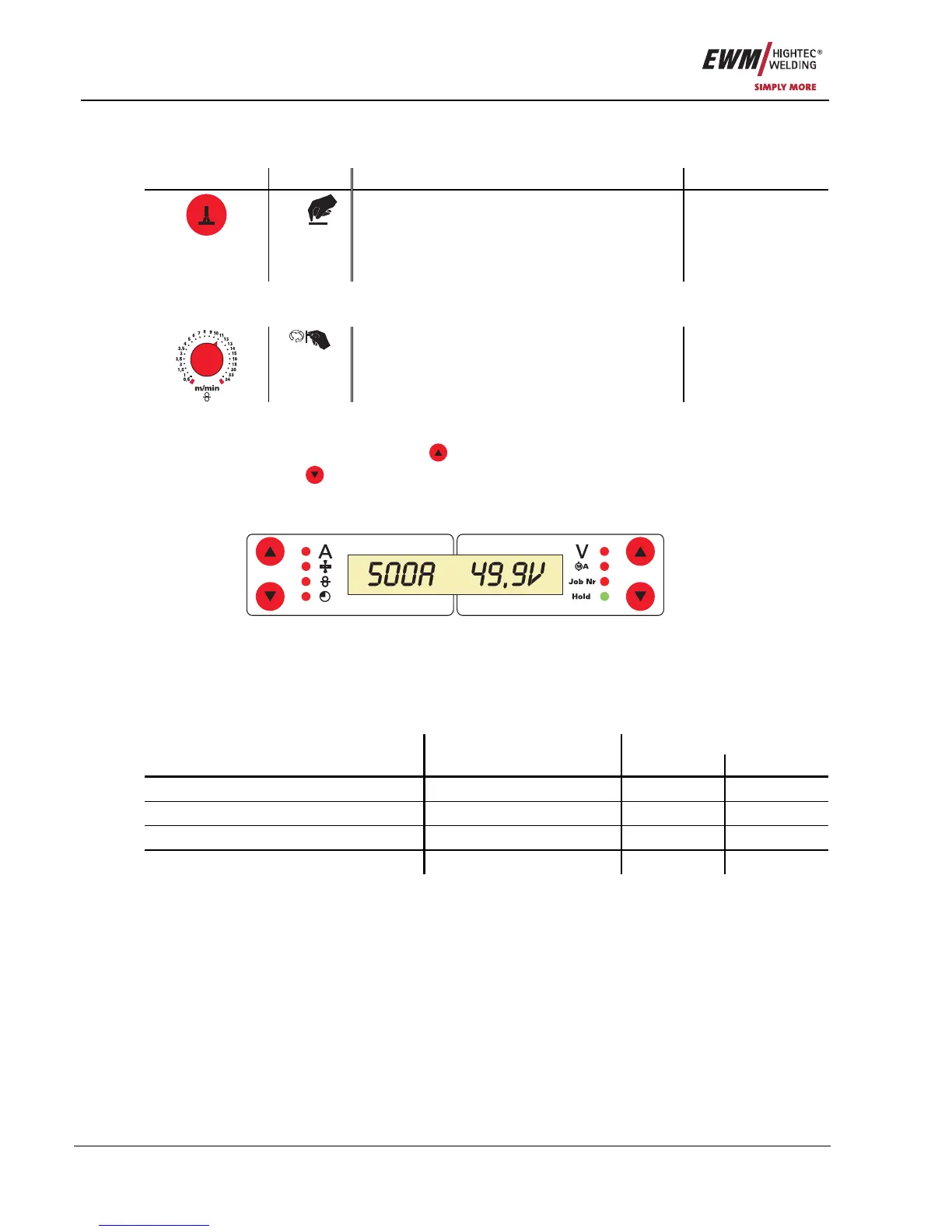
To the left and right of the LCD display on the control there are 2 “arrow keys” on each side for selecting
the welding parameter to be displayed. The
button is used to scroll through the parameters from the
bottom upwards and the
button is used to scroll downwards from the top.
As soon as changes have been made to the settings after welding (display on hold values), the display
switches back to the nominal values.
Figure 5-30
Four welding parameters can be selected in the TIG welding process:
Welding current and tungsten electrode diameter (left-hand side) and welding voltage and JOB no. (right-
hand side).
The parameters can be displayed before (nominal values), during (actual values) welding.
Parameter Before welding During welding
Nominal value Actual value Nominal value
Welding current
z z
Tungsten electrode diameter
z
z
Welding voltage
z z
JOB no.
z










 To Next Page