Functional characteristics
Remote control
84 Item No.: 099-004833-EWM01
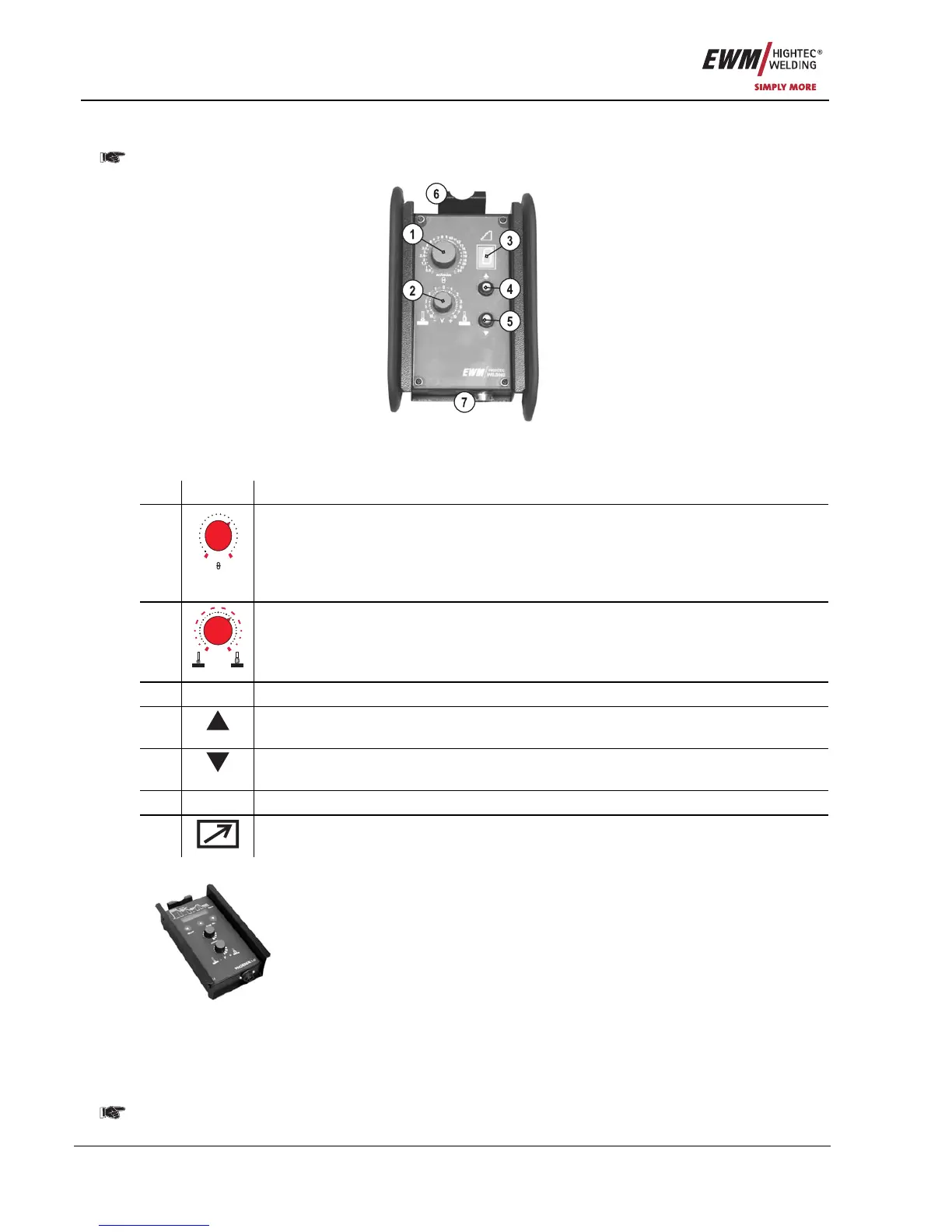
5.8.2 Manual remote control R20
Manual remote controls R20 can only be used together with controls M3.70 or M3.71!
Figure 5-39
Item Symbol Description 0
1
0,5
1
1,5
2
2,5
3
3,5
4
5
6
7
8
9
10
11
12
13
14
15
16
18
20
m/min
"Wire speed" rotary dial
• Infinitely adjustable setting of the wire speed from min. to max.
(welding output, one-dial operation).
• The wire correction value is set in the correction operation with welding programs
(key switch set to "0").
2
0
1
1
22
33
77
55
10
10
- V +
"Arc length correction" rotary dial
• Arc length correction from -10V to +10V
• The arc correction value is set in the correction operation with welding programs
(key switch set to "0").
3 Display for showing the current program number
4
Program switching "Up" button
Select program number up
5
Program switching "Down" button
Select program number down
6 Holder for suspending the remote control
7
19-pole connection socket (analogue)
For connecting the control lead.
5.8.3 R40 manual remote control
Functions
• Create and retrieve up to 16 operating points/main programs
• Set program sequence
• Superpulse function "ON/OFF"
• MIG standard/MIG pulse arc welding switching
(EXPERT PULSE only)
• Preset number of main programs (PA1 to PA16)
• LCD display (16-digit ) for displaying the welding parameters
• LED for displaying the Hold function
• The remote control is connected to the digital remote control connection socket
on the welding machine (7-pole) via an extension cable
Detailed information can be found in the relevant operating instructions.










 To Next Page