Graphical User Interface Overview
MaxTester 21
Title Bar
The following status are also displayed: Battery/AC icons indicate the
battery level and if the platform is connected to an AC power source.
Refer to the platform user guide for more information.
Date and Time indicate the current date and time.
Title Bar
The Title Bar displays the software application name and the battery level
indicator.
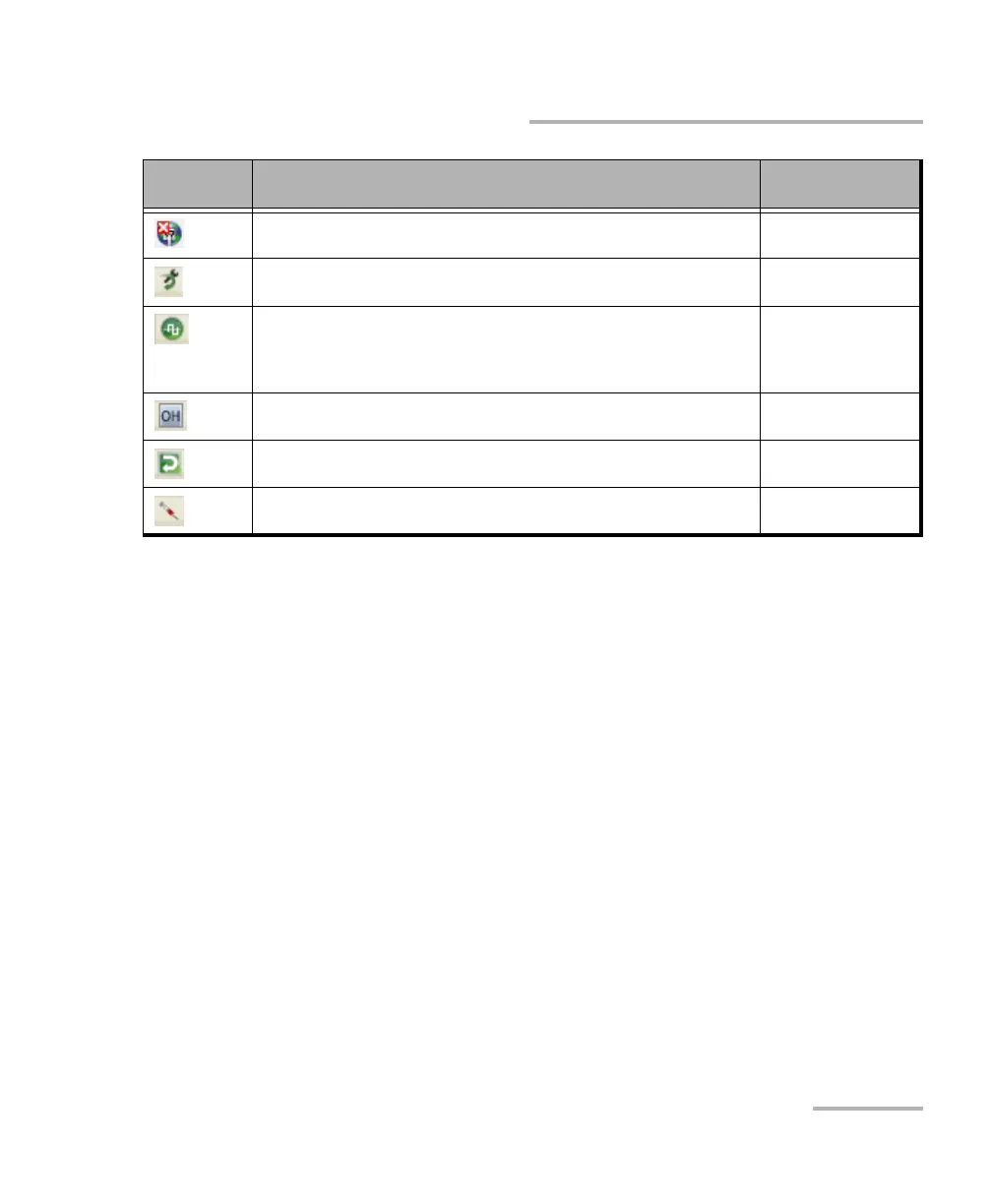
Connection not established between two testing units in Dual Test Set
(DTS) or in Loop Up mode.
Ethernet
Loopback Tool enabled on the port unused by the main test
application.
Ethernet
Clock synchronization signal clock. The clock icon is followed by the
clock mode: INT for Internal, EXT for External, or RCV for Recovered.
Green: Clock Synchronized.
Red: Loss of clock.
Transport
Ethernet
Indicates a manual change in the OH bytes transmitted. Not displayed
when using the default OH values.
Transport
The test is in loopback mode. Not displayed when not in loopback
mode.
NI-CSU Emulation
Alarm/error is currently injected. Not displayed when there is no
alarm/error injection.
Transport
EtherBERT
Icon
and/or text
Description Test Application










 To Next Page