MaxTester 55
7 Selecting and Starting a Test
A test can be created either by selecting the test from the Test Applications
tab or by loading a previously saved configuration (refer to Save/Load
Button on page 398 for more information).
Transport Test Applications
To select, configure, and start a Transport test:
1. From the test menu, tap Setup.
2. From the Test Applications tab, under Transport, tap a test icon.
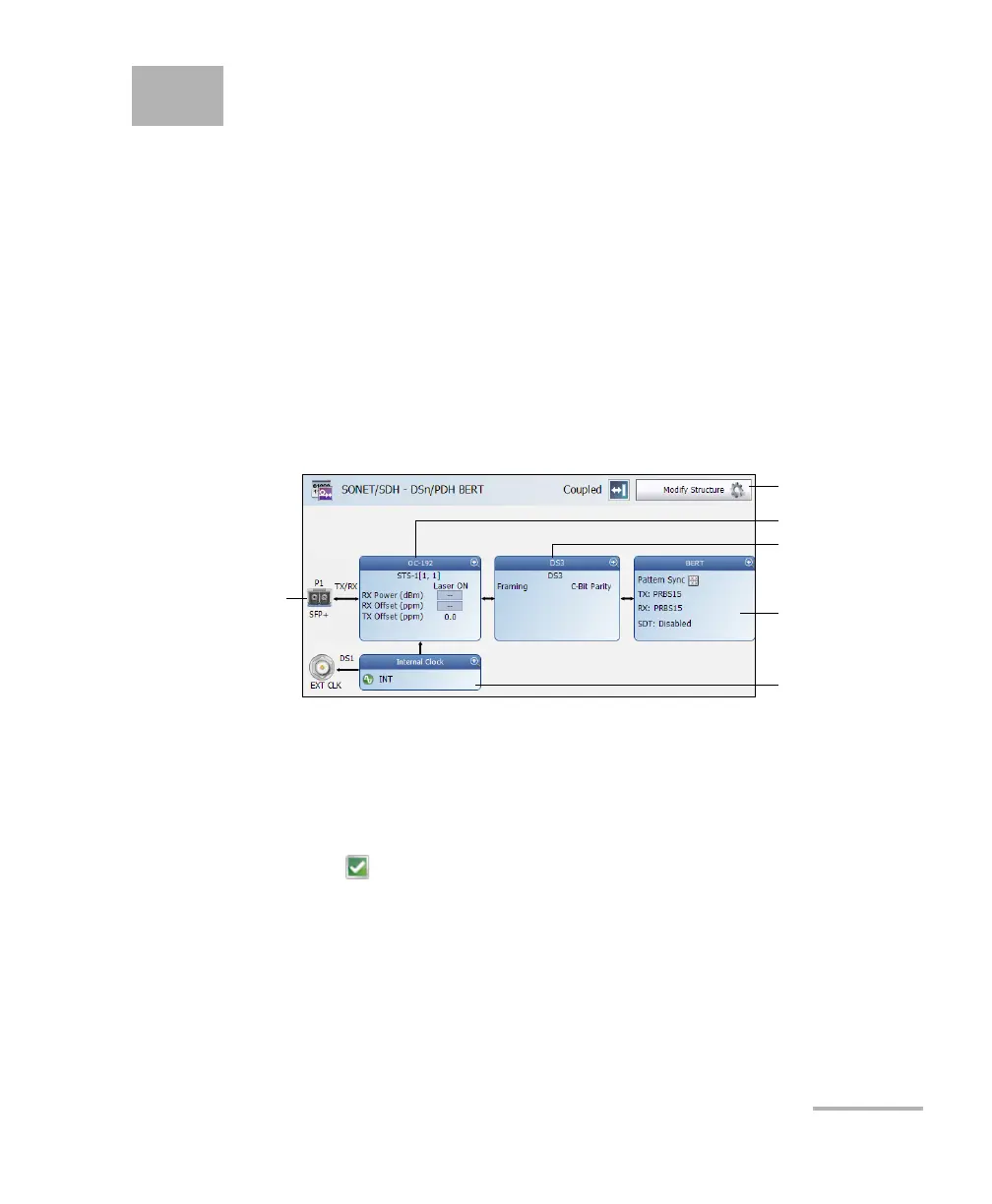
3. From the Test Configurator tab configure the signal structure and its
parameters.
3a. Tap the Modify Structure button to set the basic structure of the
test such as the interface/rate, connector, etc. (refer to Modify
Structure Button on page 65).
3b. For QSFP interface, check for the optical validation check mark
indicating that the transceiver matches the configured
interface/rate (refer to Physical Interface Port - Test Configurator
Overview on page 61).
3c. Tap the interface block to configure the signal parameters (refer
to page 59).
3d. For an embedded signal, tap the protocol block to configure the
signal (refer to page 59).
Modify Structure
Protocol Block
Te s t B l o c k
Clock Block
Interface Block
Physical
Interface Port










 To Next Page