IN1806 and IN1808 Series Scaling Presentation Switchers • Configuration Software 94
1. On the Extron website, select the Download tab (see figure 33,
1
, on the previous
page).
2. Move the pointer to the Software link (
2
) in the Downloads column and click it.
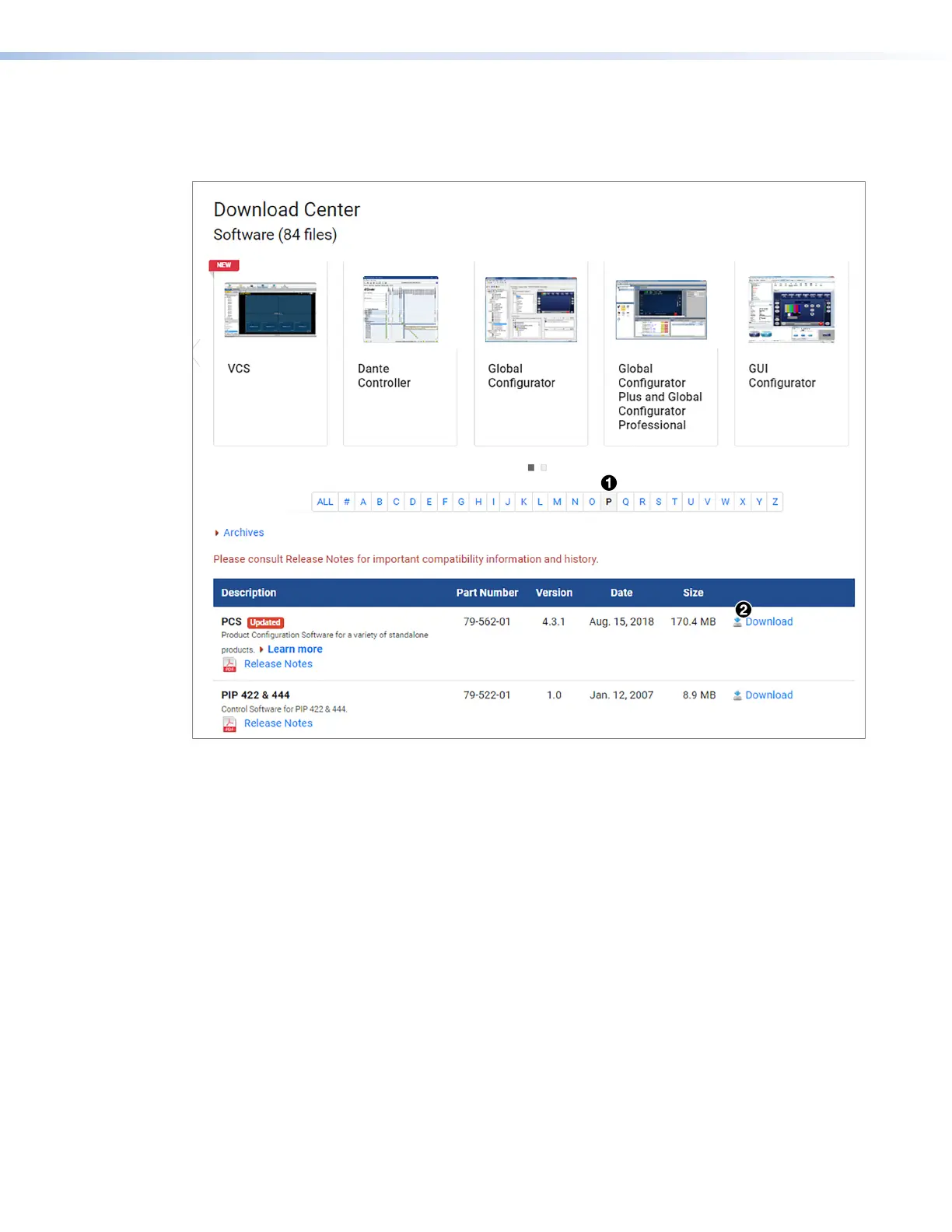
Figure 34. PCS Download Link
3. On the Download Center page, click the P link (see figure 34,
1
).
4. If necessary, scroll to locate PCS from the list of available software programs and click
the Download link to the right of the name (
2
).
5. On the login page that appears next, fill in the required information to log in to
www.extron.com (if you need an ID number, see your Extron representative).
6. Follow the instructions on the subsequent screens to complete the software program
installation. By default, the configuration program files are stored on your computer at:
C:\Program Files (x86) \ Extron \ IN1806 and IN1808 Series.
If there is not already an Extron folder in your Program Files (x86) folder, the installation
program creates it as well.
34













 To Next Page