IN1806 and IN1808 Series Scaling Presentation Switchers • Operation 33
Input Submenu
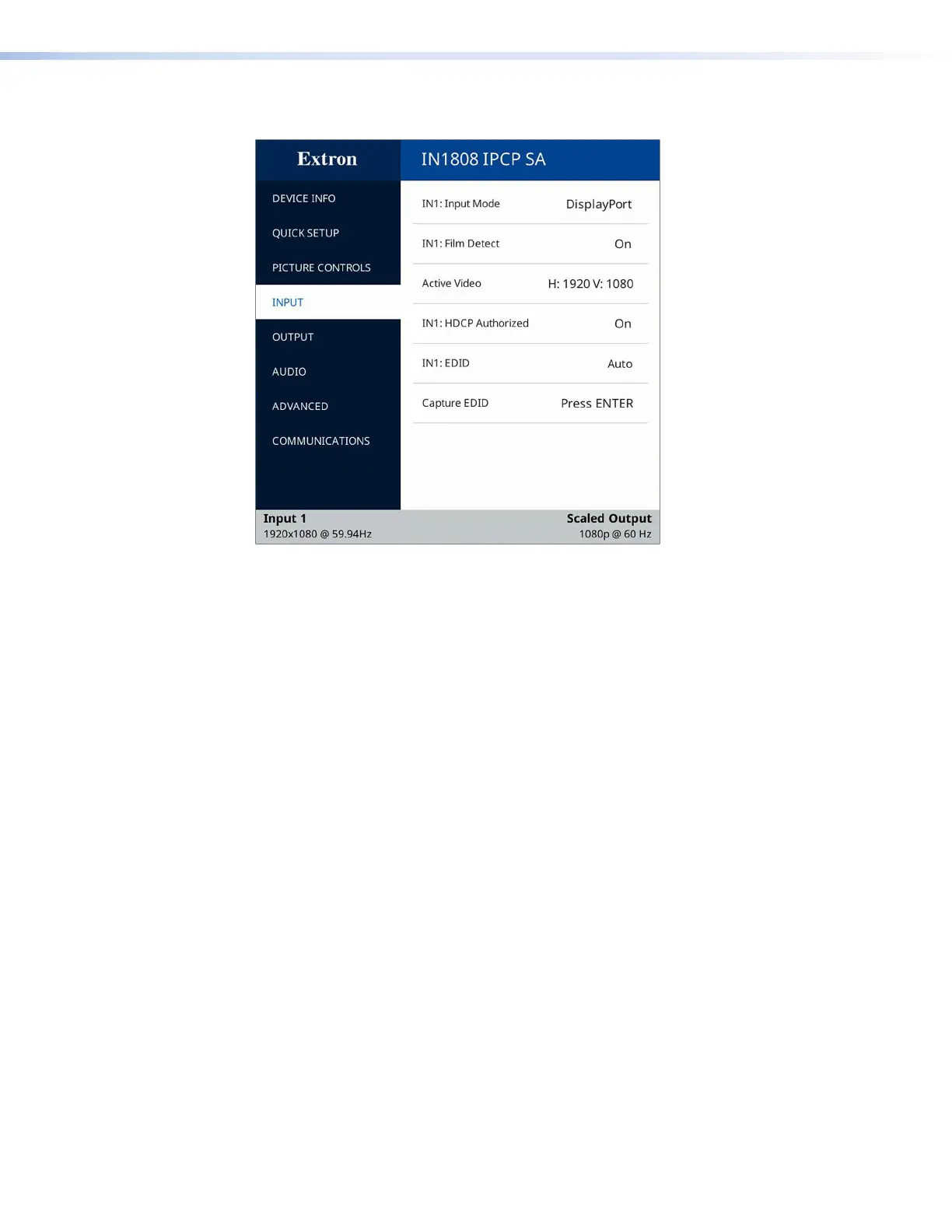
Figure 21. Input Submenu
The Input submenu adjusts the active input.
• INn: Input Mode — Displays the signal type of the selected input.
• For input 1 it shows DisplayPort if a DisplayPort source is connected, No Signal
if not (view-only).
• For inputs 2 through 6 it displays HDMI or DVI as appropriate if a source is
connected, No Signal if not (view-only).
• For inputs 7 and 8 (IN1808 Series only), use the
and buttons to select
between DTP and XTP. If no DTP or XTP source is connected, both options also
display (No Signal).
• INn: Film Detect — Film mode detection helps maximize image detail and sharpness
for video sources originating from film. Press Enter to select the item, then press the
and buttons to toggle between On (default) and Off.
If On is selected, the IN1806 and IN1808 Series detects and applies reverse pull-down
for:
• 3:2 pull-down for 480i and 1080i @ 59.94 Hz
• 2:2 and 24:1 pull-down for 576i and 1080i @ 50 Hz
• Active Video — This view-only field shows the width in pixels (the H value) and the
height in lines (the V value) of the applied input signal.
21













 To Next Page