IN1806 and IN1808 Series Scaling Presentation Switchers • Operation 29
To exit the on-screen menu system:
From any menu screen, press the Menu button to close the on-screen menu and exit the
system. Alternatively, wait for the menu display to time out (approximately 60 seconds).
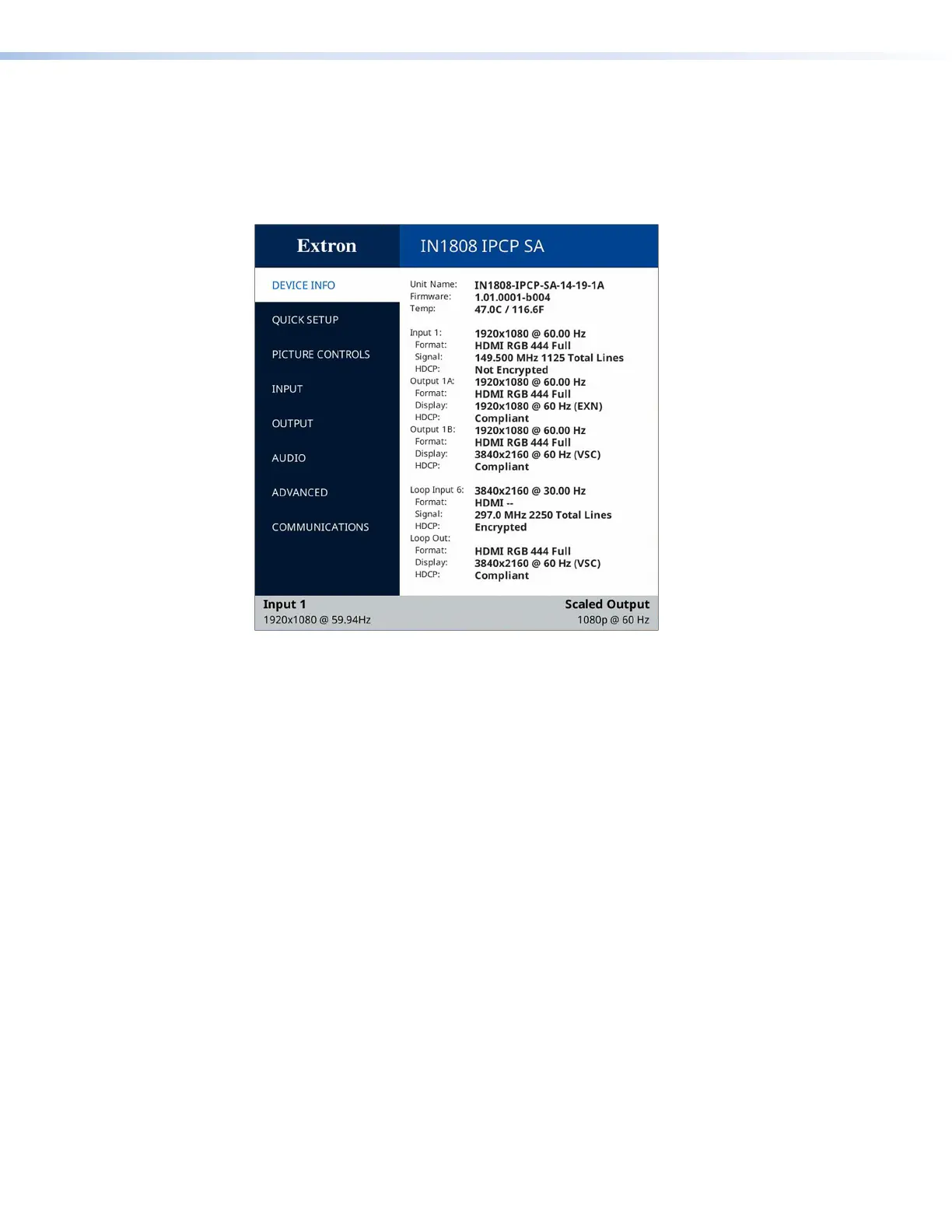
Device Info Screen
Figure 17. Device Info Screen
The read-only Device Info screen is listed first in the submenus (left) panel. This screen
contains information about your IN1806 or IN1808, including unit name, firmware version,
internal temperature in Celsius and Fahrenheit, and format and signal information for the
selected input device, all outputs, and the loop out.
17













 To Next Page