IN1806 and IN1808 Series Scaling Presentation Switchers • Operation 30
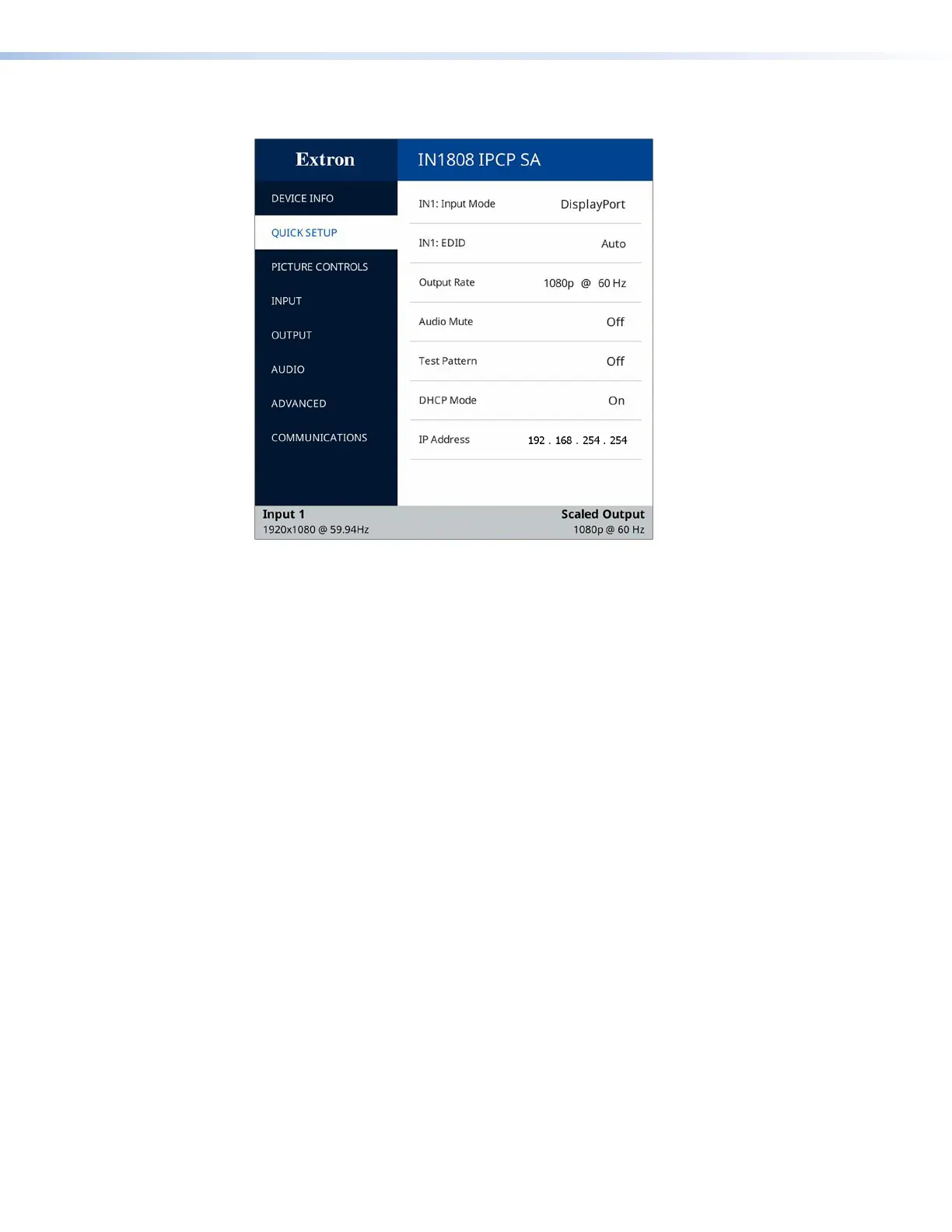
Quick Setup Submenu
Figure 18. Quick Setup Submenu
The Quick Setup submenu is displayed by default when the OSD is first opened, and
provides quick access to frequently-used settings. This submenu contains the following
items, which also appear on other submenus in the system:
• INn: Input Mode — Displays the video format (such as HDMI or DisplayPort) of the
connected input.
• INn: EDID — Press the
and
buttons to select the resolution or the rate list. Press
the
>
and
<
buttons to navigate through the selected list. Selecting Auto (the default)
from the resolutions list matches the current output resolution. There are also 10 custom
options, prefaced by C1 through C10.
• Output Rate — Press the
>
and
<
buttons to select from a list of output resolutions
and refresh rates (see Output Rate on the Output submenu beginning on page 36).
There are 10 custom options, prefaced by C1 through C10. The default setting is
1080p @ 60 Hz.
• Audio Mute — Press the
>
and
<
buttons to toggle between mute (On) and unmute
(Off) for the audio. The default is Off.
• Test Pattern — Press the
>
and
<
buttons to select a test pattern to display, or to turn
test patterns off (see Test Pattern on the OSD Advanced submenu on page 40). The
available test pattern selections are Crop, Alternating Pixels, Crosshatch, Color
Bars, Grayscale, and Audio Test (pink noise). The default setting is Off.
• DHCP Mode — In DHCP mode, the unit is assigned an IP address when it connects to
the network. Press the
>
and
<
buttons to toggle between enabling (On) and disabling
(Off) DHCP mode. The default is Off.
• IP Address — Press the
and
buttons to switch between octets. Press the
>
and
<
buttons to change the value of a selected octet. The default address is
192.168.254.254.
18













 To Next Page