IN1806 and IN1808 Series Scaling Presentation Switchers • Internal Web Pages 108
Outputs Panel
The Outputs panel (see figure 47,
5
, on page 103) displays the resolution and refresh rate
of the outputs, their signal type (HDMI, DTP, or DVI), and the HDCP status of all connected
outputs.
The following status symbols may be displayed for connected outputs:
Symbol Definition
The display is HDCP compliant.
The display is not HDCP compliant.
No Display No display is connected.
Firmware Panel
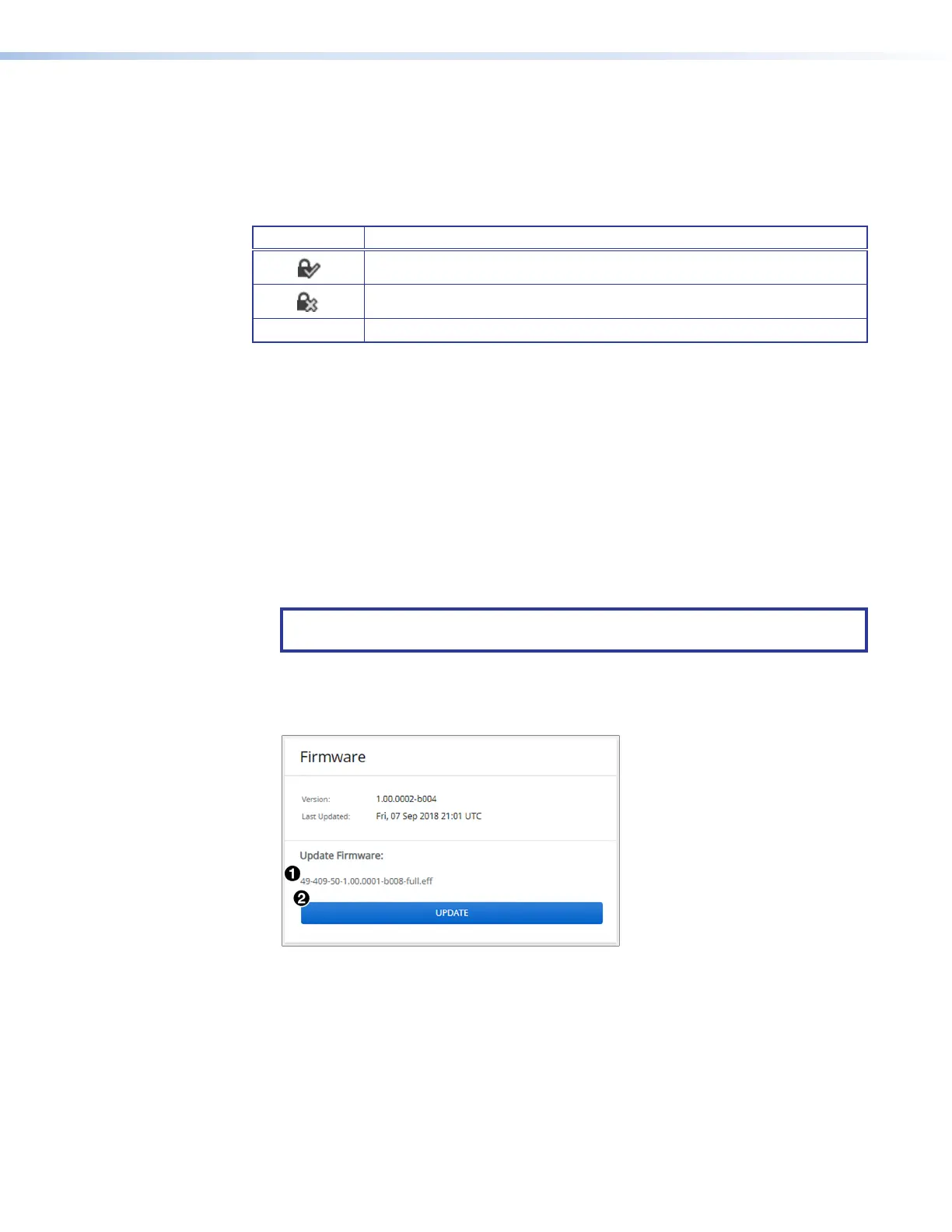
The Firmware panel (see figure 47,
6
) displays the current firmware version and the
date it was last updated. You can also update the firmware on your IN1806 or IN1808
Series from this panel (firmware files can be downloaded from www.extron.com, see
Downloading Updated Firmware on page 112).
To update firmware:
1. In the Firmware panel, click the Select File button.
2. In the Open dialog box, browse to locate the new firmware file on your computer (by
default the file is stored at C:\Program Files (x86)\Extron\Firmware after being
downloaded from the Extron web page).
NOTE: Firmware files for IN1806 and IN1808 Series have a .eff extension. Do not
attempt to load any other file types.
3. Double-click the firmware file name. The Open window closes, and the selected
firmware file name appears in the Update Firmware panel on the web page (see
figure 53,
1
).
Figure 53. Firmware Update Dialog Box with a Firmware File Selected
53













 To Next Page