IN1806 and IN1808 Series Scaling Presentation Switchers • Reference Information 112
Downloading Updated Firmware
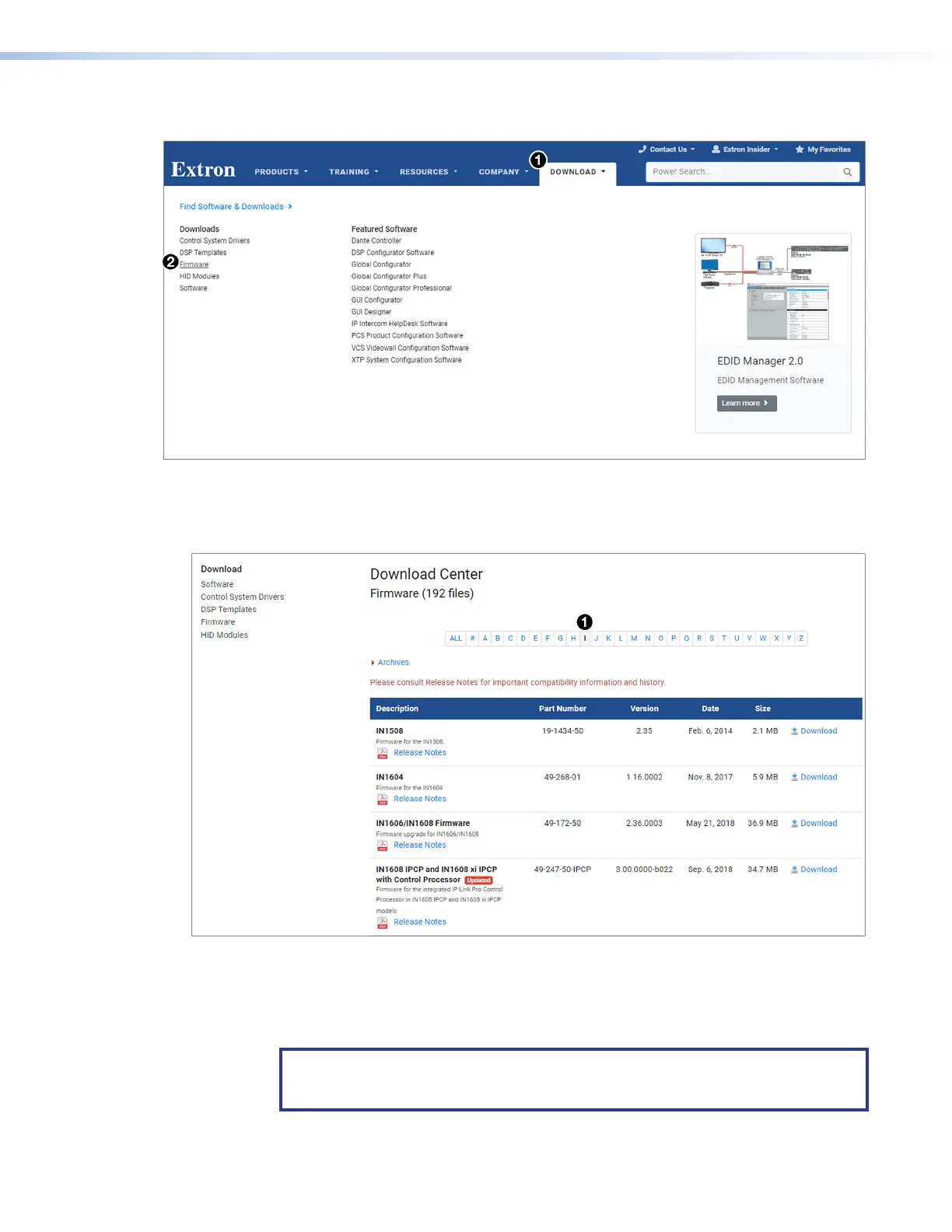
Figure 56. Downloading Firmware from the Extron Website
1. On the www.extron.com, click the Download tab (see figure 56,
1
).
2. Move the pointer to the Firmware link (
2
) in the Downloads column and click it.
Figure 57. I Link on Firmware Download Center Page
3. On the Download Center screen, click the I link (see figure 57,
1
).
4. Ensure the available firmware version is a later version than the current one on the
device.
NOTE: The firmware release notes provide details about the changes between
different firmware versions. The file can be downloaded from the same page as the
firmware.
56













 To Next Page