IN1806 and IN1808 Series Scaling Presentation Switchers • Configuration Software 98
Each device screen has a Device drop-down menu for configuration options. The
Software menu contains software configuration and information options.
Software Menu
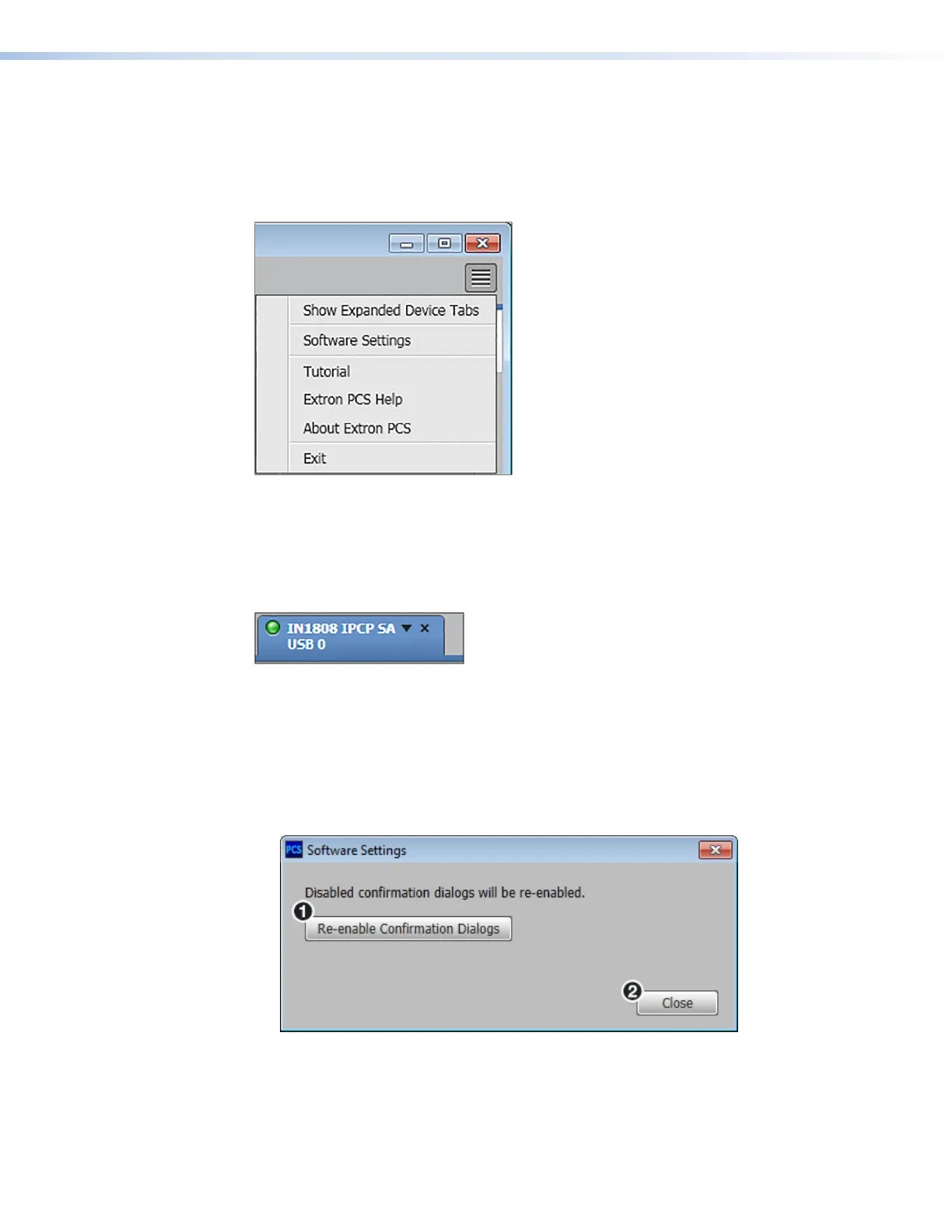
The PCS Software menu (see figure 40) contains options pertaining to PCS settings.
Figure 40. PCS Software Menu
Show Expanded Device Tabs
This option displays the device IP address or connection method in the Device tab.
From the Software menu, select Show Expanded Device Tabs.
Figure 41. Expanded Device Tab (IN1806 and IN1808 Series
Connected through USB)
Software Settings
This option resets all disabled confirmation dialogs to the default settings.
1. From the Software menu, select Software Settings. The Software Settings
dialog box opens.
Figure 42. Software Settings Dialog Box
2. Click the Re-enable Confirmation Dialogs button (
1
). The dialog box closes and
the reset is complete. Click the Close button (
2
) to close the dialog box without
re-enabling the confirmation dialogs.
40
41
42













 To Next Page