XTP CrossPoint Series • Installation 19
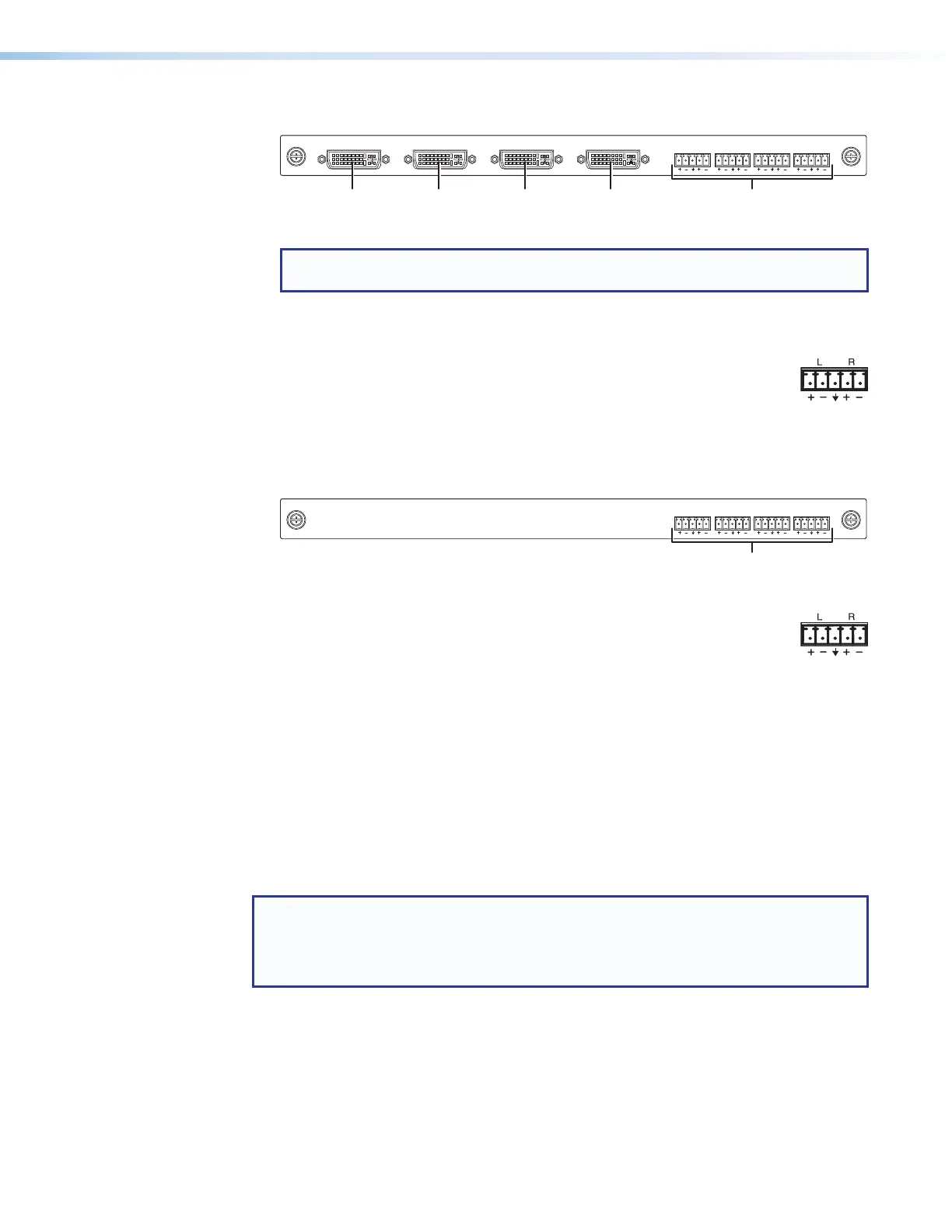
XTP CP 4o DVI Pro (DVI Pro Output board)
XTP CP 4o DVI Pro
AUDIO
LR LR LR LR
OUT
Figure 15. DVI Pro Output Board Connectors
NOTE: Although the DVI Pro boards use DVI-I connectors, the matrix switchers
handle only DVI-D (digital) video.
1
Output connector — Connect a DVI cable between this port and an DVI video
display (see DVI connectors on page 23 for pin assignments).
2
Audio Outputs (analog audio) connectors — Connect audio devices
such as an audio amplifier or powered speakers, to these 3.5 mm,
5-pole captive screw connectors. These connectors output unamplified,
level audio, whether it is tied from an analog input or de-embedded from a
digital input (see Analog audio output connectors on page 25 to wire the
connectors).
XTP CP 4o SA (Analog Audio Output board)
XTP CP 4o SA
AUDIO
LR LR LR LR
OUT
Figure 16. Analog Audio Board Connectors
1
Audio Outputs (analog audio) connectors — Connect audio
devices such as an audio amplifier or powered speakers, to these
3.5 mm, 5-pole captive screw connectors. These connectors output
unamplified, level audio, whether it is tied from an analog input or de-embedded
from a digital input (see Analog audio output connectors on page 25 to wire
the connectors).
Input and output pin assignments and wiring
TP connectors
It is essential that your cables (on the XTP and LAN [Ethernet] connectors) be the correct
type and that they be properly terminated with the correct pinout. These links use
unshielded twisted pair (UTP) or shielded twisted pair (STP) cables, terminated with RJ-45
connectors. XTP and LAN cables are limited to a length of 330 feet (100 m).
NOTES:
• Do not use standard telephone cables. Telephone cables do not support Ethernet
or Fast Ethernet.
• Do not stretch or bend cables. Transmission errors can occur.



 To Next Page