XTP CrossPoint Series • Operation 30
XTP SERIES DIGITAL MATRIX SWITCHER
AUDIO
1
2
3
4
VIDEO
I/O
POWER
CONTROL
ENTER PRESET
VIEW
ESC
INPUTS
1
2
3
4
5
6
7
8
9
10
11
12
14
15
16
13
17
18
19
20
21
22 23
24
25
26
27
28
30
31
32
29
1
2
3
4
5
6 7
8
9
10
11
12
14
15
16
13
17
18
19
20
21
22 23
24
25
26
27
28
30
31
32
29
OUTPUTS
CONFIG
XTP CrossPoint 3200
A
CDEF GH
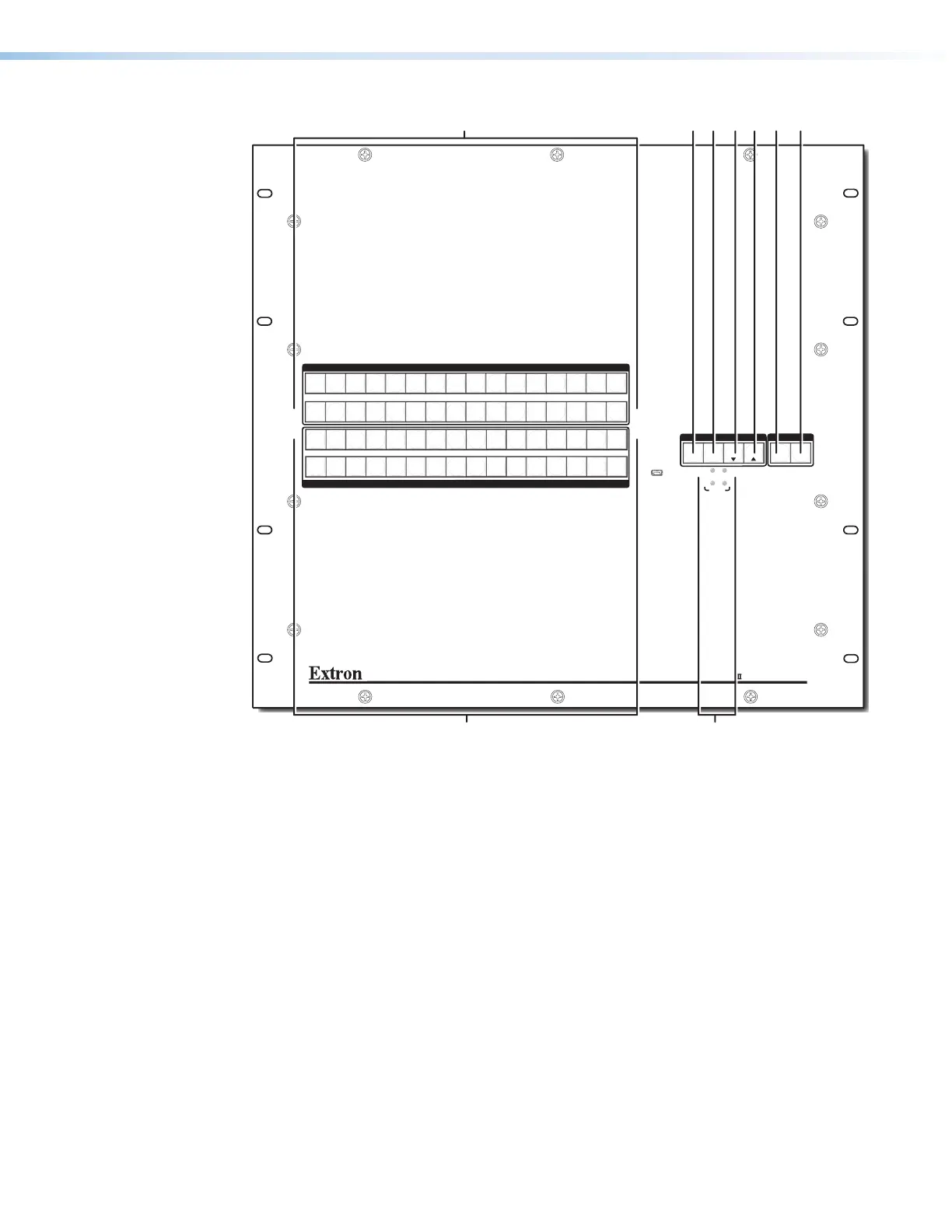
Figure 29. Front Panel, XTP CrossPoint 3200
A
Input buttons (see page 31)
B
Output buttons (see page 31)
C
Enter button (see page 32)
D
Preset button (see page 32)
E
View button (see page 33)
F
Esc button (see page 33)
G
Video button (see page 34)
H
Audio button (see page 34)
I
Power LEDs (see page 34)
The illuminated buttons can be labeled with text, graphics, or both. The buttons can be set
to provide amber background illumination all the time, or the background illumination can be
turned off (see Background Illumination on page 61). The buttons blink or are lit at full
intensity (depending on the operation) when selected.



 To Next Page