FARO
®
Laser Scanner Manual
92
Chapter 7: Controller Software
See Retaking Pictures on page 131.
Remote Access to Scans Enabling this function will allow you to have access
to the scans on the inserted SD card on remote devices that are connected to
the scanner through WLAN or Ethernet.
For more information, see WLAN on page 95.
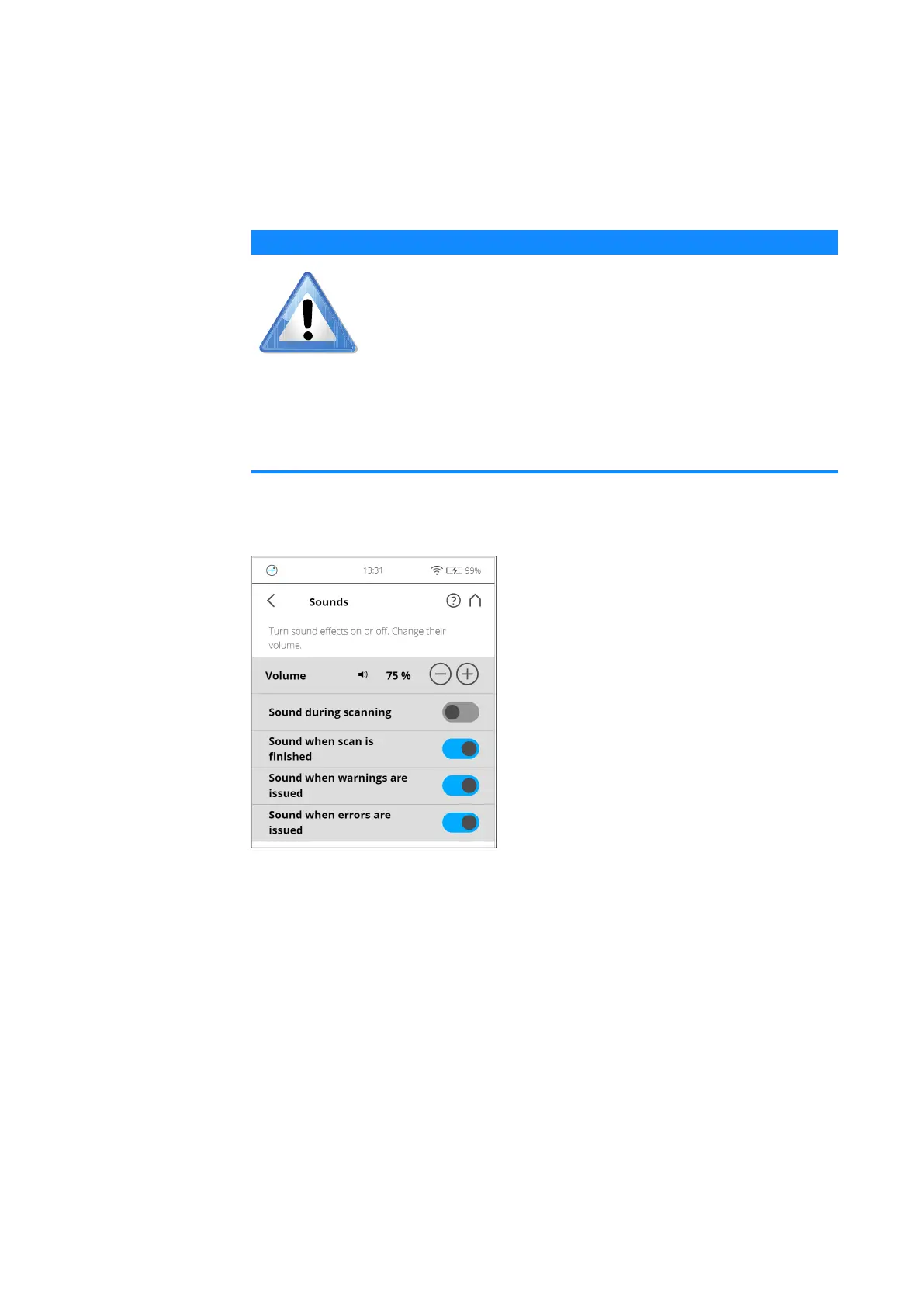
Sounds The scanner has a built-in speaker. The scanner signals certain events with
various sounds. You can change the speaker volume here and switch the
sound effects ON or OFF.
Figure 7-32: General Settings, Sounds
Volume - Increase or decrease the volume of the scanner sounds.
Sound during scanning - If switched on, the scanner will give a warning
signal when laser is switched on and scanning starts.
Sound when scan is finished - If switched on, the scanner will inform about
scan completion with a sound.
Sounds when warnings are issued - If switched on, the scanner produces a
warning sound when a warning is issued.
Sounds when errors are issued - If switched on, the scanner produces a
sound when an error is issued.
NOTICE
Risk of data loss
• Use only if you’re about to access scan files through
network. Absolutely make sure not to remove the SD card
until remote access is disabled again.
• The status of the SD card will be set to busy as long as
this function is enabled. Disable it before you remove the
SD card from the scanner. Remote access will
automatically be disabled when shutting down the
scanner, you will have to enable it again after reboot.



 To Next Page